
ylorb_e - Minecraft Skins & Skin History
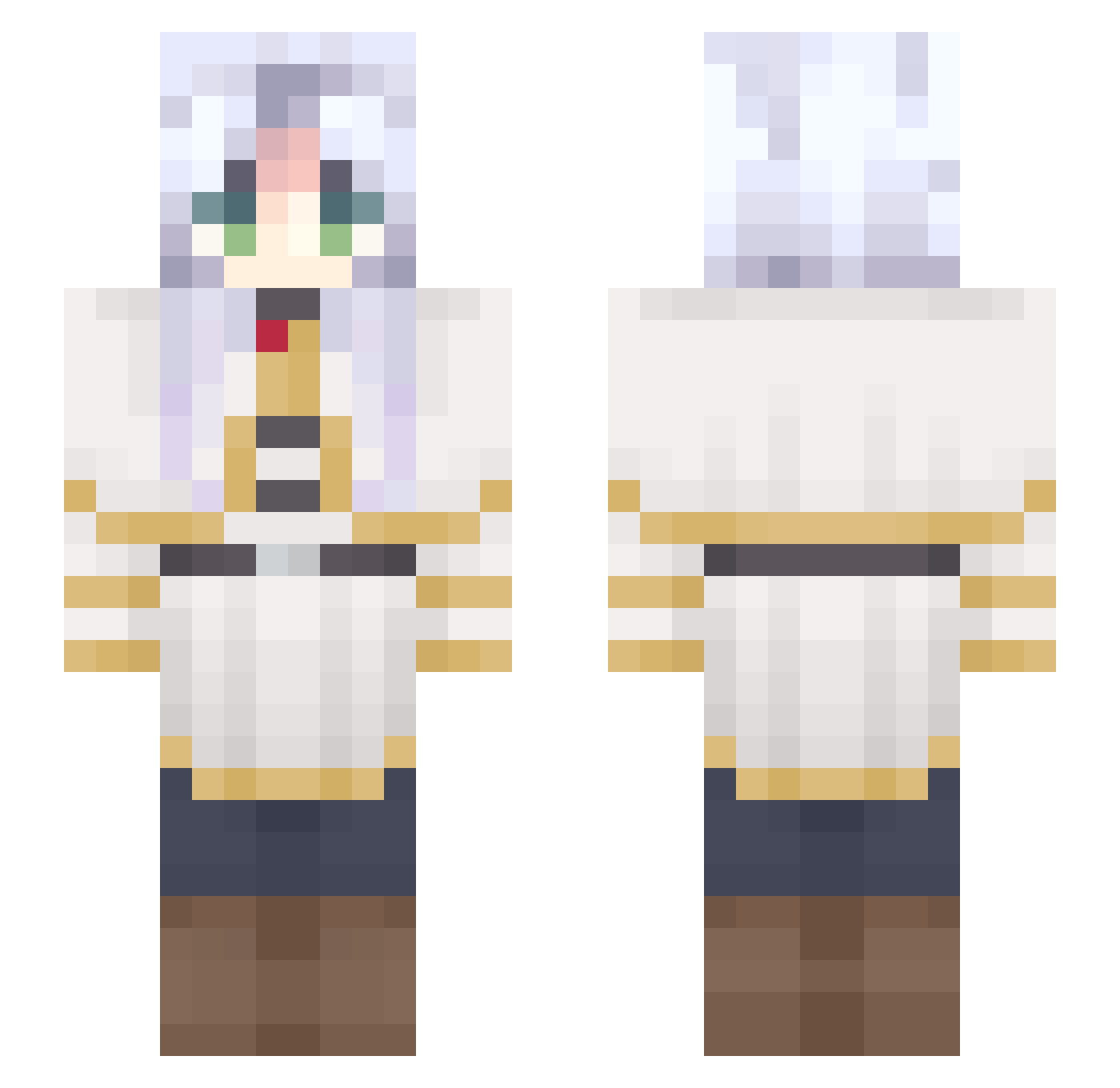
Current Minecraft skin of the player ylorb_e, loaded from the official Mojang API. Rotate the 3D model with your mouse or finger, then download the skin as a PNG file and use it in Minecraft: Bedrock Edition or Java Edition for free. When ylorb_e changes their skin, this page updates automatically and the old skin stays in the history below.
Other players with this skin (739)
ylorb_e was the 704th player we have seen with this skin, first spotted on 08.11.2026. The same skin was seen on these players. Open a nickname to see their current skin and skin history.
 buni01 MuyyuluDoce persiaaaaa agusssia lucikurs mknh43 MinSophiee Cairou0910 Obramoff Paradoxxical huntressssa setamago theicyfart DragonCats mlmilony Selunelunae daniel_2b POVO_lol VIC635 SilvanSlim Velltrox maqxnta Firelayers BFrieren Thunderheaded XXMY303 friieren2 DUGGAN23 MadMax532 Moon_moony TOKYOELECTRON Phyro85 MixCraftWood jij1021 kovachhh lancatlin dasukura Salvator224 chcknslyr FrierenMommy zyyy123 Fishomn wich115 AdonisDanger SenSo6740 SuperpaperIV aMarce54 The_evil_rat_wiz Crys42 yukibabyo_o AlucardHSUA motoya9796 itsarixo_ SniperHydra269 Yukinoshiyo Ashattack_666 UnicornPriya1 King619423 Boite_a_Lysanne Marvoll
Previous skins of ylorb_e
Skins that ylorb_e wore before, newest first. Click a skin to open its page and download it.
More Frieren Beyond Journeys End Minecraft skins
See all 138 Frieren Beyond Journeys End skins
How to install the ylorb_e skin
- Press the Download button above to save the skin as a PNG file.
- Minecraft: Bedrock Edition (PE): open the Dressing Room from the main menu (or tap your character → Edit Character), go to Classic Skins → Owned, press the + (new skin) button, choose the downloaded PNG and pick the Slim (Alex) model. Works on PC and mobile; consoles cannot import custom skins.
- Minecraft: Java Edition: open the Minecraft Launcher, go to the Skins tab, click New Skin, load the PNG, pick the Slim (Alex) model and press Save & Use. You can also upload it at minecraft.net → Profile → Change Skin.
The skin does not show up after import - what should I do?
Restart Minecraft and open the Dressing Room again - imported skins sometimes appear only after a restart. Also make sure you selected the imported skin and picked the Slim (Alex) model.
Which model should I choose, Classic or Slim?
This skin is designed for the Slim (Alex) model. If you pick the wrong model, the arms of the skin will look stretched or squeezed.
Is the skin of ylorb_e free to download?
Yes. Press Download, save the PNG file and use it in Minecraft: Bedrock Edition or Java Edition - no payment or registration needed. The skin also works on multiplayer servers and Realms.
More skins
Looking for more? Go back to all Minecraft skins and check the top skins of the week, month and all time, or find any player's skin by nickname.