
ykwlia - Minecraft Skins & Skin History
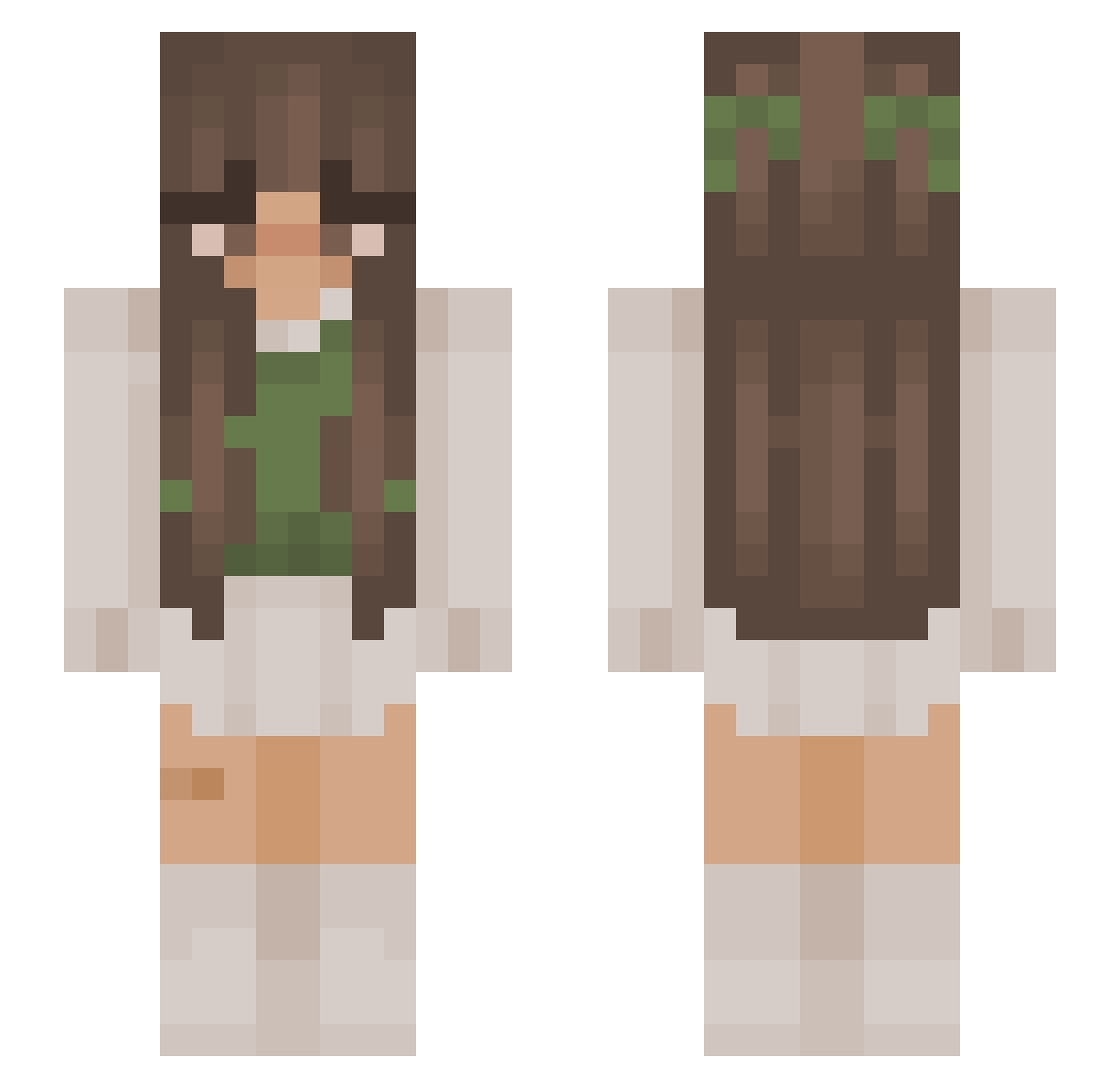
Current Minecraft skin of the player ykwlia, loaded from the official Mojang API. Rotate the 3D model with your mouse or finger, then download the skin as a PNG file and use it in Minecraft: Bedrock Edition or Java Edition for free. When ykwlia changes their skin, this page updates automatically and the old skin stays in the history below.
Other players with this skin (877)
ykwlia was the 98th player we have seen with this skin, first spotted on 03.08.2026. The same skin was seen on these players. Open a nickname to see their current skin and skin history.
 LuisHazelnut LetsSiri Iam_Jade soulkruncher giff39 Rana_0419 Vivsterrxx meggpie stommie Ellie_S03 xKylin Calipso265 elininka TAL824 BrokenSavior166 Mapelin Kristynaa_18 Hiraeths_Garden Laerke1620 Kassania Ronjatonttu Bafrag poluszek heartz4em Mushhhroom marinezeus liligoat Orbit2791 MxnaaFL EwwJess kurenai_iii Karshka NiaKelly loofie_DOfiee meisuki ivyyb55 bugleboyd whywereyouborn2 EyemChan AnnaBanana12147 ThompsonEmily Lorenabsw jjuanab emvxy Pyper_HD BeeSoMayo annie314 HydrelanXk swaggierbrunette ItsElisabeth Rebelgirly SnowflakeMaster Kountri Miisu_ jmoneypeanut lmcclymont07 queenbecee em8lyy Little15_ sophtheloaf26
More Cottagecore Minecraft skins
See all 5810 Cottagecore skins
How to install the ykwlia skin
- Press the Download button above to save the skin as a PNG file.
- Minecraft: Bedrock Edition (PE): open the Dressing Room from the main menu (or tap your character → Edit Character), go to Classic Skins → Owned, press the + (new skin) button, choose the downloaded PNG and pick the Slim (Alex) model. Works on PC and mobile; consoles cannot import custom skins.
- Minecraft: Java Edition: open the Minecraft Launcher, go to the Skins tab, click New Skin, load the PNG, pick the Slim (Alex) model and press Save & Use. You can also upload it at minecraft.net → Profile → Change Skin.
The skin does not show up after import - what should I do?
Restart Minecraft and open the Dressing Room again - imported skins sometimes appear only after a restart. Also make sure you selected the imported skin and picked the Slim (Alex) model.
Which model should I choose, Classic or Slim?
This skin is designed for the Slim (Alex) model. If you pick the wrong model, the arms of the skin will look stretched or squeezed.
Is the skin of ykwlia free to download?
Yes. Press Download, save the PNG file and use it in Minecraft: Bedrock Edition or Java Edition - no payment or registration needed. The skin also works on multiplayer servers and Realms.
More skins
Looking for more? Go back to all Minecraft skins and check the top skins of the week, month and all time, or find any player's skin by nickname.