
yellowjacket667 - Minecraft Skins & Skin History
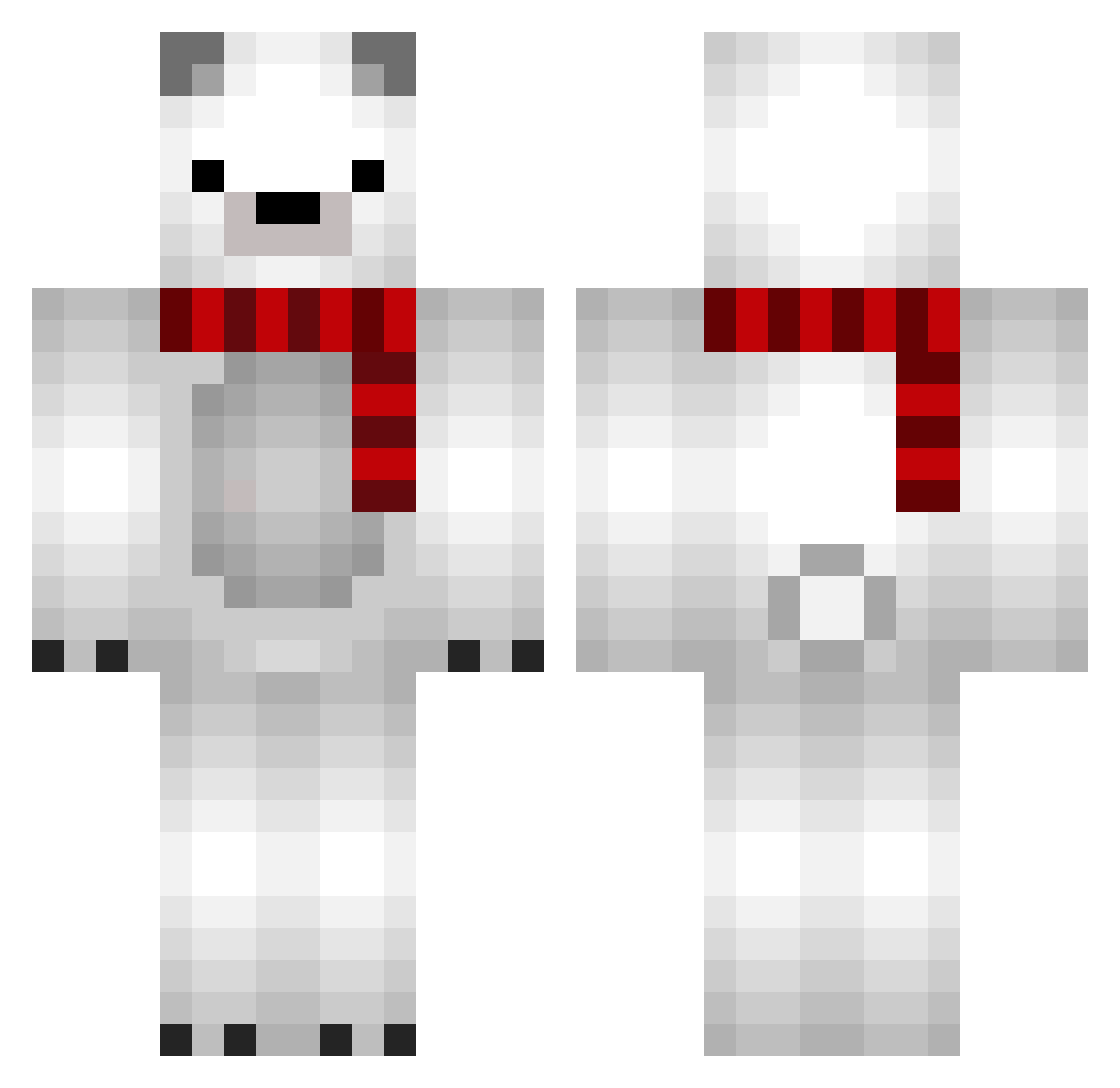
Current Minecraft skin of the player yellowjacket667, loaded from the official Mojang API. Rotate the 3D model with your mouse or finger, then download the skin as a PNG file and use it in Minecraft: Bedrock Edition or Java Edition for free. When yellowjacket667 changes their skin, this page updates automatically and the old skin stays in the history below.
Other players with this skin (856)
yellowjacket667 was the 708th player we have seen with this skin, first spotted on 23.10.2026. The same skin was seen on these players. Open a nickname to see their current skin and skin history.
 GreedKY polabear_xia jfonseca330 bl00pbl0p qqdavid2 gossi_ang 1ilt_ KS1230 Yikomen Pookkyyy wlsdn0711 GAMJA1 Jaku6ko Nicolas121212 yungi3174 taer1n POPBOB3027 _Noyce_ polarvfx bravetakoyaki jjamSik_04 P_Hwan MeangBBo Michael1501 SJTWL SettWYX yoshiya8686 alicia20cps yungchoong miniyu HaeJun88 malja06 Keypra JellykingThab mafu_oof Nagi_XD Dealith08 Downgrading mametarou2000 adpisogahxes Pandonator32 CalleJa_EsP Shirokuma_4696 RYU_TAROU Kagu132 jmjm0308 JUNG_RAIN AneWhite JamminTV99 Hatokoo lucat_ Walker9u SwiftyVoid Croxx__ DressRosa_ Chungia2885 Fqir rail_oy w00z00n Keuru
More Polar Bear Minecraft skins
How to install the yellowjacket667 skin
- Press the Download button above to save the skin as a PNG file.
- Minecraft: Bedrock Edition (PE): open the Dressing Room from the main menu (or tap your character → Edit Character), go to Classic Skins → Owned, press the + (new skin) button, choose the downloaded PNG and pick the Classic (Steve) model. Works on PC and mobile; consoles cannot import custom skins.
- Minecraft: Java Edition: open the Minecraft Launcher, go to the Skins tab, click New Skin, load the PNG, pick the Classic (Steve) model and press Save & Use. You can also upload it at minecraft.net → Profile → Change Skin.
The skin does not show up after import - what should I do?
Restart Minecraft and open the Dressing Room again - imported skins sometimes appear only after a restart. Also make sure you selected the imported skin and picked the Classic (Steve) model.
Which model should I choose, Classic or Slim?
This skin is designed for the Classic (Steve) model. If you pick the wrong model, the arms of the skin will look stretched or squeezed.
Is the skin of yellowjacket667 free to download?
Yes. Press Download, save the PNG file and use it in Minecraft: Bedrock Edition or Java Edition - no payment or registration needed. The skin also works on multiplayer servers and Realms.
More skins
Looking for more? Go back to all Minecraft skins and check the top skins of the week, month and all time, or find any player's skin by nickname.