
yan525shuo - Minecraft Skins & Skin History
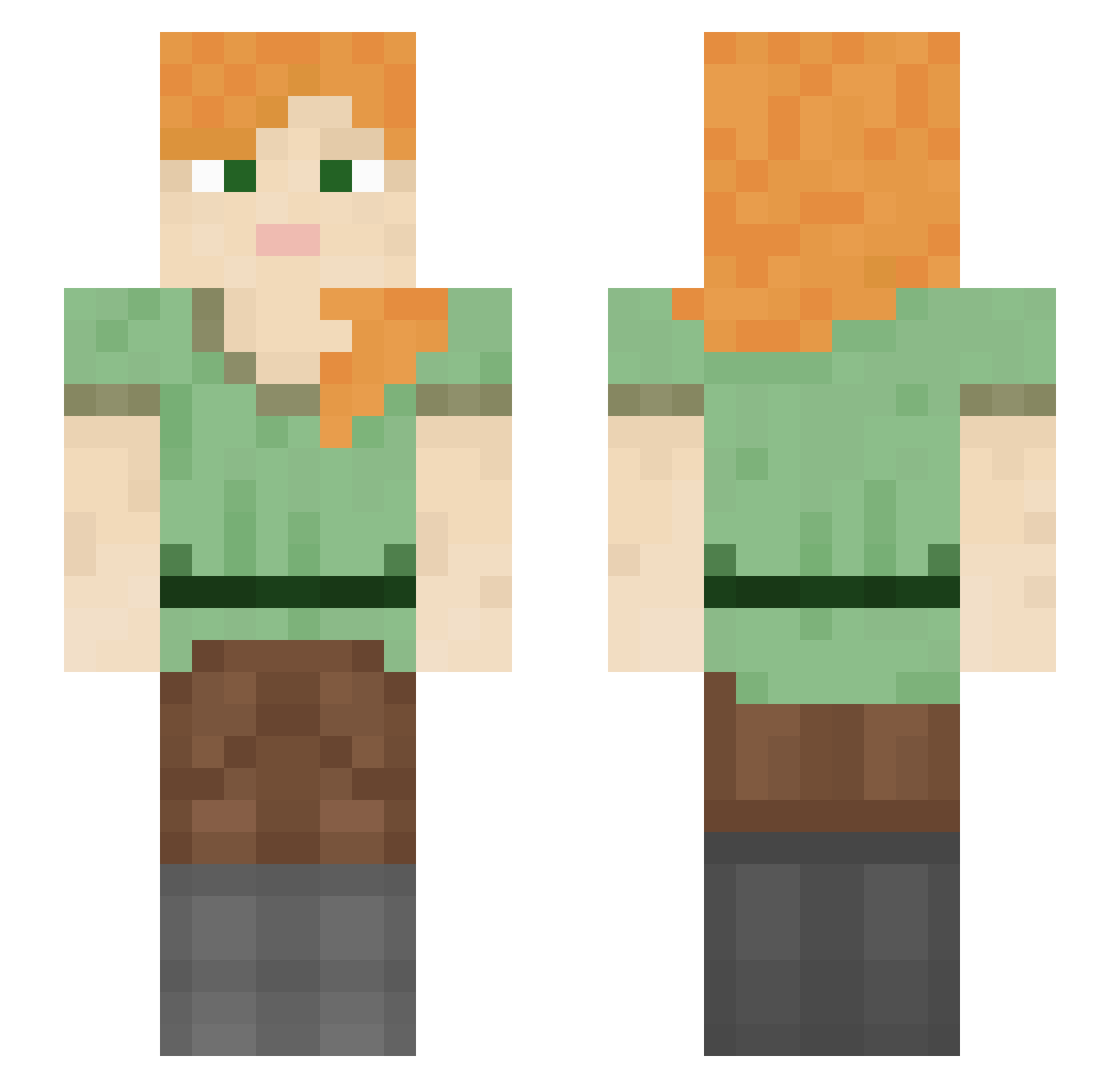
Current Minecraft skin of the player yan525shuo, loaded from the official Mojang API. Rotate the 3D model with your mouse or finger, then download the skin as a PNG file and use it in Minecraft: Bedrock Edition or Java Edition for free. When yan525shuo changes their skin, this page updates automatically and the old skin stays in the history below.
Other players with this skin (1053)
yan525shuo was the 224th player we have seen with this skin, first spotted on 16.08.2026. The same skin was seen on these players. Open a nickname to see their current skin and skin history.
 Matakha JS_Steve _Marlene_07 Tjerna kinakokko__ Noahht tinkotarou FreeMeteor72669 GladoriaN Melinda AnotherLateNight __DH_ ghtjr0420 cinwamoroll KawaiiKitten72 maartenjer Ifcould Lomulsia DoBronx___ Nonewofie BamShadTv the_bill_pl Prixie MissRisa xluzyw Ciobi Larimausi yaBoiLethal azg123 MIMIZUKU1453 aa_aa_aa_aa Anryth Sketcher Elecricity NoPseudo amorevo monteda ErikW202 Shevran13 meinqraft ChenZ3n DEADFIGHT777 EnderBunzs watchrat Internalize smoczus choragi kizmaster
 so5h carica ICaani Afjameson synectic zakoo Feyst BobLeCabosseur sneakbrarian neverdream369 jerry1 Copis
How to install the yan525shuo skin
- Press the Download button above to save the skin as a PNG file.
- Minecraft: Bedrock Edition (PE): open the Dressing Room from the main menu (or tap your character → Edit Character), go to Classic Skins → Owned, press the + (new skin) button, choose the downloaded PNG and pick the Slim (Alex) model. Works on PC and mobile; consoles cannot import custom skins.
- Minecraft: Java Edition: open the Minecraft Launcher, go to the Skins tab, click New Skin, load the PNG, pick the Slim (Alex) model and press Save & Use. You can also upload it at minecraft.net → Profile → Change Skin.
The skin does not show up after import - what should I do?
Restart Minecraft and open the Dressing Room again - imported skins sometimes appear only after a restart. Also make sure you selected the imported skin and picked the Slim (Alex) model.
Which model should I choose, Classic or Slim?
This skin is designed for the Slim (Alex) model. If you pick the wrong model, the arms of the skin will look stretched or squeezed.
Is the skin of yan525shuo free to download?
Yes. Press Download, save the PNG file and use it in Minecraft: Bedrock Edition or Java Edition - no payment or registration needed. The skin also works on multiplayer servers and Realms.
More skins
Looking for more? Go back to all Minecraft skins and check the top skins of the week, month and all time, or find any player's skin by nickname.