
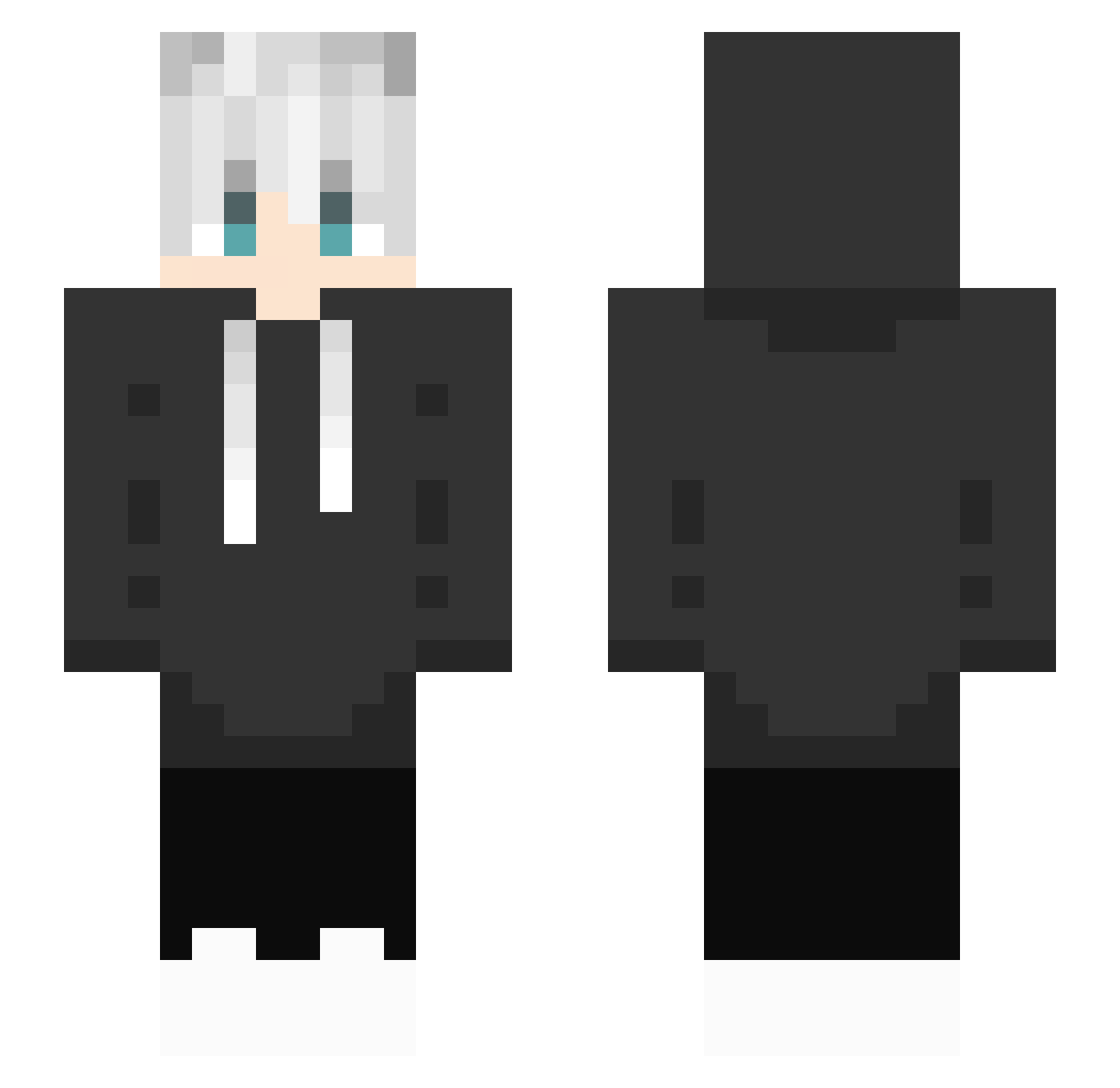
Current Minecraft skin of the player yamier, loaded from the official Mojang API. Rotate the 3D model with your mouse or finger, then download the skin as a PNG file and use it in Minecraft: Bedrock Edition or Java Edition for free. When yamier changes their skin, this page updates automatically and the old skin stays in the history below.
Other players with this skin (161)
yamier was the 46th player we have seen with this skin, first spotted on 11.08.2026. The same skin was seen on these players. Open a nickname to see their current skin and skin history.
 Magma_HD2 GGKyuuu redX013 boleklolek hasssta karex7656 Central_Parks cocomy3 Banana0924 Riizko Mattigzz IchBinGriefer Jastxab noxalicious thorface09 gilreon _GreyWay Mentrozz PageYu Gonza230 blancblan ykeoxz NahueMax1 NoName_Kubi atsushimickey SRC_Joe yegei1 suzulinev Jumili89 Traffix03 ThreadException wnstlr0219 7anX1e_ CamiaAhah azrailiste1 ChrisLi iMranGGG skm06193 HollywoodWWW Potato_headz nhirn ParkSiOu 1BraVo_ Odav_Lastevorst MindNuke Fuwq_0 ggzinn777 perole99 SteinAsfalt Rine0_0 Master_Sad warden26 lukas_jvs StarKirby551 TheLukzera Nettonize Pretzel99 OoShadow76 chu_chu2145 Knatman
How to install the yamier skin
- Press the Download button above to save the skin as a PNG file.
- Minecraft: Bedrock Edition (PE): open the Dressing Room from the main menu (or tap your character → Edit Character), go to Classic Skins → Owned, press the + (new skin) button, choose the downloaded PNG and pick the Slim (Alex) model. Works on PC and mobile; consoles cannot import custom skins.
- Minecraft: Java Edition: open the Minecraft Launcher, go to the Skins tab, click New Skin, load the PNG, pick the Slim (Alex) model and press Save & Use. You can also upload it at minecraft.net → Profile → Change Skin.
The skin does not show up after import - what should I do?
Restart Minecraft and open the Dressing Room again - imported skins sometimes appear only after a restart. Also make sure you selected the imported skin and picked the Slim (Alex) model.
Which model should I choose, Classic or Slim?
This skin is designed for the Slim (Alex) model. If you pick the wrong model, the arms of the skin will look stretched or squeezed.
Is the skin of yamier free to download?
Yes. Press Download, save the PNG file and use it in Minecraft: Bedrock Edition or Java Edition - no payment or registration needed. The skin also works on multiplayer servers and Realms.
More skins
Looking for more? Go back to all Minecraft skins and check the top skins of the week, month and all time, or find any player's skin by nickname.