
yEEtsomEonE - Minecraft Skins & Skin History
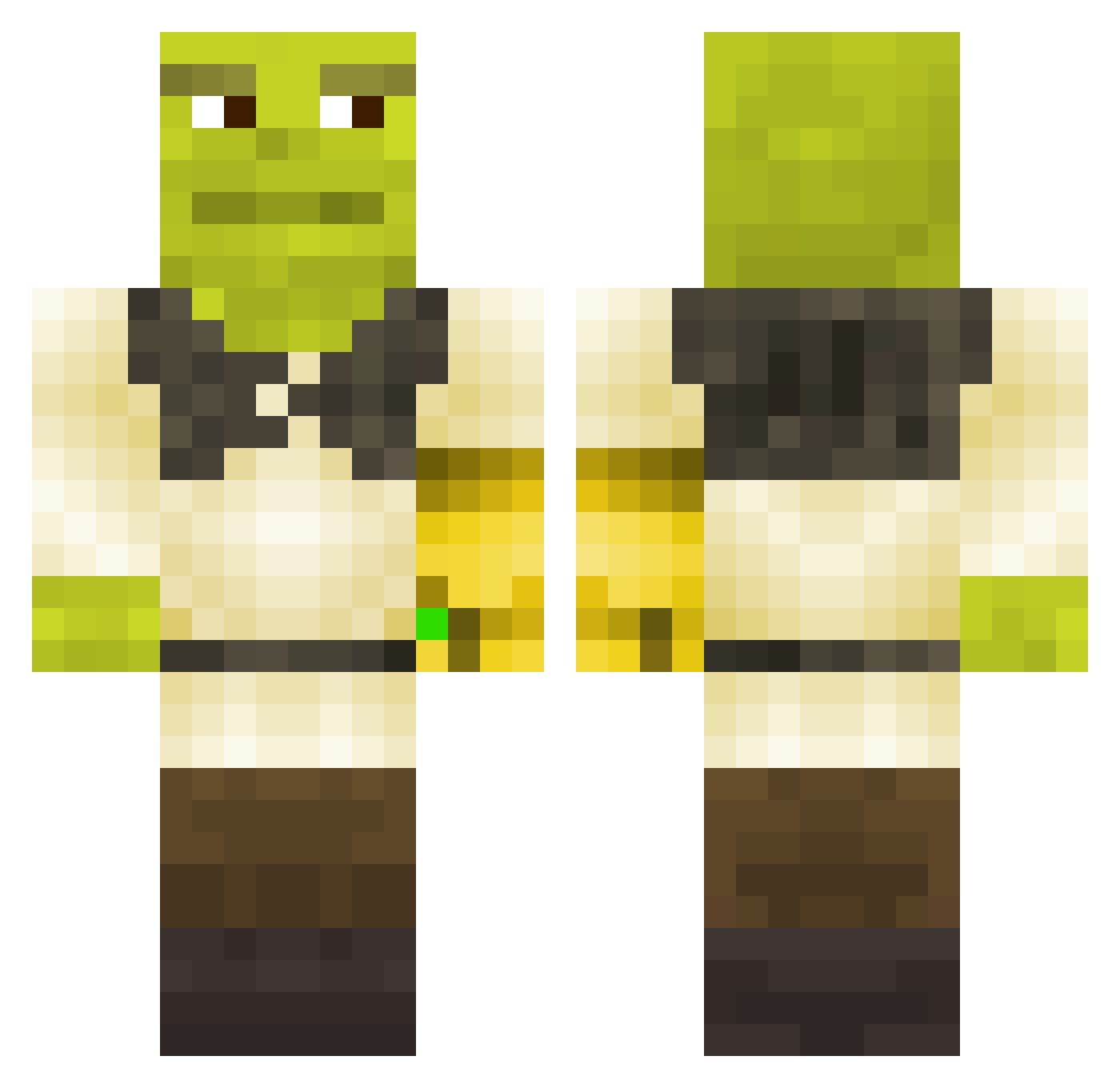
Current Minecraft skin of the player yEEtsomEonE, loaded from the official Mojang API. Rotate the 3D model with your mouse or finger, then download the skin as a PNG file and use it in Minecraft: Bedrock Edition or Java Edition for free. When yEEtsomEonE changes their skin, this page updates automatically and the old skin stays in the history below.
Other players with this skin (441)
yEEtsomEonE was the 415th player we have seen with this skin, first spotted on 13.11.2026. The same skin was seen on these players. Open a nickname to see their current skin and skin history.
 MamaShrek Igor5051 Mitak95 LampyLeSang nutbuster69696 MXReloaded12 KastenwieLino rehdog14 struudl dozirovanyi fattig_rumenar DioCubo arjendegoat Thermodynamique Big_Hairy_Man The_Jevel Octamp98 Trisbli XxGabriellaxX Rulerrocks19 Bitsyspooder Dave_Train Mr_StealYourG1rl shrek_is_love06 MysticalGliTcH Wiracochai cartha F_royo sxnx0602 swiftyboii Baumfreund468 shrekmovie Connorjay123 Rindizzle sdo4 blaze9270 seba019c TeddyPickers OrangeMaster123 Patrik_Ljub1tch Faergas HalvorTheBuilder Budget_Beast mexvasquez thaiboks69 gotz999 mr_t01 The_Yv3s Aboubakar69 StretchyDQLY keduli Tulzlol BigNi99io Loracian T_byy Lil_PoopyHead uklor BRUHNDN diegogrc ElectriK_
More Infinity Gauntlet Minecraft skins
See all 716 Infinity Gauntlet skins
How to install the yEEtsomEonE skin
- Press the Download button above to save the skin as a PNG file.
- Minecraft: Bedrock Edition (PE): open the Dressing Room from the main menu (or tap your character → Edit Character), go to Classic Skins → Owned, press the + (new skin) button, choose the downloaded PNG and pick the Classic (Steve) model. Works on PC and mobile; consoles cannot import custom skins.
- Minecraft: Java Edition: open the Minecraft Launcher, go to the Skins tab, click New Skin, load the PNG, pick the Classic (Steve) model and press Save & Use. You can also upload it at minecraft.net → Profile → Change Skin.
The skin does not show up after import - what should I do?
Restart Minecraft and open the Dressing Room again - imported skins sometimes appear only after a restart. Also make sure you selected the imported skin and picked the Classic (Steve) model.
Which model should I choose, Classic or Slim?
This skin is designed for the Classic (Steve) model. If you pick the wrong model, the arms of the skin will look stretched or squeezed.
Is the skin of yEEtsomEonE free to download?
Yes. Press Download, save the PNG file and use it in Minecraft: Bedrock Edition or Java Edition - no payment or registration needed. The skin also works on multiplayer servers and Realms.
More skins
Looking for more? Go back to all Minecraft skins and check the top skins of the week, month and all time, or find any player's skin by nickname.