
yBxstiYT - Minecraft Skins & Skin History
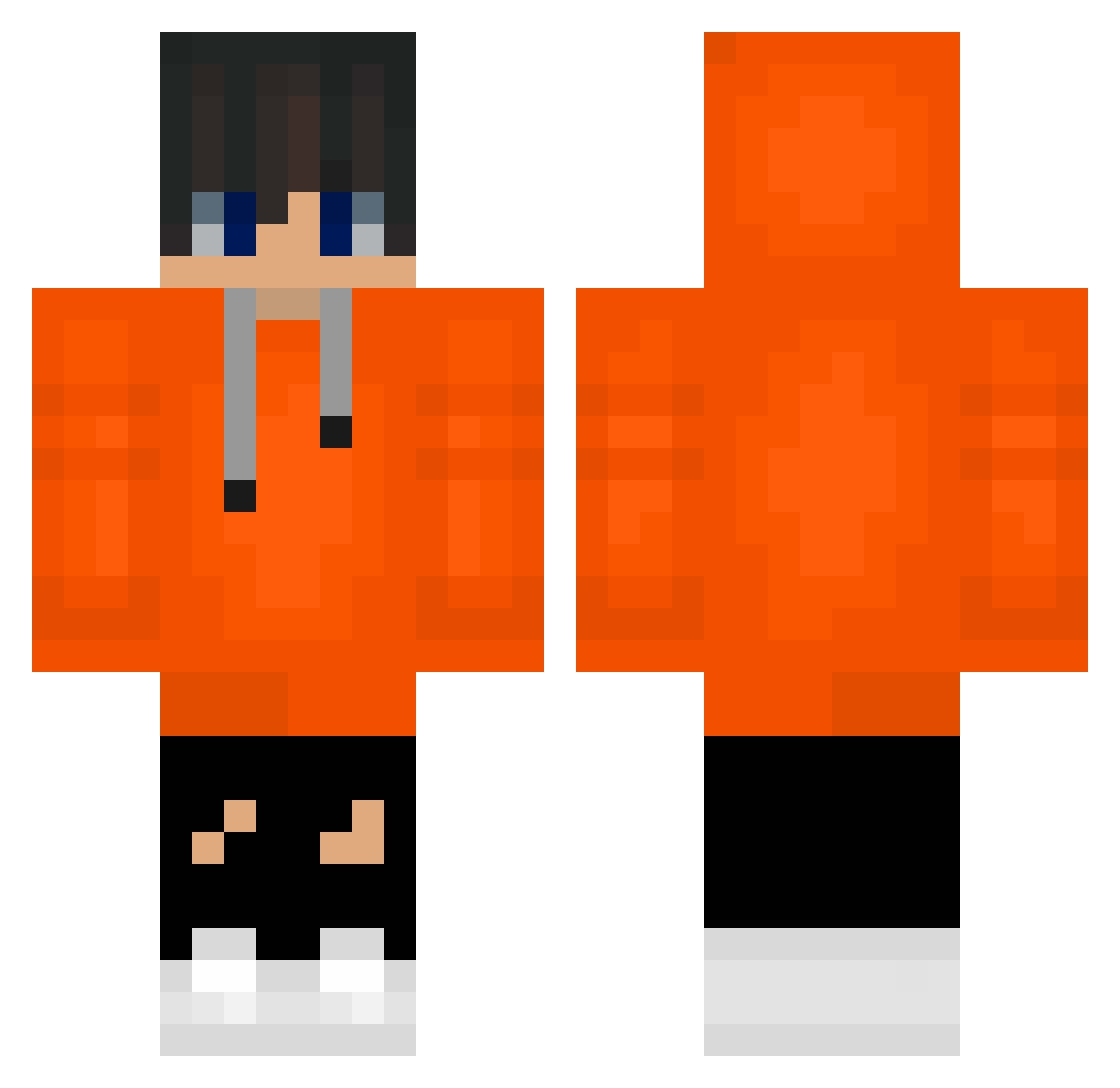
Current Minecraft skin of the player yBxstiYT, loaded from the official Mojang API. Rotate the 3D model with your mouse or finger, then download the skin as a PNG file and use it in Minecraft: Bedrock Edition or Java Edition for free. When yBxstiYT changes their skin, this page updates automatically and the old skin stays in the history below.
Other players with this skin (488)
yBxstiYT was the 232nd player we have seen with this skin, first spotted on 17.09.2026. The same skin was seen on these players. Open a nickname to see their current skin and skin history.
 sihoon1 NoahPhobic_ ZNS_Lonewolf greenkomq Jyjwin2013 Dav091013 AoNeji pig110808 tmddnjs_02 mount2 pb_160 komq_jjang Iifetime hyxeoxsxo happy357 TigerJun817 CalumEccy LS_Master christhebest145 luddefet Amazingjeong apple1462 James110519 KremovkaPL seung14 autoway21 askdhv123 zizon_yuchan happySmile0120 miningexpert2012
 xldru83 Dmiyr widow76_ trreee whdns Pmg1104 IloveFromis_9 m_iozx0311 LuckyCrow8043 UptownBlock771 heejin1229 kongkong07 junjun1234561 LINGA999 iyho jogin00 janny_buny Zizu09 bonjunku chamin014 handsomejinchu maackzy _SQUIRMYFIDDLE_ xxqnr Naten_korean Maxull999 UQYUQY komq960 gilpsfg LEE_YOON_JAE
How to install the yBxstiYT skin
- Press the Download button above to save the skin as a PNG file.
- Minecraft: Bedrock Edition (PE): open the Dressing Room from the main menu (or tap your character → Edit Character), go to Classic Skins → Owned, press the + (new skin) button, choose the downloaded PNG and pick the Classic (Steve) model. Works on PC and mobile; consoles cannot import custom skins.
- Minecraft: Java Edition: open the Minecraft Launcher, go to the Skins tab, click New Skin, load the PNG, pick the Classic (Steve) model and press Save & Use. You can also upload it at minecraft.net → Profile → Change Skin.
The skin does not show up after import - what should I do?
Restart Minecraft and open the Dressing Room again - imported skins sometimes appear only after a restart. Also make sure you selected the imported skin and picked the Classic (Steve) model.
Which model should I choose, Classic or Slim?
This skin is designed for the Classic (Steve) model. If you pick the wrong model, the arms of the skin will look stretched or squeezed.
Is the skin of yBxstiYT free to download?
Yes. Press Download, save the PNG file and use it in Minecraft: Bedrock Edition or Java Edition - no payment or registration needed. The skin also works on multiplayer servers and Realms.
More skins
Looking for more? Go back to all Minecraft skins and check the top skins of the week, month and all time, or find any player's skin by nickname.