
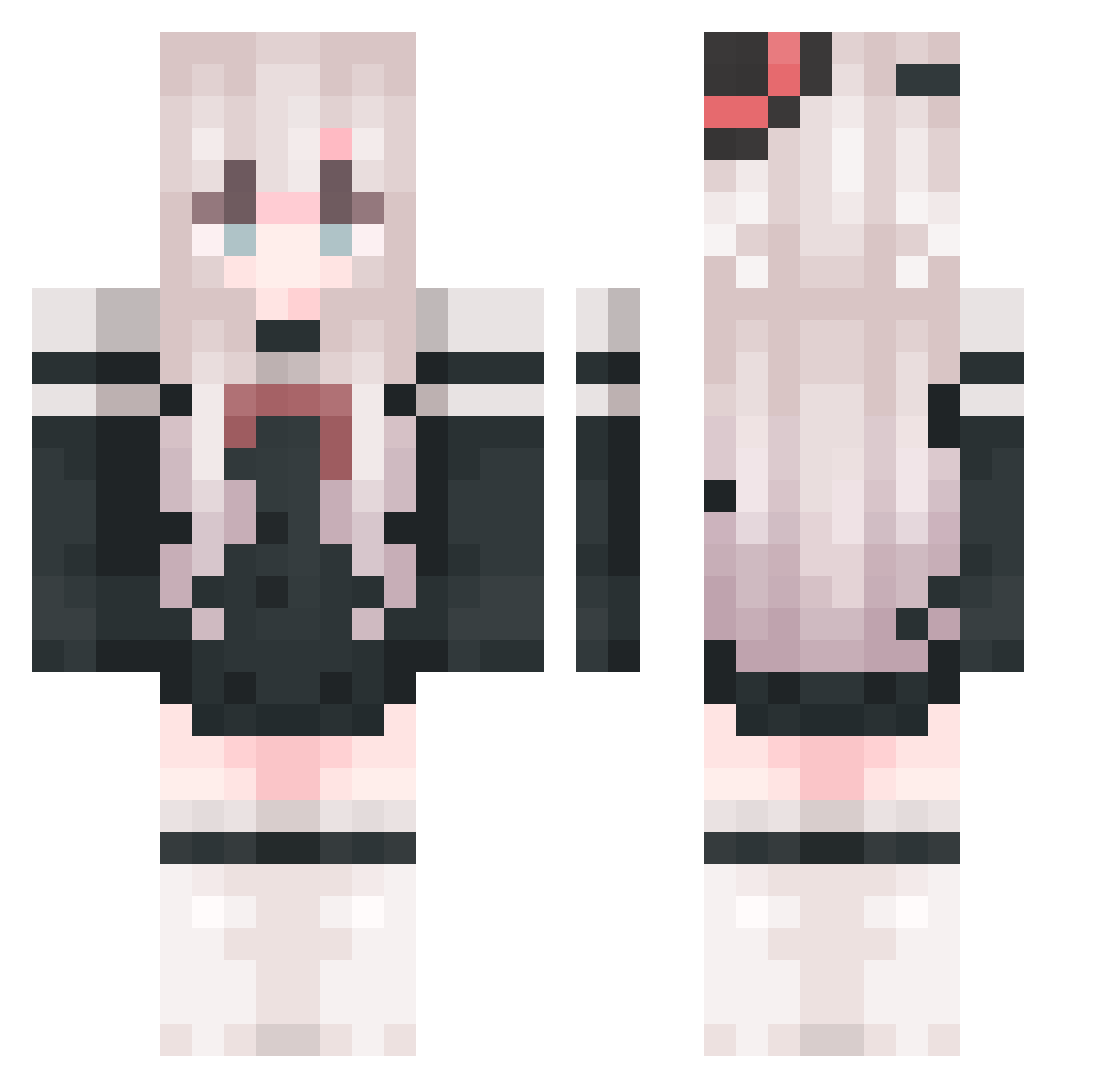
Current Minecraft skin of the player xzthxcg, loaded from the official Mojang API. Rotate the 3D model with your mouse or finger, then download the skin as a PNG file and use it in Minecraft: Bedrock Edition or Java Edition for free. When xzthxcg changes their skin, this page updates automatically and the old skin stays in the history below.
Other players with this skin (762)
xzthxcg was the 280th player we have seen with this skin, first spotted on 23.08.2026. The same skin was seen on these players. Open a nickname to see their current skin and skin history.
 empty_00000 _nancheng__ fangchang233 MCxiaosun123 xine0hP xueluoing Yukiitsubaki sky_real
 Xero_CraftStudio CHENYAOBIN Zephyr0z0 DKGNVA pool233 onesmallerhuo XING_CHEN_2017 H_pipi AshBringer__ Eleven0427 Lyexu PlmmLy BJZL MatqsushimaWunai exquisite0923 metxiaohao liuli2321 WZWZWZWZWZ Nayyya YMDXX XiaoDeng1 XiaoYu818 Flowernia Kaplank blackhatrelax Ancient5 xxxueyu0 bsdlbs jjk452 tingting0321 Eci1pseWE SilverPlate001 T1cup Aphasior Vivian521 Chiezzzz_ tyhsnb 94949494 Sasiliya Eiskokos Natsume_Ai_ Jiangxiaocha Akyuu99 Nucleus452 handsomeTT lucky0572 Grids_9 MosasaRox Uz1226 cywn_003 Skatherz YURI_MDD
More Top Hat Minecraft skins
How to install the xzthxcg skin
- Press the Download button above to save the skin as a PNG file.
- Minecraft: Bedrock Edition (PE): open the Dressing Room from the main menu (or tap your character → Edit Character), go to Classic Skins → Owned, press the + (new skin) button, choose the downloaded PNG and pick the Classic (Steve) model. Works on PC and mobile; consoles cannot import custom skins.
- Minecraft: Java Edition: open the Minecraft Launcher, go to the Skins tab, click New Skin, load the PNG, pick the Classic (Steve) model and press Save & Use. You can also upload it at minecraft.net → Profile → Change Skin.
The skin does not show up after import - what should I do?
Restart Minecraft and open the Dressing Room again - imported skins sometimes appear only after a restart. Also make sure you selected the imported skin and picked the Classic (Steve) model.
Which model should I choose, Classic or Slim?
This skin is designed for the Classic (Steve) model. If you pick the wrong model, the arms of the skin will look stretched or squeezed.
Is the skin of xzthxcg free to download?
Yes. Press Download, save the PNG file and use it in Minecraft: Bedrock Edition or Java Edition - no payment or registration needed. The skin also works on multiplayer servers and Realms.
More skins
Looking for more? Go back to all Minecraft skins and check the top skins of the week, month and all time, or find any player's skin by nickname.