
xxsamiexx - Minecraft Skins & Skin History
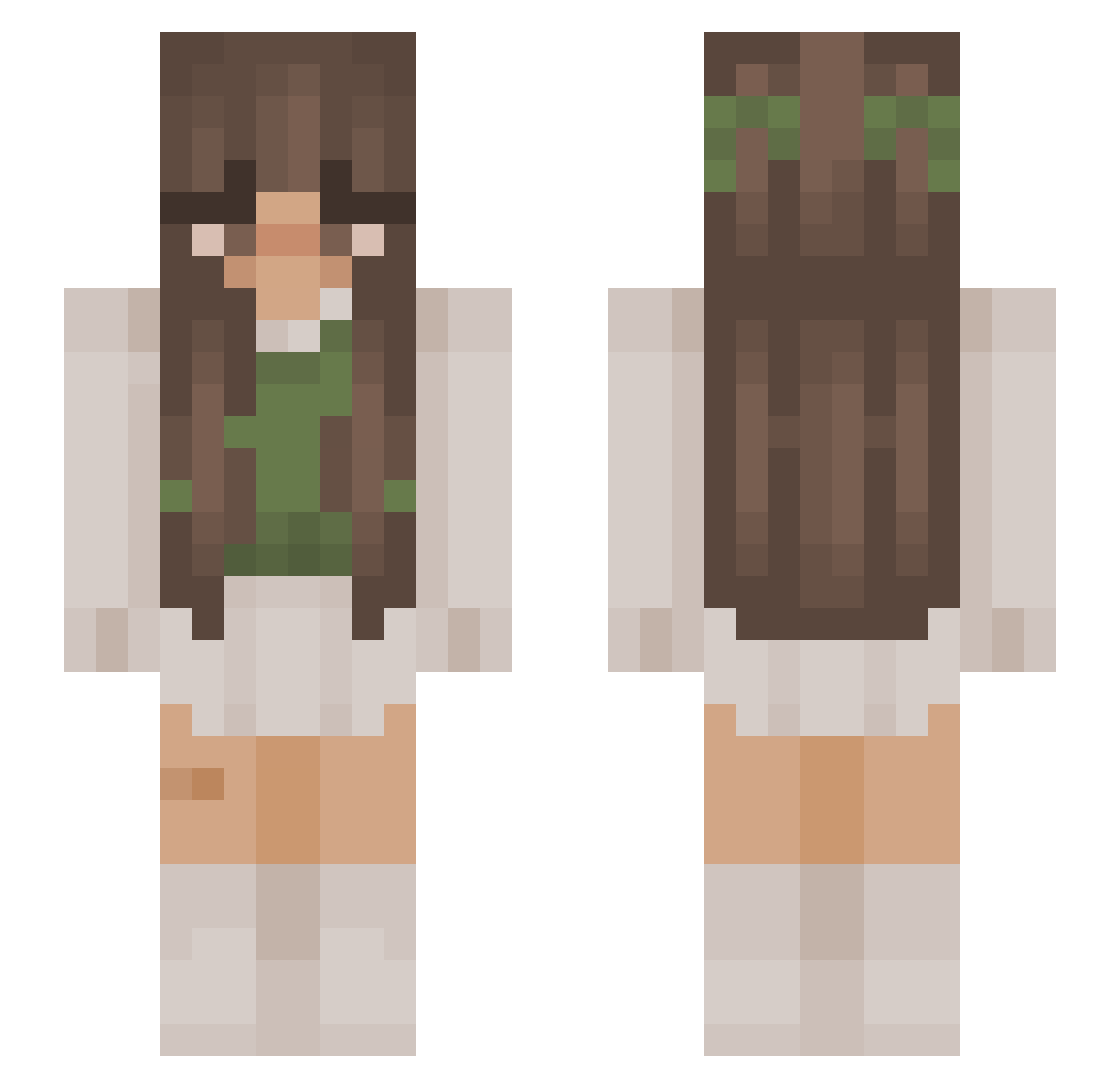
Current Minecraft skin of the player xxsamiexx, loaded from the official Mojang API. Rotate the 3D model with your mouse or finger, then download the skin as a PNG file and use it in Minecraft: Bedrock Edition or Java Edition for free. When xxsamiexx changes their skin, this page updates automatically and the old skin stays in the history below.
Other players with this skin (1183)
xxsamiexx was the 1163rd player we have seen with this skin, first spotted on 17.11.2026. The same skin was seen on these players. Open a nickname to see their current skin and skin history.
 IsyFox_ Willow_Faerie swaggygemini CoolDarkness111 yNova Thanina AimeeJayne06 SmoothCami IIVendiII rorylex Bonanzo101 Alelal slimekittens sadlyluc1a jadrom snxiaa Thatsmii Lailita_Sage Carmen4973 vanexsa Fiura Neolexic istor1 Emz_K3 feetbee ConCon8642 lootjeee Koust magic_Conilixa82 Cat96 ine_ve AnimeKpopLover24 AidaXXX lillyyy07 ToastEater123456 Eedmegzoha casual_abigail_ Ricusia2022 _Lidqa_ ArchiDey22 Sheerii marina9124 Paulina777 Nahmz maddyara feetlover123xx forevernikita AtArI12 plsr0t gracie0092 Orzac SagiePagie oliveoliveh zvziaa_a WeAreAvocados Atlesssa mirandyy Olishiit sherylalexandria BellPeppa
More Cottagecore Minecraft skins
See all 7535 Cottagecore skins
How to install the xxsamiexx skin
- Press the Download button above to save the skin as a PNG file.
- Minecraft: Bedrock Edition (PE): open the Dressing Room from the main menu (or tap your character → Edit Character), go to Classic Skins → Owned, press the + (new skin) button, choose the downloaded PNG and pick the Slim (Alex) model. Works on PC and mobile; consoles cannot import custom skins.
- Minecraft: Java Edition: open the Minecraft Launcher, go to the Skins tab, click New Skin, load the PNG, pick the Slim (Alex) model and press Save & Use. You can also upload it at minecraft.net → Profile → Change Skin.
The skin does not show up after import - what should I do?
Restart Minecraft and open the Dressing Room again - imported skins sometimes appear only after a restart. Also make sure you selected the imported skin and picked the Slim (Alex) model.
Which model should I choose, Classic or Slim?
This skin is designed for the Slim (Alex) model. If you pick the wrong model, the arms of the skin will look stretched or squeezed.
Is the skin of xxsamiexx free to download?
Yes. Press Download, save the PNG file and use it in Minecraft: Bedrock Edition or Java Edition - no payment or registration needed. The skin also works on multiplayer servers and Realms.
More skins
Looking for more? Go back to all Minecraft skins and check the top skins of the week, month and all time, or find any player's skin by nickname.