
xxXDeniXxx - Minecraft Skins & Skin History
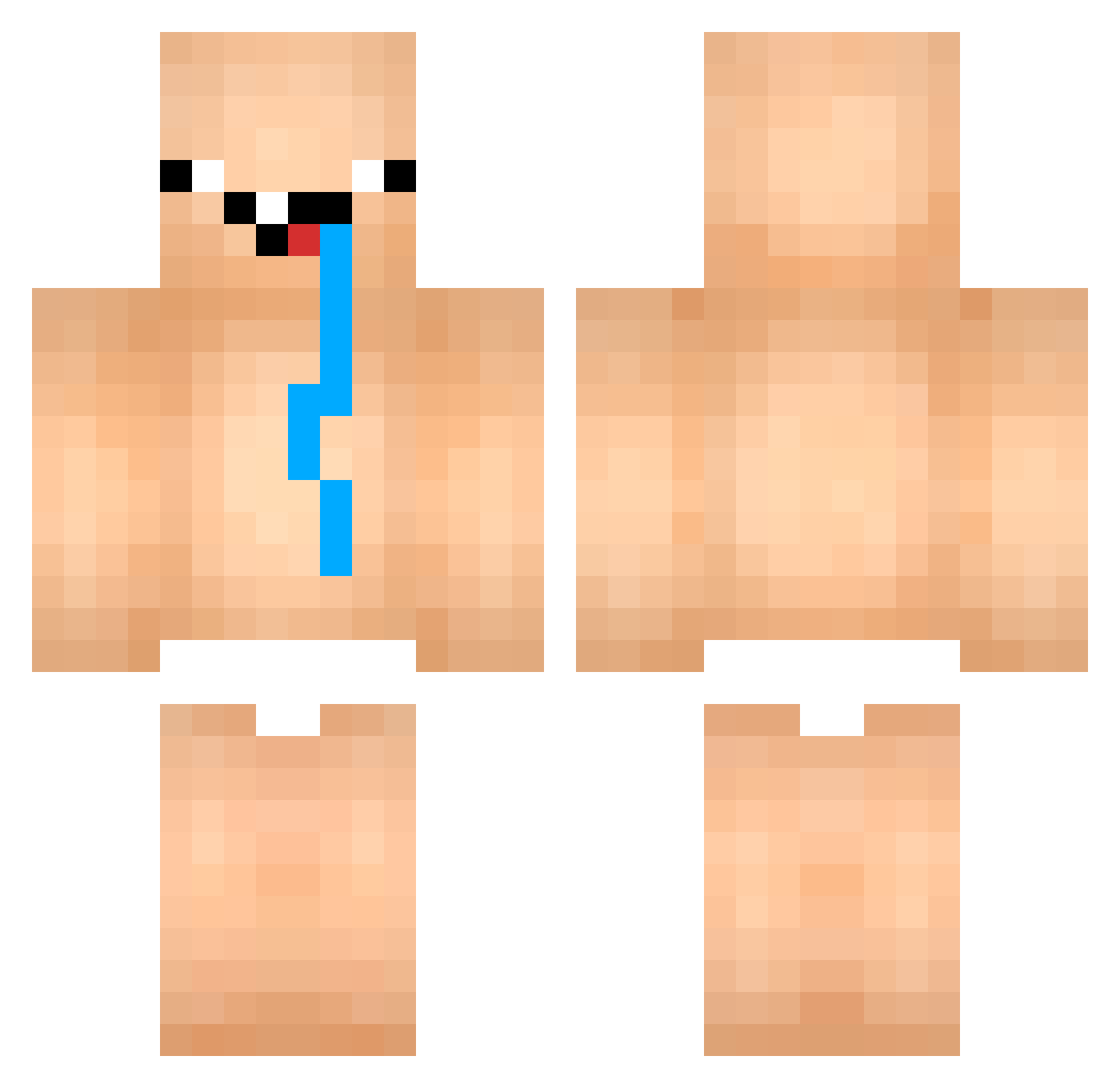
Current Minecraft skin of the player xxXDeniXxx, loaded from the official Mojang API. Rotate the 3D model with your mouse or finger, then download the skin as a PNG file and use it in Minecraft: Bedrock Edition or Java Edition for free. When xxXDeniXxx changes their skin, this page updates automatically and the old skin stays in the history below.
Other players with this skin (1011)
xxXDeniXxx was the 959th player we have seen with this skin, first spotted on 12.11.2026. The same skin was seen on these players. Open a nickname to see their current skin and skin history.
 leehuny white3344 Smash0425 happyraz luis2502 BlueDrowned pkb8785 destruc07 KacimiChoaib LolloALBA ohayun AlbertoxMacarena Himanshu017476 AQ7A0 Bheker367 nouobii_ Khalifa2101 voonya KnightZ___ Butter_Cookies_ Pah_anh_job_hz GokuUltra Hypno_Life PimpaoPVT tomiiiko _CK87_ Duxman2 Fugutus MithSly VIC_VICHAMSAPVIC Rudze JokerFaceL nikkk_69 justinbibir Acyto Goku2705 p1nd1k_ SebkoPro oTalDoMarv CowB69 GREDZIN BURGERFLIPPER93 DynamicRay mb97112 GOOD1024 TondaNoob sH1zu_ oYU1o WAG_Duckz TickleTaint Mochiii001 Destruidor09 Sam4Z0 Leodoie EvgeniyTyrti49 TheDoctor46t ankong11 dpm001 RZollist1 Fourrer
More Diaper Minecraft skins
How to install the xxXDeniXxx skin
- Press the Download button above to save the skin as a PNG file.
- Minecraft: Bedrock Edition (PE): open the Dressing Room from the main menu (or tap your character → Edit Character), go to Classic Skins → Owned, press the + (new skin) button, choose the downloaded PNG and pick the Classic (Steve) model. Works on PC and mobile; consoles cannot import custom skins.
- Minecraft: Java Edition: open the Minecraft Launcher, go to the Skins tab, click New Skin, load the PNG, pick the Classic (Steve) model and press Save & Use. You can also upload it at minecraft.net → Profile → Change Skin.
The skin does not show up after import - what should I do?
Restart Minecraft and open the Dressing Room again - imported skins sometimes appear only after a restart. Also make sure you selected the imported skin and picked the Classic (Steve) model.
Which model should I choose, Classic or Slim?
This skin is designed for the Classic (Steve) model. If you pick the wrong model, the arms of the skin will look stretched or squeezed.
Is the skin of xxXDeniXxx free to download?
Yes. Press Download, save the PNG file and use it in Minecraft: Bedrock Edition or Java Edition - no payment or registration needed. The skin also works on multiplayer servers and Realms.
More skins
Looking for more? Go back to all Minecraft skins and check the top skins of the week, month and all time, or find any player's skin by nickname.