
xthundergame - Minecraft Skins & Skin History
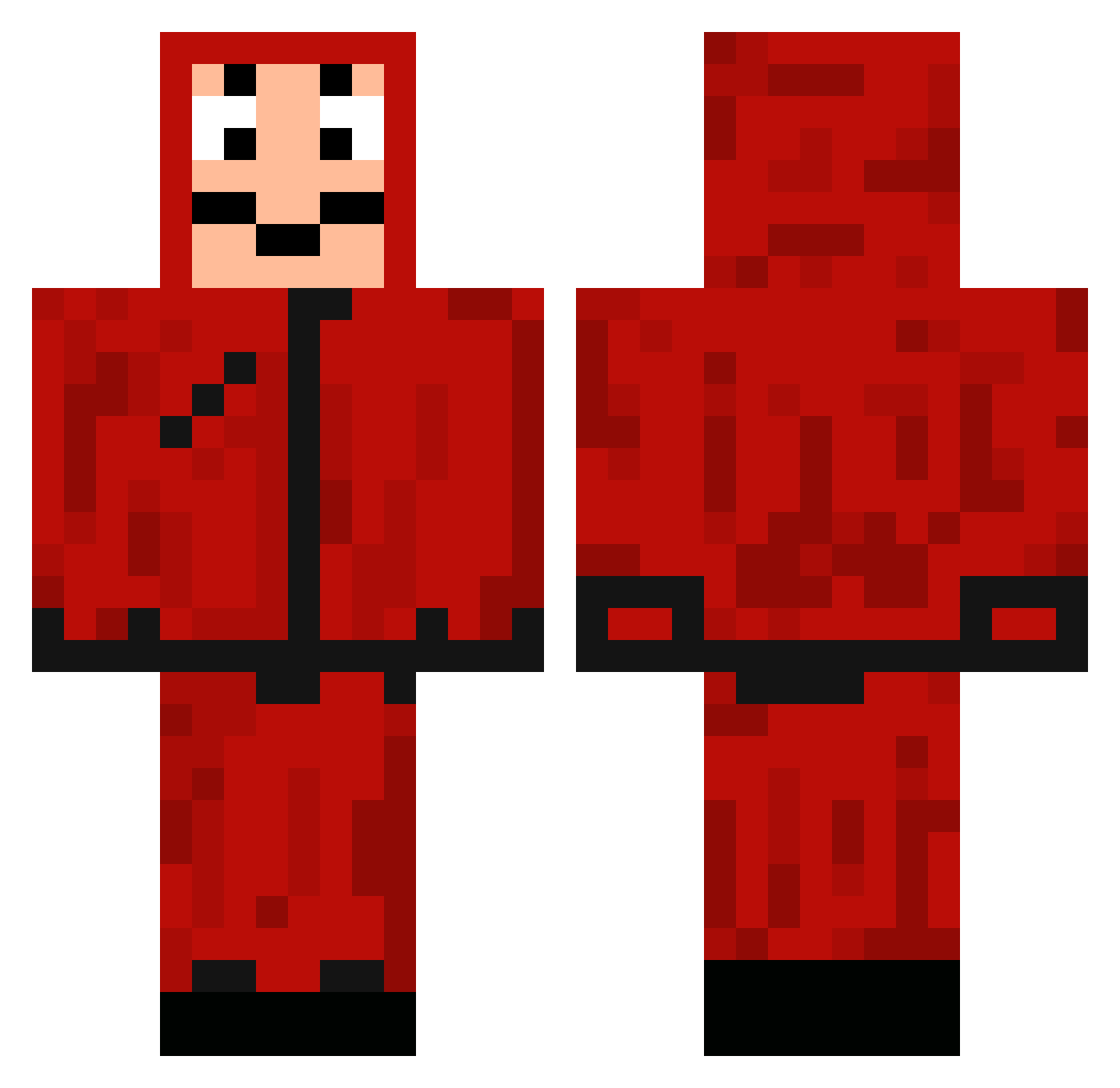
Current Minecraft skin of the player xthundergame, loaded from the official Mojang API. Rotate the 3D model with your mouse or finger, then download the skin as a PNG file and use it in Minecraft: Bedrock Edition or Java Edition for free. When xthundergame changes their skin, this page updates automatically and the old skin stays in the history below.
Other players with this skin (41)
xthundergame was the 32nd player we have seen with this skin, first spotted on 08.10.2026. The same skin was seen on these players. Open a nickname to see their current skin and skin history.
 COLONEL_STRIPES TakingDamage DiogoBR_YT Sr_Dollynho_BR Oldnick2k sopon thenathanpvp ByArt_ lBronks MuriloCR7 Davx_PvP thiago1412pg Asikaras Weshupp RebotaCS Morgan_62370 Swartor Rharysoness zQuedaBREAKMEN x3lix monkeyd_jean mahlalay TRKGANGGG Porsz XxFragusxX Ze_Droguinhaah Leosoye Mackicalfornia TONNINHO IDontKknoww B3L14L LaFamilia443 WisLucas AlvaroSnut zK4uexD Lolkoalko FatalKami AnThraX_GaMeR HappyBaiter SyKeeHYFR esteboul
More Money Heist Guard Minecraft skins
See all 2 Money Heist Guard skins
How to install the xthundergame skin
- Press the Download button above to save the skin as a PNG file.
- Minecraft: Bedrock Edition (PE): open the Dressing Room from the main menu (or tap your character → Edit Character), go to Classic Skins → Owned, press the + (new skin) button, choose the downloaded PNG and pick the Classic (Steve) model. Works on PC and mobile; consoles cannot import custom skins.
- Minecraft: Java Edition: open the Minecraft Launcher, go to the Skins tab, click New Skin, load the PNG, pick the Classic (Steve) model and press Save & Use. You can also upload it at minecraft.net → Profile → Change Skin.
The skin does not show up after import - what should I do?
Restart Minecraft and open the Dressing Room again - imported skins sometimes appear only after a restart. Also make sure you selected the imported skin and picked the Classic (Steve) model.
Which model should I choose, Classic or Slim?
This skin is designed for the Classic (Steve) model. If you pick the wrong model, the arms of the skin will look stretched or squeezed.
Is the skin of xthundergame free to download?
Yes. Press Download, save the PNG file and use it in Minecraft: Bedrock Edition or Java Edition - no payment or registration needed. The skin also works on multiplayer servers and Realms.
More skins
Looking for more? Go back to all Minecraft skins and check the top skins of the week, month and all time, or find any player's skin by nickname.