
xstevex03 - Minecraft Skins & Skin History
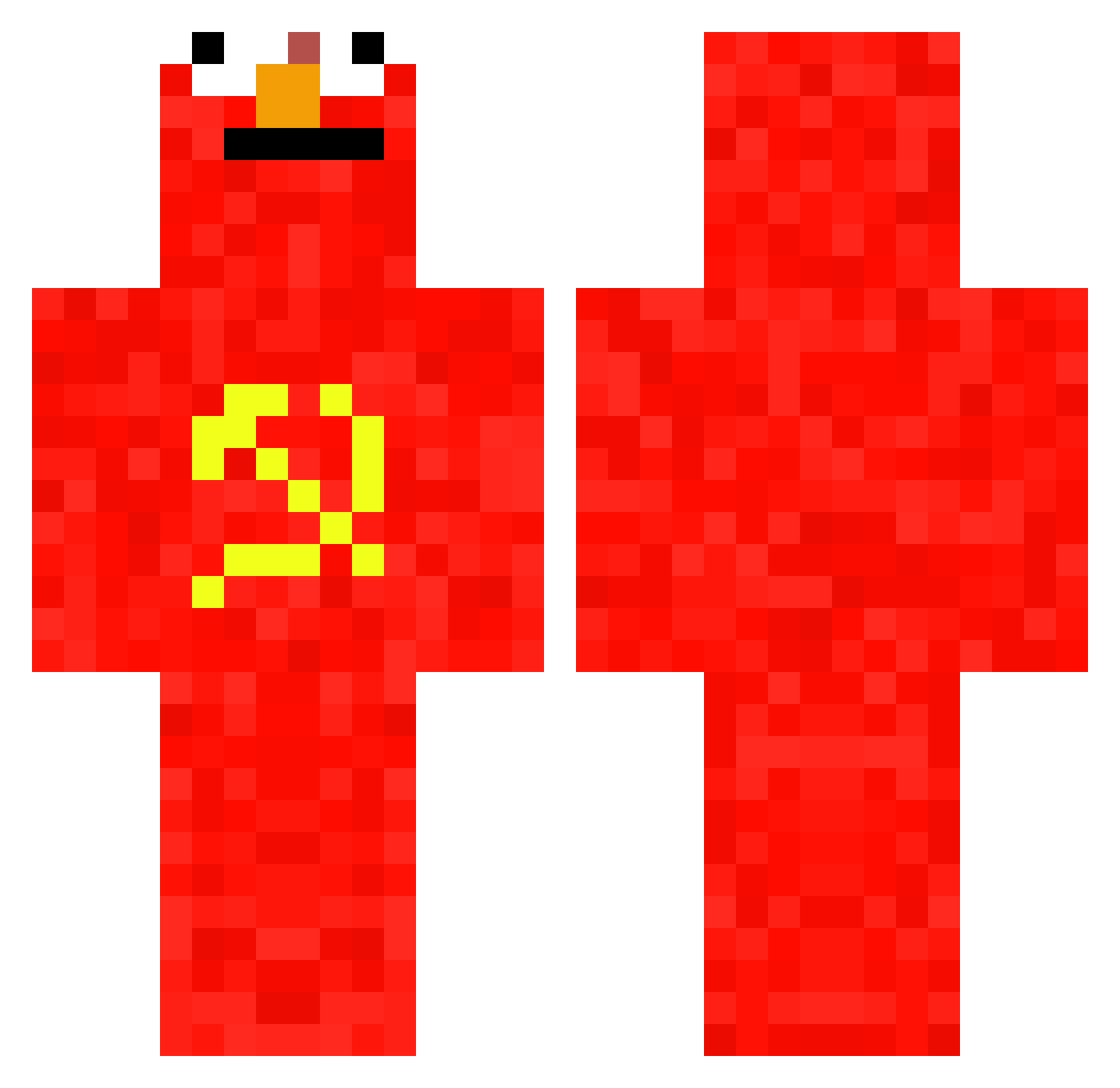
Current Minecraft skin of the player xstevex03, loaded from the official Mojang API. Rotate the 3D model with your mouse or finger, then download the skin as a PNG file and use it in Minecraft: Bedrock Edition or Java Edition for free. When xstevex03 changes their skin, this page updates automatically and the old skin stays in the history below.
Other players with this skin (828)
xstevex03 was the 711th player we have seen with this skin, first spotted on 03.11.2026. The same skin was seen on these players. Open a nickname to see their current skin and skin history.
 getRekt5656 TheBigYeet7728 SenSej_ rodri_vp Adriano412 kolas21 RedInvade kerony zimbabawee Buttersocke111 chipleader13 izzlecrosti AnaisGT currymachine00 macioch248 fifh GoodyTooShoes101 McWhite iinventor878 wkpe gwertem kyserpoop nanderete Matteog23 ycaroooo Kokonuta5 Camelli5 urubuJR Xarni5 goeblo bolonevado Finkersvj Apfelstift koolaidpikel MrTea629 EXCELLENTPLYR Hausmeister361 Boaxzzzz WrongUUID Limone24111 Araloss xValfalk ZOUSAAQ Graads javierxdxd __SvenK__ Cloudypringels2 Toto_in_Africa ncl1919 DomsoNKox IBradynI JayMarinara ALEX534 adi2026 JonLeg13 sqdStollan mortadela174 FishTaco20 ButterDoggg gustavo_gamer_x
More Communist Minecraft skins
How to install the xstevex03 skin
- Press the Download button above to save the skin as a PNG file.
- Minecraft: Bedrock Edition (PE): open the Dressing Room from the main menu (or tap your character → Edit Character), go to Classic Skins → Owned, press the + (new skin) button, choose the downloaded PNG and pick the Classic (Steve) model. Works on PC and mobile; consoles cannot import custom skins.
- Minecraft: Java Edition: open the Minecraft Launcher, go to the Skins tab, click New Skin, load the PNG, pick the Classic (Steve) model and press Save & Use. You can also upload it at minecraft.net → Profile → Change Skin.
The skin does not show up after import - what should I do?
Restart Minecraft and open the Dressing Room again - imported skins sometimes appear only after a restart. Also make sure you selected the imported skin and picked the Classic (Steve) model.
Which model should I choose, Classic or Slim?
This skin is designed for the Classic (Steve) model. If you pick the wrong model, the arms of the skin will look stretched or squeezed.
Is the skin of xstevex03 free to download?
Yes. Press Download, save the PNG file and use it in Minecraft: Bedrock Edition or Java Edition - no payment or registration needed. The skin also works on multiplayer servers and Realms.
More skins
Looking for more? Go back to all Minecraft skins and check the top skins of the week, month and all time, or find any player's skin by nickname.