
xprogamer1 - Minecraft Skins & Skin History
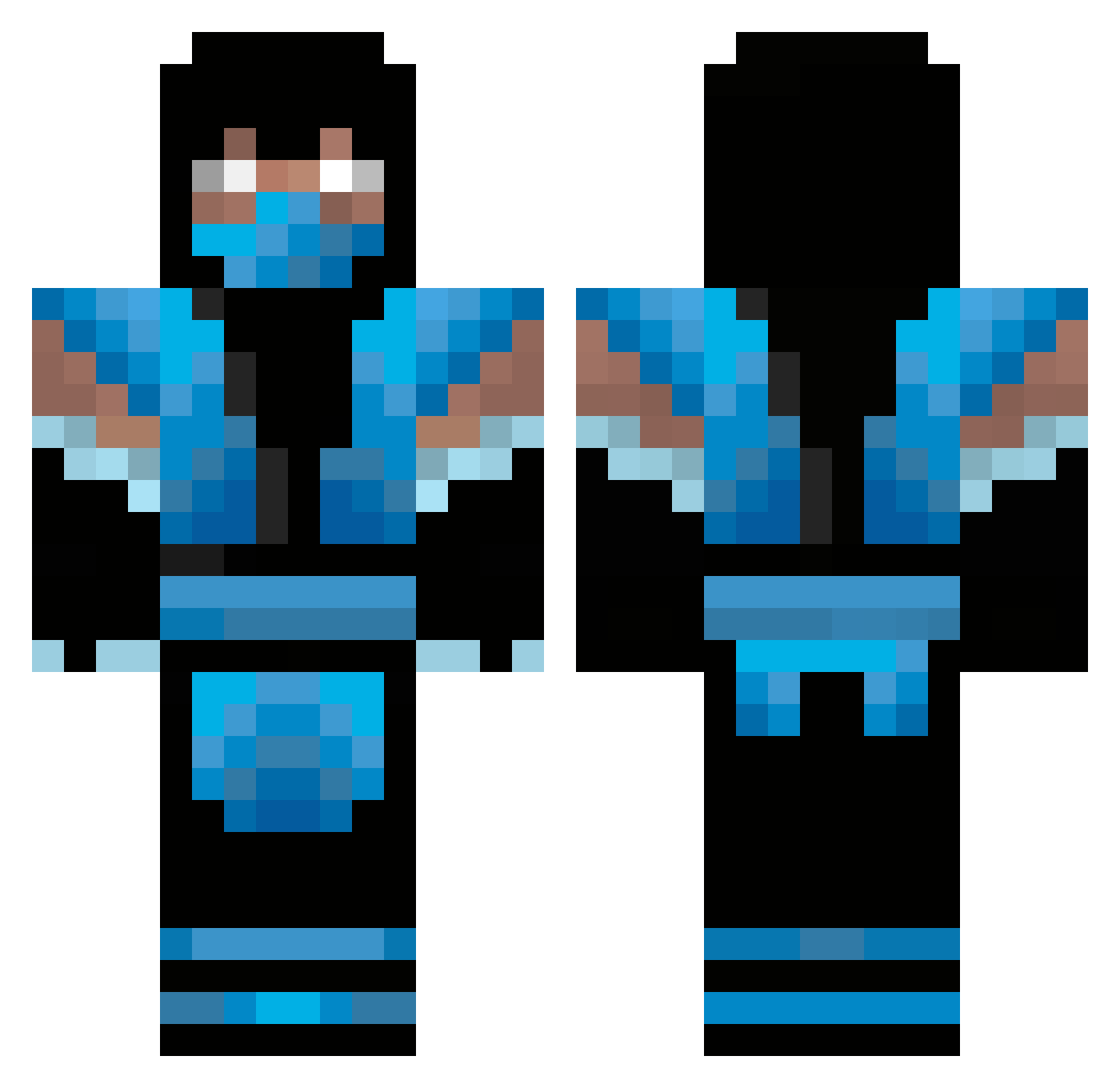
Current Minecraft skin of the player xprogamer1, loaded from the official Mojang API. Rotate the 3D model with your mouse or finger, then download the skin as a PNG file and use it in Minecraft: Bedrock Edition or Java Edition for free. When xprogamer1 changes their skin, this page updates automatically and the old skin stays in the history below.
Other players with this skin (477)
xprogamer1 was the 422nd player we have seen with this skin, first spotted on 04.11.2026. The same skin was seen on these players. Open a nickname to see their current skin and skin history.
 richard_ace benjam1n13 SharkFace03 The_Nightmare_98 stortobbes gloryjudge9 Lauserl huskypusky zg999 elephant1375 Cardakaris _Mr_P_ SmokingAces247 KaveMC BeastReactionz Sku11KaNdY peyorgue EH84 Berserker890 faursby roegy17 BlacKoutZer0 Maqic214 NinjaBaby2006 Cenova LikesOG Clexy crazyMF1 BigB2069 hedhntr6 necro452 7940X WAM5555 Mr_Canery Allen232002 RokRaven99 denyo123 la_pantera93 Nemolili bleedingpolar shabiblet101 JTEvans9 petepic123 Serginnius Raistlin212 CommonDecency WhiteBoi117 Wallyballjacker Noob_Saibot_ Up_the_anul_pore blue_bof sanbas123 squirtymonkey Hohensee SgtHobbes izayahis13 kalebtheassassin Shpouk Juandering RDemonic
More Sub-Zero Minecraft skins
How to install the xprogamer1 skin
- Press the Download button above to save the skin as a PNG file.
- Minecraft: Bedrock Edition (PE): open the Dressing Room from the main menu (or tap your character → Edit Character), go to Classic Skins → Owned, press the + (new skin) button, choose the downloaded PNG and pick the Classic (Steve) model. Works on PC and mobile; consoles cannot import custom skins.
- Minecraft: Java Edition: open the Minecraft Launcher, go to the Skins tab, click New Skin, load the PNG, pick the Classic (Steve) model and press Save & Use. You can also upload it at minecraft.net → Profile → Change Skin.
The skin does not show up after import - what should I do?
Restart Minecraft and open the Dressing Room again - imported skins sometimes appear only after a restart. Also make sure you selected the imported skin and picked the Classic (Steve) model.
Which model should I choose, Classic or Slim?
This skin is designed for the Classic (Steve) model. If you pick the wrong model, the arms of the skin will look stretched or squeezed.
Is the skin of xprogamer1 free to download?
Yes. Press Download, save the PNG file and use it in Minecraft: Bedrock Edition or Java Edition - no payment or registration needed. The skin also works on multiplayer servers and Realms.
More skins
Looking for more? Go back to all Minecraft skins and check the top skins of the week, month and all time, or find any player's skin by nickname.