
xoomads - Minecraft Skins & Skin History
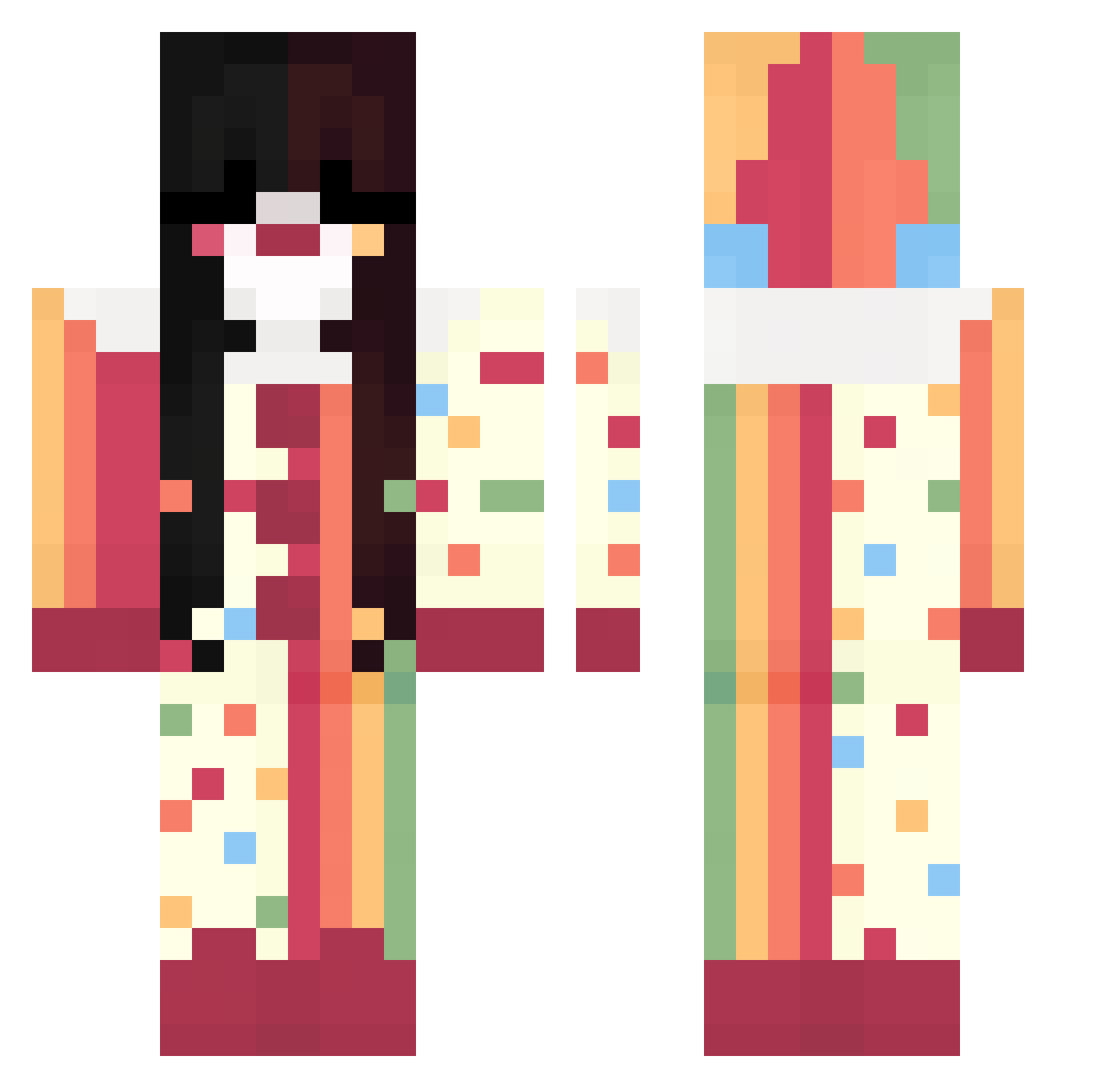
Current Minecraft skin of the player xoomads, loaded from the official Mojang API. Rotate the 3D model with your mouse or finger, then download the skin as a PNG file and use it in Minecraft: Bedrock Edition or Java Edition for free. When xoomads changes their skin, this page updates automatically and the old skin stays in the history below.
Other players with this skin (324)
xoomads was the 208th player we have seen with this skin, first spotted on 26.09.2026. The same skin was seen on these players. Open a nickname to see their current skin and skin history.
 Criss_uwu ninitupro boca_alpargata EmiliaLine Sleegyu R5PPE delulul nagibatorshaWW lovrstapes Petsemetary Juku333 wavey0s orangejuice8888 777smokey doramitsumi lolkekcheburek28 _2312_ Asmonella kajfa MissRyalla bumbl33bee Khiny123 Ferdep _ALTEREDEGO VPXGHOST moony0712 maravieen LesbianShark87 savmeowxd Sublar krab420 candyy0 ItsPower17 rvfflez DawnX315 SkreepyZero ZeRieG inflynnity __bleb InvalidHunter VOID_eid jellyynelly tchalamet2 jazzyonglol mimijui eternalization CoachJim Jaeger_ct pouetophe Miragenyaaa ZoePop666 jjeneve Marina556 SrtaMejia typicalmadi fruit3689 velixiri purplelino7 V1xX3n_ Azumy__
More Circus Minecraft skins
How to install the xoomads skin
- Press the Download button above to save the skin as a PNG file.
- Minecraft: Bedrock Edition (PE): open the Dressing Room from the main menu (or tap your character → Edit Character), go to Classic Skins → Owned, press the + (new skin) button, choose the downloaded PNG and pick the Classic (Steve) model. Works on PC and mobile; consoles cannot import custom skins.
- Minecraft: Java Edition: open the Minecraft Launcher, go to the Skins tab, click New Skin, load the PNG, pick the Classic (Steve) model and press Save & Use. You can also upload it at minecraft.net → Profile → Change Skin.
The skin does not show up after import - what should I do?
Restart Minecraft and open the Dressing Room again - imported skins sometimes appear only after a restart. Also make sure you selected the imported skin and picked the Classic (Steve) model.
Which model should I choose, Classic or Slim?
This skin is designed for the Classic (Steve) model. If you pick the wrong model, the arms of the skin will look stretched or squeezed.
Is the skin of xoomads free to download?
Yes. Press Download, save the PNG file and use it in Minecraft: Bedrock Edition or Java Edition - no payment or registration needed. The skin also works on multiplayer servers and Realms.
More skins
Looking for more? Go back to all Minecraft skins and check the top skins of the week, month and all time, or find any player's skin by nickname.