
xonnik_gamer - Minecraft Skins & Skin History
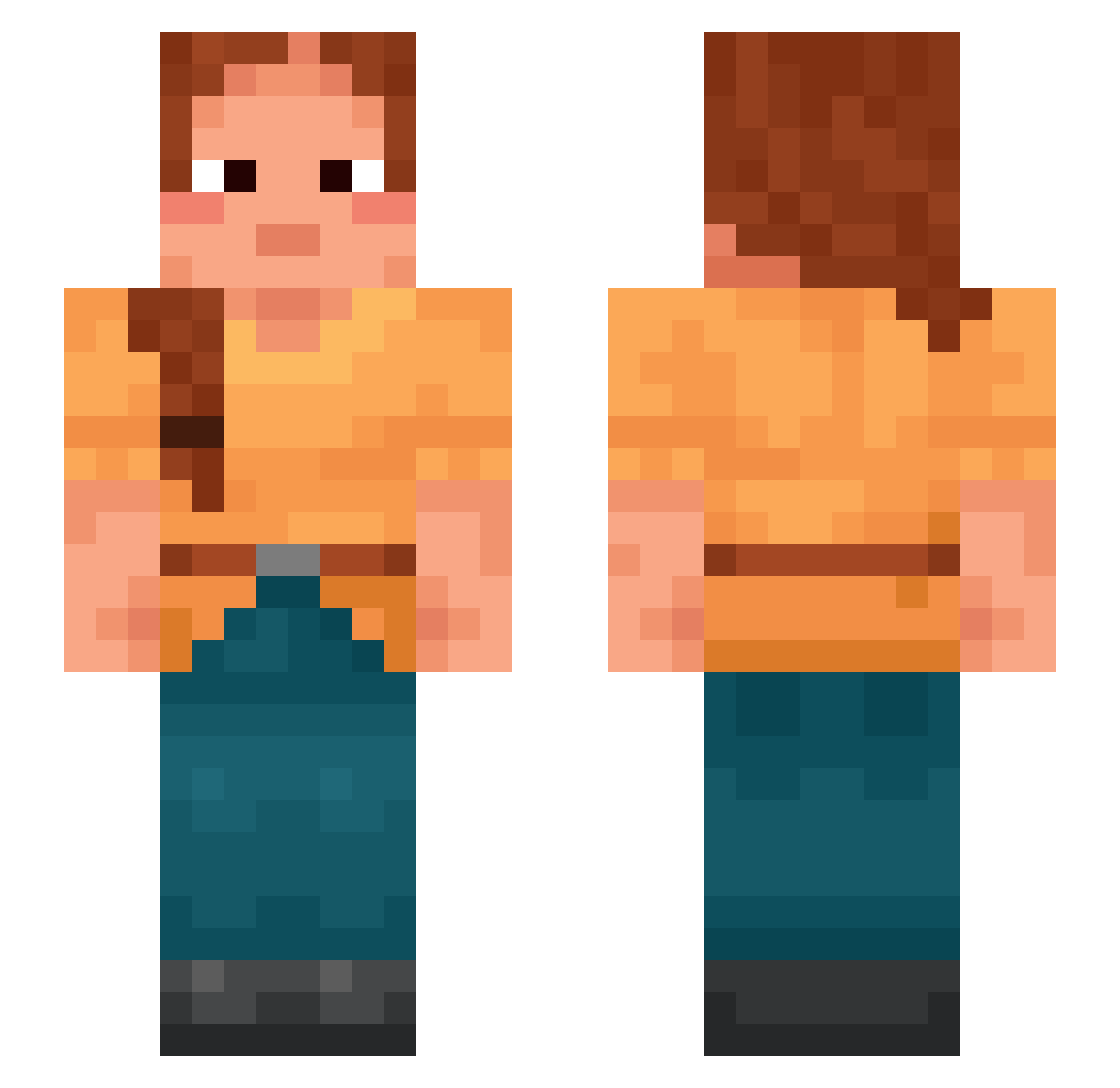
Current Minecraft skin of the player xonnik_gamer, loaded from the official Mojang API. Rotate the 3D model with your mouse or finger, then download the skin as a PNG file and use it in Minecraft: Bedrock Edition or Java Edition for free. When xonnik_gamer changes their skin, this page updates automatically and the old skin stays in the history below.
Other players with this skin (869)
xonnik_gamer was the 566th player we have seen with this skin, first spotted on 28.09.2026. The same skin was seen on these players. Open a nickname to see their current skin and skin history.
 maydemaio EmilyForster mochibunO Benjis_s Whimsy XENOBIS CoreyMHill polytrope PhenoTypes treacle Yollogirl09 sfree enchanted DIgor miss_milo Procrustean coffinmaker Anabiazinha SELHOzer Yacht _Yarah DylanDaAwesome Santalum ToSelfish JamesHolwin Aguileraa2x setling yzan33 Gyromagnetic SemiFinals LaoDa SLATTGANGBRAYDXN Provoker RoroZozo Unmistaken JuzefPsikuta Apteria Forms prefixal RaspDaGoat W01J Abeyst Outpull Guyboi Demandable centai Antitragus Windberry Iviz_47 Barcone Overcrowd ImtAotIe Oukia 9lix O3booody_7 reroot BaiXiao0064 Clinid bigmatekirby Aristos41
More Braid Minecraft skins
How to install the xonnik_gamer skin
- Press the Download button above to save the skin as a PNG file.
- Minecraft: Bedrock Edition (PE): open the Dressing Room from the main menu (or tap your character → Edit Character), go to Classic Skins → Owned, press the + (new skin) button, choose the downloaded PNG and pick the Slim (Alex) model. Works on PC and mobile; consoles cannot import custom skins.
- Minecraft: Java Edition: open the Minecraft Launcher, go to the Skins tab, click New Skin, load the PNG, pick the Slim (Alex) model and press Save & Use. You can also upload it at minecraft.net → Profile → Change Skin.
The skin does not show up after import - what should I do?
Restart Minecraft and open the Dressing Room again - imported skins sometimes appear only after a restart. Also make sure you selected the imported skin and picked the Slim (Alex) model.
Which model should I choose, Classic or Slim?
This skin is designed for the Slim (Alex) model. If you pick the wrong model, the arms of the skin will look stretched or squeezed.
Is the skin of xonnik_gamer free to download?
Yes. Press Download, save the PNG file and use it in Minecraft: Bedrock Edition or Java Edition - no payment or registration needed. The skin also works on multiplayer servers and Realms.
More skins
Looking for more? Go back to all Minecraft skins and check the top skins of the week, month and all time, or find any player's skin by nickname.