
xixue_baobao - Minecraft Skins & Skin History
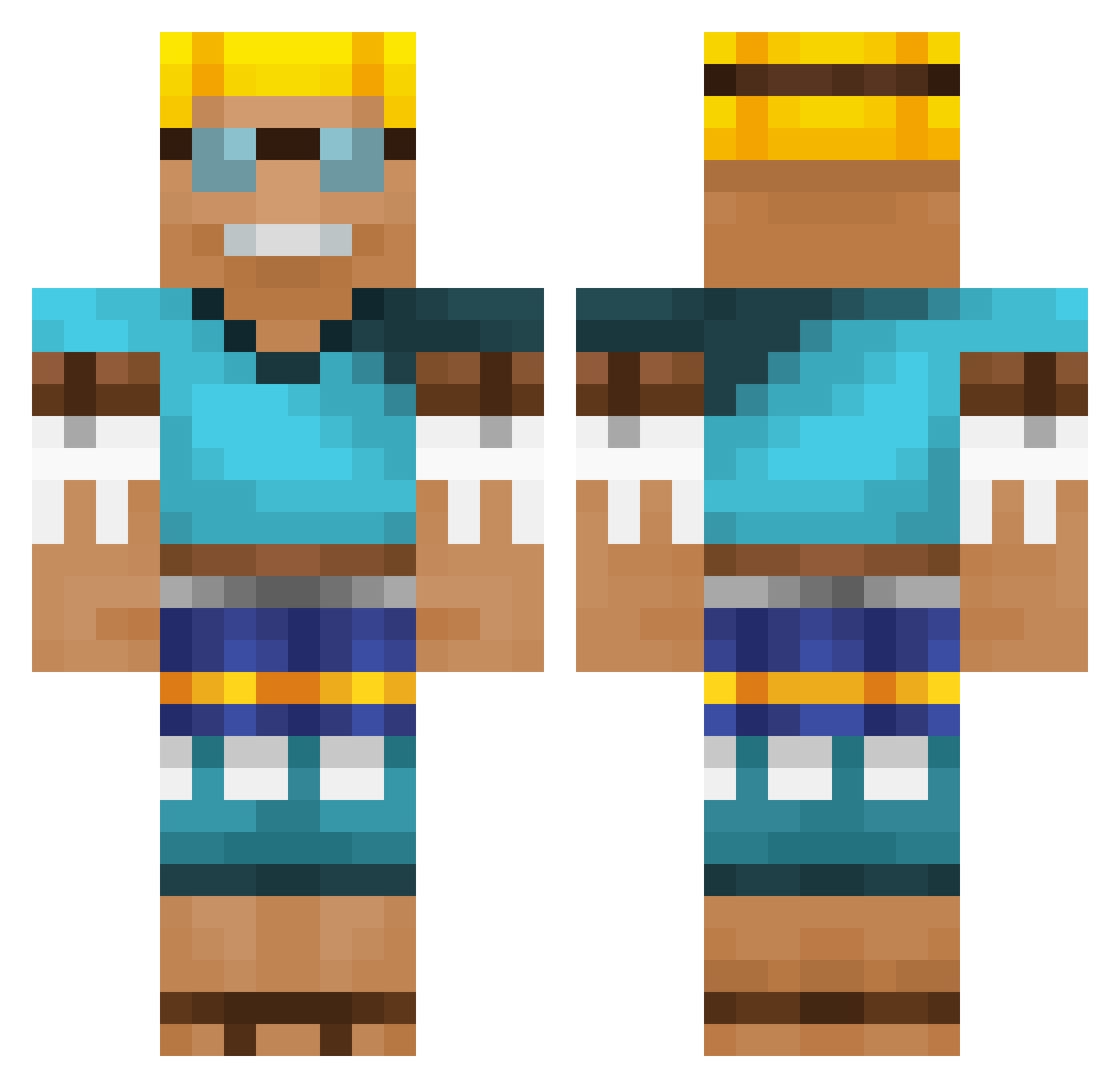
Current Minecraft skin of the player xixue_baobao, loaded from the official Mojang API. Rotate the 3D model with your mouse or finger, then download the skin as a PNG file and use it in Minecraft: Bedrock Edition or Java Edition for free. When xixue_baobao changes their skin, this page updates automatically and the old skin stays in the history below.
Other players with this skin (537)
xixue_baobao was the 374th player we have seen with this skin, first spotted on 28.09.2026. The same skin was seen on these players. Open a nickname to see their current skin and skin history.
 yuvalgabay1603 PowerPiet LAffey26 SkinnyCarrot DarkAP_ Yunike437 C07Man CAPPatriot Gabriel0079 Ratinator Henrique_27 notyasser rprak farined ybanks1 yabba69 Hufeisenmaen sjuulio0 ARcraft1 danieljvaroni KAIZZER09 RoYaLxVenOx Dcaptian Marzy05 MaxiBreakReal KarlHansJochen SuperSaussage RoomiestDog9392 biharfinalboss arnaugv3 Crocodilefrog The_SWibby Sachko99 Pajamakris nick2015p MegaPON7684 Bqnkz CFP_Shampoo zunc iIgelschubser Bjordan08 FlatJonny DaddyJonas_ NotWind Skyneill lulletje30cm zookiey Ajlix7 RangerTJ133 Luivx jaedoldol fan0616 legrand89000 Migantoxx Gameagerr Brainy88 Barsik00 Layue_Thirteen ErdbeerEric happyhappy111
More Adventurer Minecraft skins
How to install the xixue_baobao skin
- Press the Download button above to save the skin as a PNG file.
- Minecraft: Bedrock Edition (PE): open the Dressing Room from the main menu (or tap your character → Edit Character), go to Classic Skins → Owned, press the + (new skin) button, choose the downloaded PNG and pick the Classic (Steve) model. Works on PC and mobile; consoles cannot import custom skins.
- Minecraft: Java Edition: open the Minecraft Launcher, go to the Skins tab, click New Skin, load the PNG, pick the Classic (Steve) model and press Save & Use. You can also upload it at minecraft.net → Profile → Change Skin.
The skin does not show up after import - what should I do?
Restart Minecraft and open the Dressing Room again - imported skins sometimes appear only after a restart. Also make sure you selected the imported skin and picked the Classic (Steve) model.
Which model should I choose, Classic or Slim?
This skin is designed for the Classic (Steve) model. If you pick the wrong model, the arms of the skin will look stretched or squeezed.
Is the skin of xixue_baobao free to download?
Yes. Press Download, save the PNG file and use it in Minecraft: Bedrock Edition or Java Edition - no payment or registration needed. The skin also works on multiplayer servers and Realms.
More skins
Looking for more? Go back to all Minecraft skins and check the top skins of the week, month and all time, or find any player's skin by nickname.