
xhe78 - Minecraft Skins & Skin History
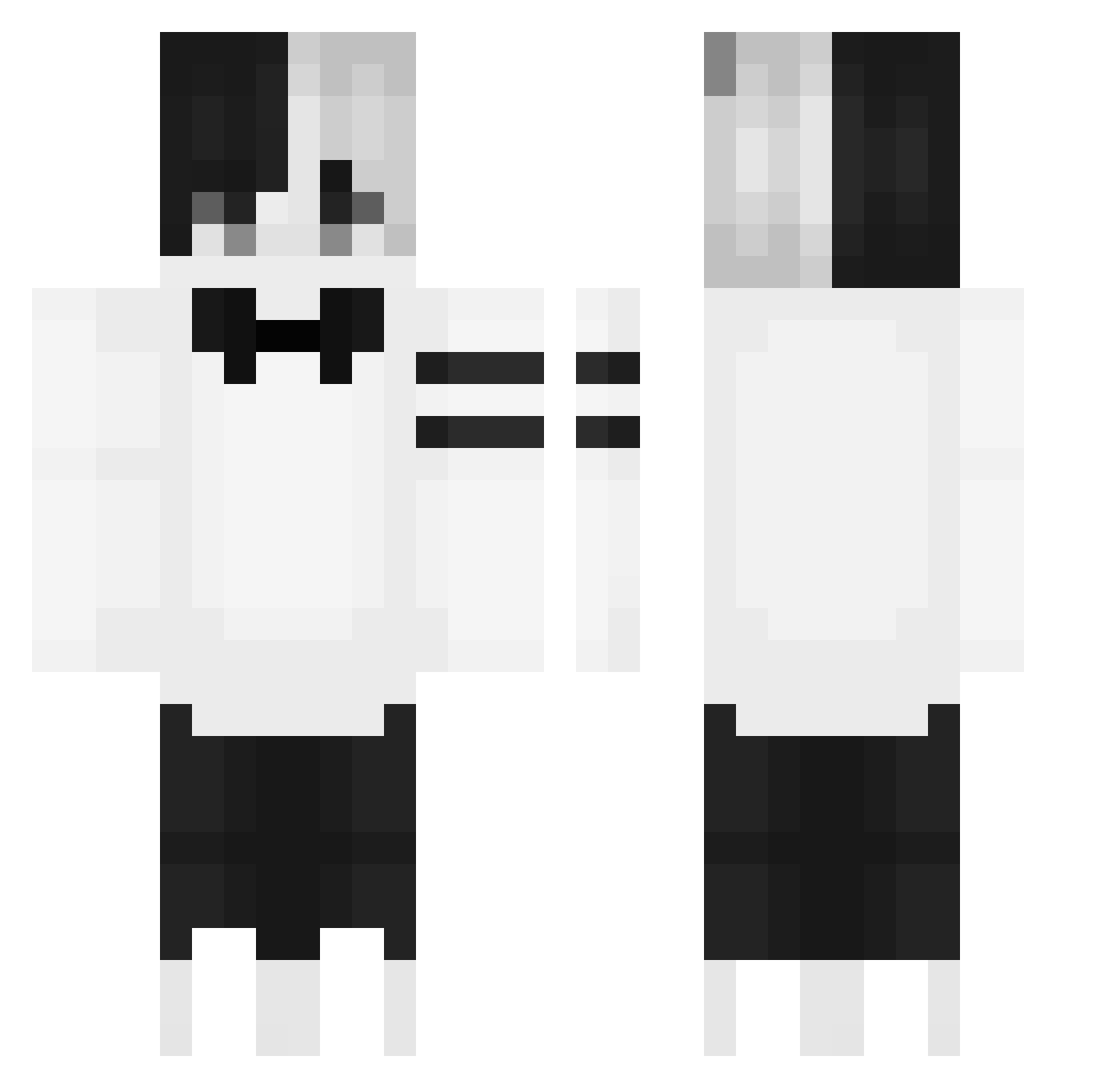
Current Minecraft skin of the player xhe78, loaded from the official Mojang API. Rotate the 3D model with your mouse or finger, then download the skin as a PNG file and use it in Minecraft: Bedrock Edition or Java Edition for free. When xhe78 changes their skin, this page updates automatically and the old skin stays in the history below.
Other players with this skin (149)
xhe78 was the 147th player we have seen with this skin, first spotted on 20.10.2026. The same skin was seen on these players. Open a nickname to see their current skin and skin history.
 liuyunzz windea09 Longsticks opakknock uwu_weeb yugioohs Yaxss SB_bYIGjS Chtwz PuzZy247 waffIezz cilonemacarone BlueMMM Athena_VN Adjuct HUBERT09876 mattenypan maverick_s Sinercw enrijes Oyaneko ParadoxHokage ez1 Psycho_Jesus BlueTanuki BiliSL fjhen dummidegen zsmilez77 FishTi_4 9I_4uTaK SkillDoesntExist The_bubu ich_mag_bananen hyuma057 ReverseSchleck cneew NOcTaLgIa WUXuan0421 KarmaDrop akumacha Chartap YangB00 iTzLuis1l1ll1 Cathy0915 AleksDobr maceyspoli svhqo sansol9921 Likoehas076 donpush17 WhAnci DJ2_Chat wimuu kusorren RogieDogiee haykki ItsMidix_ ZuzikJeArbuzik Nezloex
More Half And Half Minecraft skins
See all 100 Half And Half skins
How to install the xhe78 skin
- Press the Download button above to save the skin as a PNG file.
- Minecraft: Bedrock Edition (PE): open the Dressing Room from the main menu (or tap your character → Edit Character), go to Classic Skins → Owned, press the + (new skin) button, choose the downloaded PNG and pick the Classic (Steve) model. Works on PC and mobile; consoles cannot import custom skins.
- Minecraft: Java Edition: open the Minecraft Launcher, go to the Skins tab, click New Skin, load the PNG, pick the Classic (Steve) model and press Save & Use. You can also upload it at minecraft.net → Profile → Change Skin.
The skin does not show up after import - what should I do?
Restart Minecraft and open the Dressing Room again - imported skins sometimes appear only after a restart. Also make sure you selected the imported skin and picked the Classic (Steve) model.
Which model should I choose, Classic or Slim?
This skin is designed for the Classic (Steve) model. If you pick the wrong model, the arms of the skin will look stretched or squeezed.
Is the skin of xhe78 free to download?
Yes. Press Download, save the PNG file and use it in Minecraft: Bedrock Edition or Java Edition - no payment or registration needed. The skin also works on multiplayer servers and Realms.
More skins
Looking for more? Go back to all Minecraft skins and check the top skins of the week, month and all time, or find any player's skin by nickname.