
xecret_ - Minecraft Skins & Skin History
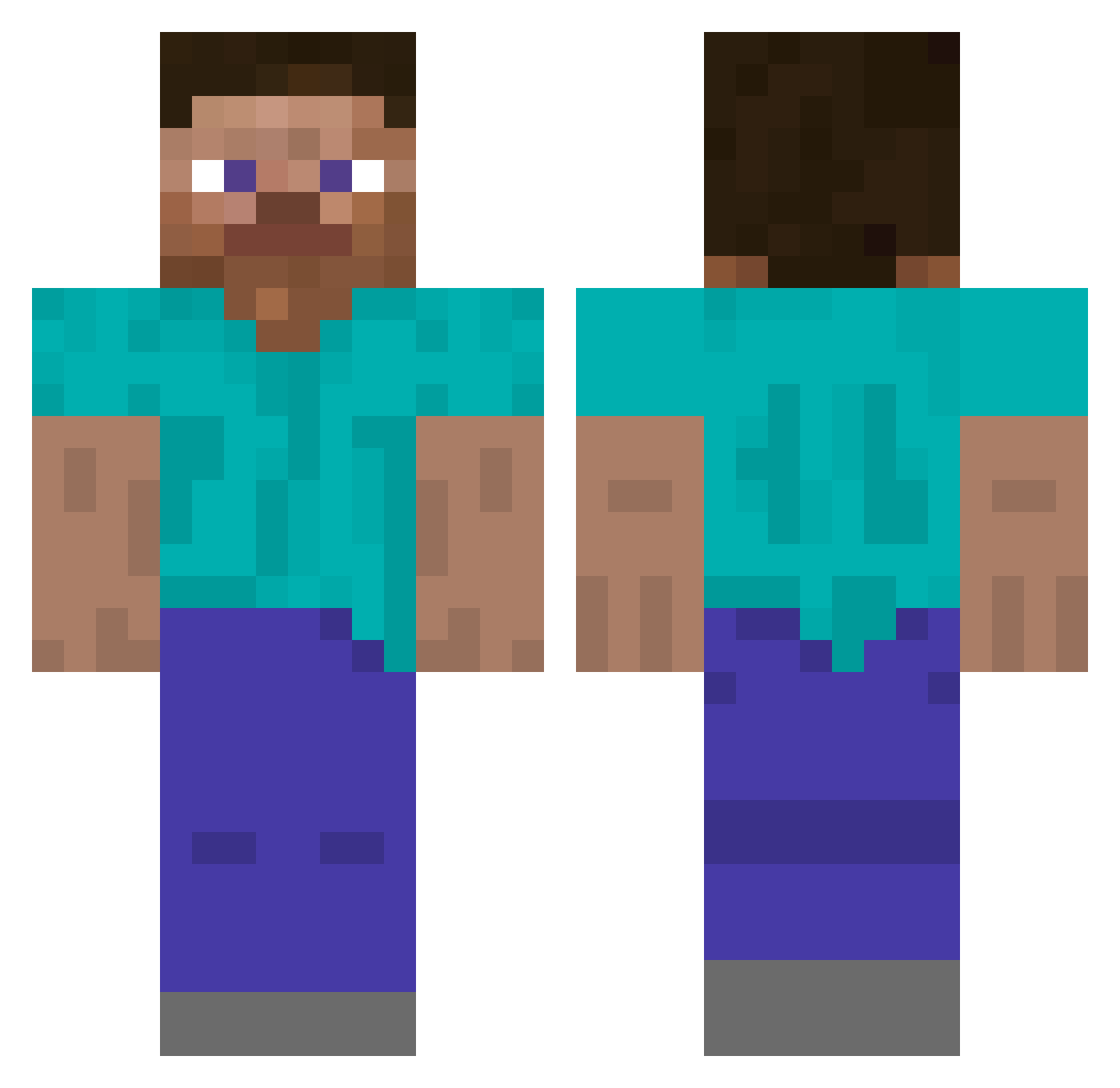
Current Minecraft skin of the player xecret_, loaded from the official Mojang API. Rotate the 3D model with your mouse or finger, then download the skin as a PNG file and use it in Minecraft: Bedrock Edition or Java Edition for free. When xecret_ changes their skin, this page updates automatically and the old skin stays in the history below.
Other players with this skin (277)
xecret_ was the 184th player we have seen with this skin, first spotted on 04.10.2026. The same skin was seen on these players. Open a nickname to see their current skin and skin history.
 Al31413g Dish_in_Which seong3789 990930 Loo1ng MEK53 TicGhost DiWaso oather MikeWind Walkatelly7 RealEv Kil4Kil4Kil netcat0 Tunafish_Messiah tsuiio Rammlied44 Krauser_regan Sfive233 johnplumber PlamenNeykov CloudSaved daddy_912 Dtblack7 SAM1212111 vladifp symb7100 Dobton Cougrzz nowayintheworld KrisDaWorst Salvisje 285769 Green1503 Reletrix NAMY4321 nosamwen Chengzhenghao oownes Panloww frontmost foreign_roboti MonsterOyuncu kma6404 pavleO_O GusJengis Sinappi jjuszeg Karolcyia bigmonster1313 RyanIsMajesticAf jefro07 azzultv dumbaar NeunMonde YajusenpAI400 z427 grant_sot Cdudas17 SteveArchitect
How to install the xecret_ skin
- Press the Download button above to save the skin as a PNG file.
- Minecraft: Bedrock Edition (PE): open the Dressing Room from the main menu (or tap your character → Edit Character), go to Classic Skins → Owned, press the + (new skin) button, choose the downloaded PNG and pick the Classic (Steve) model. Works on PC and mobile; consoles cannot import custom skins.
- Minecraft: Java Edition: open the Minecraft Launcher, go to the Skins tab, click New Skin, load the PNG, pick the Classic (Steve) model and press Save & Use. You can also upload it at minecraft.net → Profile → Change Skin.
The skin does not show up after import - what should I do?
Restart Minecraft and open the Dressing Room again - imported skins sometimes appear only after a restart. Also make sure you selected the imported skin and picked the Classic (Steve) model.
Which model should I choose, Classic or Slim?
This skin is designed for the Classic (Steve) model. If you pick the wrong model, the arms of the skin will look stretched or squeezed.
Is the skin of xecret_ free to download?
Yes. Press Download, save the PNG file and use it in Minecraft: Bedrock Edition or Java Edition - no payment or registration needed. The skin also works on multiplayer servers and Realms.
More skins
Looking for more? Go back to all Minecraft skins and check the top skins of the week, month and all time, or find any player's skin by nickname.