
x_riot - Minecraft Skins & Skin History
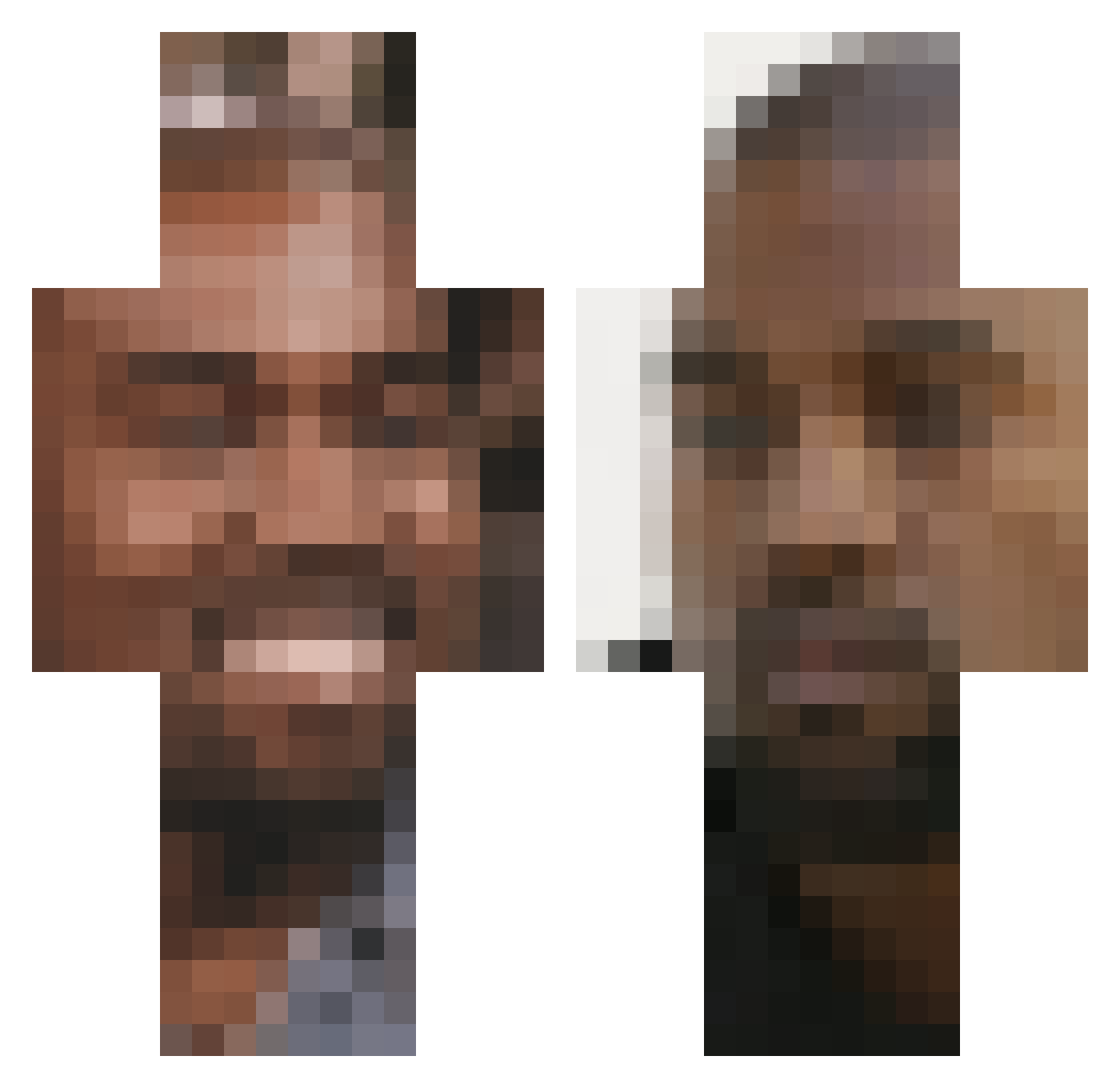
Current Minecraft skin of the player x_riot, loaded from the official Mojang API. Rotate the 3D model with your mouse or finger, then download the skin as a PNG file and use it in Minecraft: Bedrock Edition or Java Edition for free. When x_riot changes their skin, this page updates automatically and the old skin stays in the history below.
Other players with this skin (248)
x_riot was the 10th player we have seen with this skin, first spotted on 31.07.2026. The same skin was seen on these players. Open a nickname to see their current skin and skin history.
 RibRubRob1 RudraKumar TrusseTarzan DrealPlays potatoluna Joshuawhereuat MMCJ99 IronicSpider Hacknee theromantictouch Kanyee_Yeast shuniv23 ImDiamondBTW atomwr greekFreak05 Rip_Harambe05 Moggi4444 juanpe6 hzco AngleBurger1 UsiKhan jasminevong123 Seenof sirhctyler anjolee Teehee5 VitoBandito420 HDV8765 riotzzisgay Chicken_Snipe habib_123 IYG0_0 Miklo___ rishabcool JesusIsDonda dupdupderprofi rolandstruckman HouseOfMars crunchybeans2 KTP ranakamikaze CJBuyn ninag123 thedivinesinner Driftywastaken Jemmin13 enlie Gresill Aznboiunit4 JimmyJames450 FappyMcFlappy CringeHill AimBlaster ylcxzar Recon_Raider lufu196 JJ_RABBID c0wbean RAKUM123 Sussiboy
More Kanye West Minecraft skins
How to install the x_riot skin
- Press the Download button above to save the skin as a PNG file.
- Minecraft: Bedrock Edition (PE): open the Dressing Room from the main menu (or tap your character → Edit Character), go to Classic Skins → Owned, press the + (new skin) button, choose the downloaded PNG and pick the Classic (Steve) model. Works on PC and mobile; consoles cannot import custom skins.
- Minecraft: Java Edition: open the Minecraft Launcher, go to the Skins tab, click New Skin, load the PNG, pick the Classic (Steve) model and press Save & Use. You can also upload it at minecraft.net → Profile → Change Skin.
The skin does not show up after import - what should I do?
Restart Minecraft and open the Dressing Room again - imported skins sometimes appear only after a restart. Also make sure you selected the imported skin and picked the Classic (Steve) model.
Which model should I choose, Classic or Slim?
This skin is designed for the Classic (Steve) model. If you pick the wrong model, the arms of the skin will look stretched or squeezed.
Is the skin of x_riot free to download?
Yes. Press Download, save the PNG file and use it in Minecraft: Bedrock Edition or Java Edition - no payment or registration needed. The skin also works on multiplayer servers and Realms.
More skins
Looking for more? Go back to all Minecraft skins and check the top skins of the week, month and all time, or find any player's skin by nickname.