
xXxStarlightxXx - Minecraft Skins & Skin History
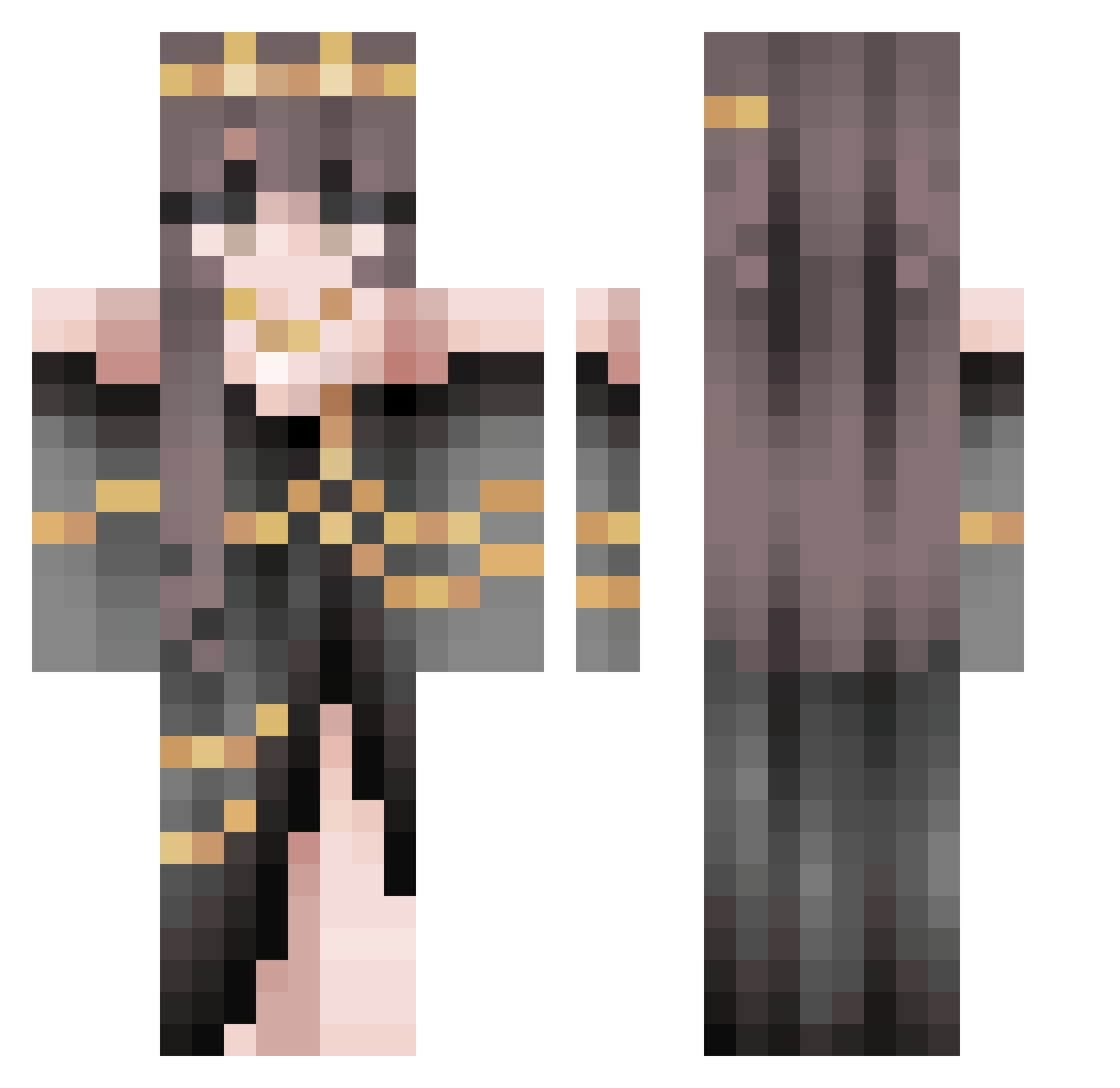
Current Minecraft skin of the player xXxStarlightxXx, loaded from the official Mojang API. Rotate the 3D model with your mouse or finger, then download the skin as a PNG file and use it in Minecraft: Bedrock Edition or Java Edition for free. When xXxStarlightxXx changes their skin, this page updates automatically and the old skin stays in the history below.
Other players with this skin (508)
xXxStarlightxXx was the 486th player we have seen with this skin, first spotted on 18.10.2026. The same skin was seen on these players. Open a nickname to see their current skin and skin history.
 ElderynSnake RandomDragoon33 Zero_Emotion x0kimberly rrkitty797098 RAJLeader crgigs yuanzidan NaeYun Rvng0ftheSm1th ltsmavi lilxsis GwenClaws DarknessQueen022 Vixidity xImCrazy Keldarie moka1349 Morsmordre_ Annaonyotoes Aralaucht Daisyflower2006 Linnea_m ba4l0n Moon_Viola Gelika Lunariia_ anixha Halol__ PyDoM QueenChrome Lauratkjj GreenGhost_27 Nicole2484 LightBee BunnyButt69 vilevenus Arwen2121 FrkJosie05 PrincessSoof Bruvel Maxy1114 MorgSporg7 DarkInuRoyal Jim_1233 Dragon033 XSilentSense Shadowtrap_21 Kculp paigemack02 ToxicCookie_21 CoreAlliances yerko01010 OnlyNeedH3ntai yasminkao enixiaj YellowYoba Munchkin6344 GingerTunic organic_potato
More Gold Jewelry Minecraft skins
How to install the xXxStarlightxXx skin
- Press the Download button above to save the skin as a PNG file.
- Minecraft: Bedrock Edition (PE): open the Dressing Room from the main menu (or tap your character → Edit Character), go to Classic Skins → Owned, press the + (new skin) button, choose the downloaded PNG and pick the Classic (Steve) model. Works on PC and mobile; consoles cannot import custom skins.
- Minecraft: Java Edition: open the Minecraft Launcher, go to the Skins tab, click New Skin, load the PNG, pick the Classic (Steve) model and press Save & Use. You can also upload it at minecraft.net → Profile → Change Skin.
The skin does not show up after import - what should I do?
Restart Minecraft and open the Dressing Room again - imported skins sometimes appear only after a restart. Also make sure you selected the imported skin and picked the Classic (Steve) model.
Which model should I choose, Classic or Slim?
This skin is designed for the Classic (Steve) model. If you pick the wrong model, the arms of the skin will look stretched or squeezed.
Is the skin of xXxStarlightxXx free to download?
Yes. Press Download, save the PNG file and use it in Minecraft: Bedrock Edition or Java Edition - no payment or registration needed. The skin also works on multiplayer servers and Realms.
More skins
Looking for more? Go back to all Minecraft skins and check the top skins of the week, month and all time, or find any player's skin by nickname.