
xXRAGINGRACOONXx - Minecraft Skins & Skin History
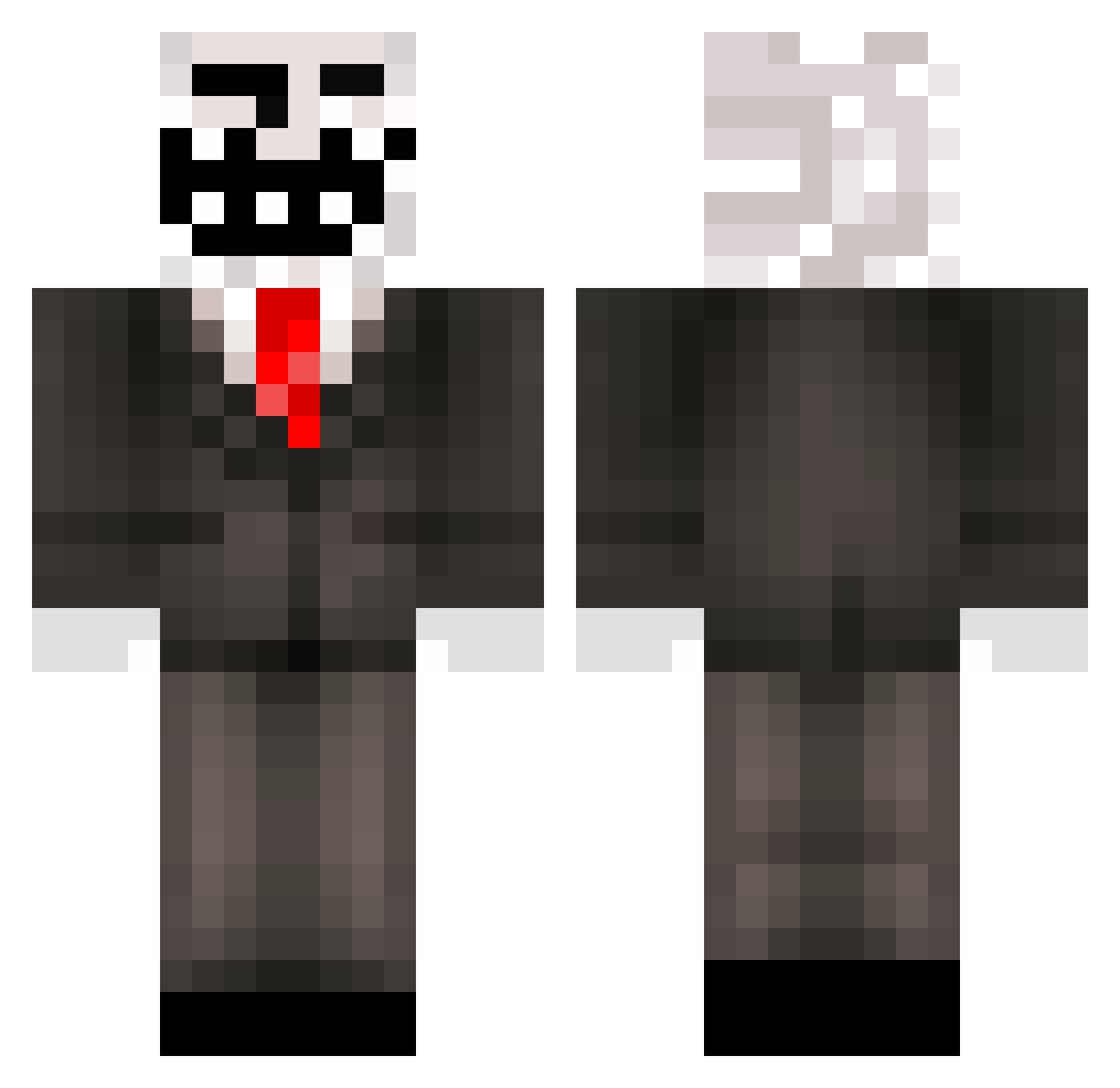
Current Minecraft skin of the player xXRAGINGRACOONXx, loaded from the official Mojang API. Rotate the 3D model with your mouse or finger, then download the skin as a PNG file and use it in Minecraft: Bedrock Edition or Java Edition for free. When xXRAGINGRACOONXx changes their skin, this page updates automatically and the old skin stays in the history below.
Other players with this skin (321)
xXRAGINGRACOONXx was the 249th player we have seen with this skin, first spotted on 16.10.2026. The same skin was seen on these players. Open a nickname to see their current skin and skin history.
 Har_dar DrewRandall10 BreakahfV noraA_reigreS Benjamin814 zanefin Ru5hinru55ian Yodatron Kiers9Ruben Halligalli bus1025 viking49er Hadk Digi22 WhySoSalty1 goldenpower Wolkcloud _XDDDDDDDDD frazh18 Claimperk KoalaYT_PvP werepez Zinial sMiLEy_sLOth MineRaffa finvig ninteplugin4o TheBigDaan01 Stef05NL Daftpunke black_bird90 CraftingJoan roscoe28 Sheazamm fallcitysean CameronBorg ASDOGE DoodleSnag ImFeistee Enderlord20g Jonkers2000 schumanfamily flash_adam13 troll5055 Jebadiah04 DaEpicD00D Tidael Mccccccc_ XxN0SC0P3K1NGxX weeman1313 ThytusX JosephM20 Benny__97 mani2311 xaz08 bloodybee72 xGlo louisville_123 DaiPi_Max PikaxMax
More Trollface Minecraft skins
How to install the xXRAGINGRACOONXx skin
- Press the Download button above to save the skin as a PNG file.
- Minecraft: Bedrock Edition (PE): open the Dressing Room from the main menu (or tap your character → Edit Character), go to Classic Skins → Owned, press the + (new skin) button, choose the downloaded PNG and pick the Classic (Steve) model. Works on PC and mobile; consoles cannot import custom skins.
- Minecraft: Java Edition: open the Minecraft Launcher, go to the Skins tab, click New Skin, load the PNG, pick the Classic (Steve) model and press Save & Use. You can also upload it at minecraft.net → Profile → Change Skin.
The skin does not show up after import - what should I do?
Restart Minecraft and open the Dressing Room again - imported skins sometimes appear only after a restart. Also make sure you selected the imported skin and picked the Classic (Steve) model.
Which model should I choose, Classic or Slim?
This skin is designed for the Classic (Steve) model. If you pick the wrong model, the arms of the skin will look stretched or squeezed.
Is the skin of xXRAGINGRACOONXx free to download?
Yes. Press Download, save the PNG file and use it in Minecraft: Bedrock Edition or Java Edition - no payment or registration needed. The skin also works on multiplayer servers and Realms.
More skins
Looking for more? Go back to all Minecraft skins and check the top skins of the week, month and all time, or find any player's skin by nickname.