
xToXiKz - Minecraft Skins & Skin History
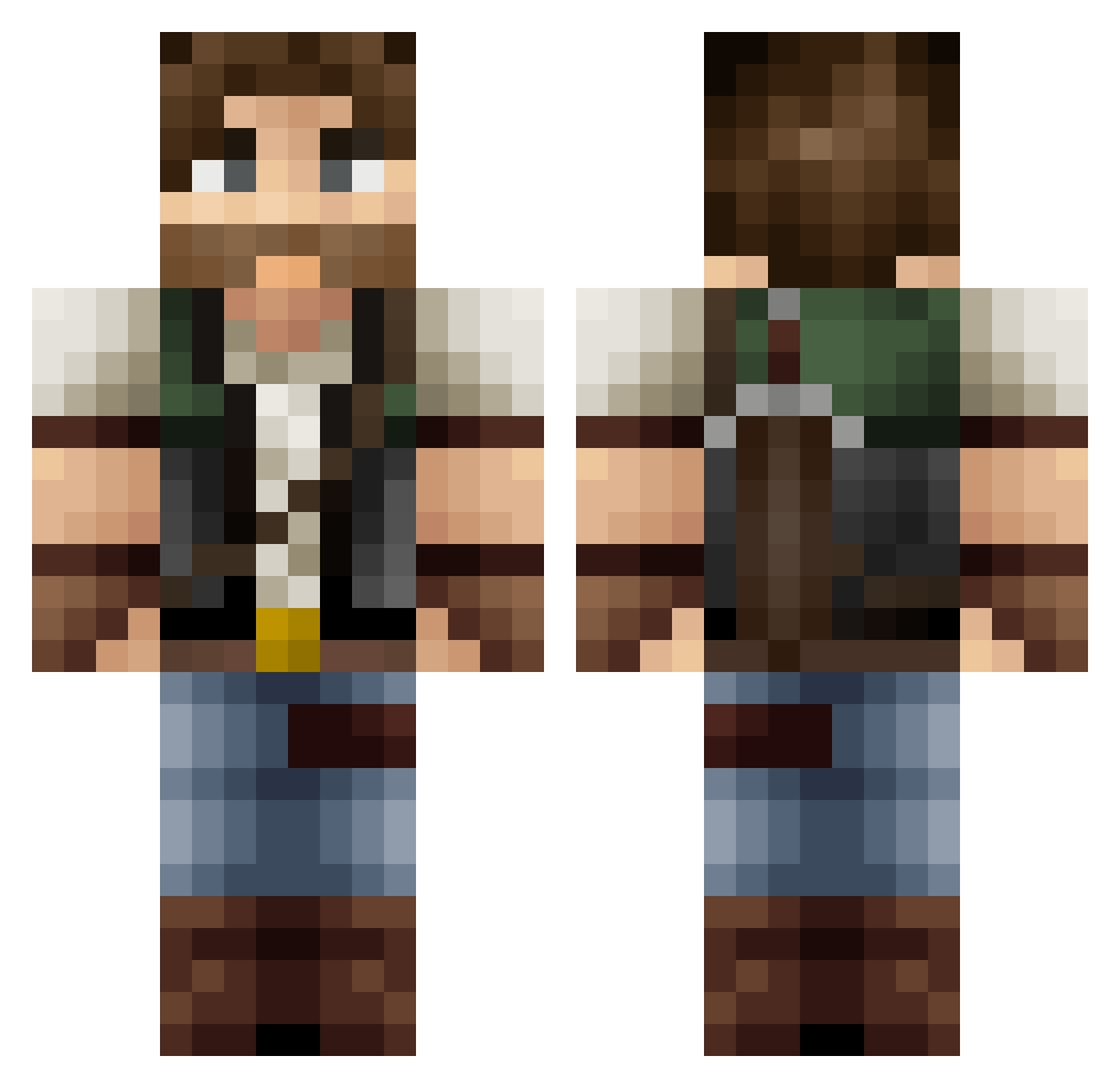
Current Minecraft skin of the player xToXiKz, loaded from the official Mojang API. Rotate the 3D model with your mouse or finger, then download the skin as a PNG file and use it in Minecraft: Bedrock Edition or Java Edition for free. When xToXiKz changes their skin, this page updates automatically and the old skin stays in the history below.
Other players with this skin (369)
xToXiKz was the 290th player we have seen with this skin, first spotted on 12.10.2026. The same skin was seen on these players. Open a nickname to see their current skin and skin history.
 JotaEnz SogeL Grizinger JojaCafe decat42 Suqei MrGawel FangoTek Simbs PartyPeetIV Ilya_2001 Ryssius ElyonMan pat245 Adlyth Static_Inversion vinicarfaria Luimaaca DaniStorm15 Mr_Tattle Pigzote Tuvior _Loy slipenfer_ Collypops Makslax damanse Zoblo741 Frederic_Zitoune AlfaMartino Ren_kai2 Roma_GTS CrazyNugget Professor_Nerd_ Sammy15087 Incompact10 TheMightyAussie Arilos Theosben 5Cent_ MrVikman Flipper1999 RioOwl Stepan_77 Zacktacular zvcd JeromeDaly Baloxavir F0nty Hiro_Okami ProXnovax Kolwamster Gunjka SetUp59 _reO_ Vuarong Twaroqq axel_nk DonVinzon SebastianPerero
More Hunter Minecraft skins
How to install the xToXiKz skin
- Press the Download button above to save the skin as a PNG file.
- Minecraft: Bedrock Edition (PE): open the Dressing Room from the main menu (or tap your character → Edit Character), go to Classic Skins → Owned, press the + (new skin) button, choose the downloaded PNG and pick the Classic (Steve) model. Works on PC and mobile; consoles cannot import custom skins.
- Minecraft: Java Edition: open the Minecraft Launcher, go to the Skins tab, click New Skin, load the PNG, pick the Classic (Steve) model and press Save & Use. You can also upload it at minecraft.net → Profile → Change Skin.
The skin does not show up after import - what should I do?
Restart Minecraft and open the Dressing Room again - imported skins sometimes appear only after a restart. Also make sure you selected the imported skin and picked the Classic (Steve) model.
Which model should I choose, Classic or Slim?
This skin is designed for the Classic (Steve) model. If you pick the wrong model, the arms of the skin will look stretched or squeezed.
Is the skin of xToXiKz free to download?
Yes. Press Download, save the PNG file and use it in Minecraft: Bedrock Edition or Java Edition - no payment or registration needed. The skin also works on multiplayer servers and Realms.
More skins
Looking for more? Go back to all Minecraft skins and check the top skins of the week, month and all time, or find any player's skin by nickname.