
xSpades - Minecraft Skins & Skin History
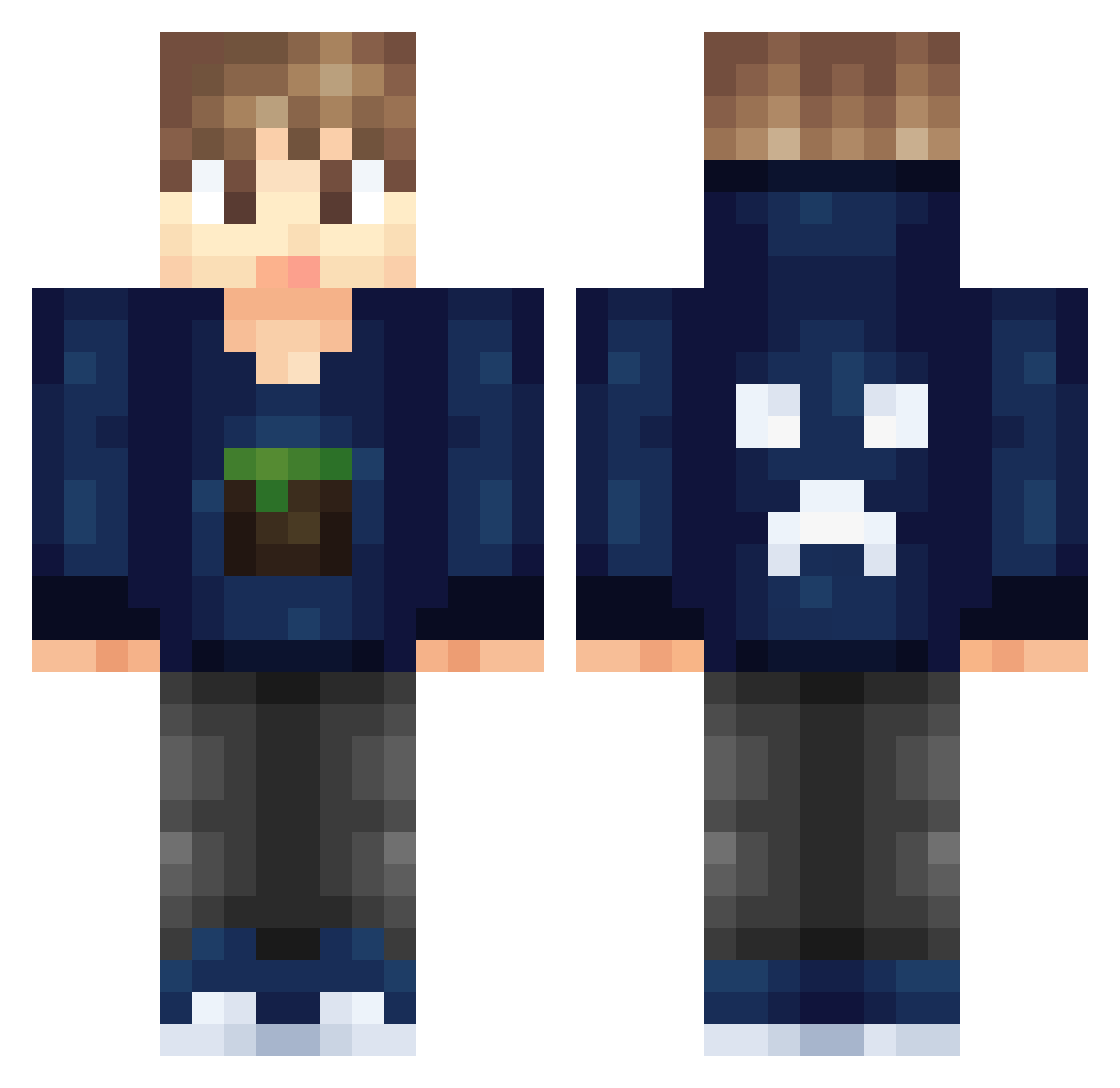
Current Minecraft skin of the player xSpades, loaded from the official Mojang API. Rotate the 3D model with your mouse or finger, then download the skin as a PNG file and use it in Minecraft: Bedrock Edition or Java Edition for free. When xSpades changes their skin, this page updates automatically and the old skin stays in the history below.
Other players with this skin (326)
xSpades was the 249th player we have seen with this skin, first spotted on 19.10.2026. The same skin was seen on these players. Open a nickname to see their current skin and skin history.
 Alwayn sjonnie818 RayounettzPower Galventula Qiixecream Lynton nugie7 Master_Hein Artiboy1994 astraboy08 ayxminecrafter FinGaming1211 kostastsom NLNielsNL TacoTahoe MlggiuYT Jaydog3254 jingcheng suifengerdong KillerBeast75 GrimWIsh93 mitchells8 ezkipvp 423621 HAPPYHOUR1369 Blue_lover1 lightmasterhb ArthurNeiva RunzeZhu idbnstra snowdog97 KiiNchiiD Sheep_Chinese _Force Ri_zh AmeroCraft LewsConley mabric deanobeano542 yowiboy MarcusBeast spoodermahn Aksel_Schroeder dabakun BJJAyden PUG_plays_MC Bugii55 PROgamers712 ZoomaPvP flyite R_Hoya _Doktor_baran Silence5149 Hashir135 Snoopiey94 iMarvin120 DNMolenaar iWaFFlzZ MooN_712 DaZzBoBzZ
More Creeper Minecraft skins
How to install the xSpades skin
- Press the Download button above to save the skin as a PNG file.
- Minecraft: Bedrock Edition (PE): open the Dressing Room from the main menu (or tap your character → Edit Character), go to Classic Skins → Owned, press the + (new skin) button, choose the downloaded PNG and pick the Classic (Steve) model. Works on PC and mobile; consoles cannot import custom skins.
- Minecraft: Java Edition: open the Minecraft Launcher, go to the Skins tab, click New Skin, load the PNG, pick the Classic (Steve) model and press Save & Use. You can also upload it at minecraft.net → Profile → Change Skin.
The skin does not show up after import - what should I do?
Restart Minecraft and open the Dressing Room again - imported skins sometimes appear only after a restart. Also make sure you selected the imported skin and picked the Classic (Steve) model.
Which model should I choose, Classic or Slim?
This skin is designed for the Classic (Steve) model. If you pick the wrong model, the arms of the skin will look stretched or squeezed.
Is the skin of xSpades free to download?
Yes. Press Download, save the PNG file and use it in Minecraft: Bedrock Edition or Java Edition - no payment or registration needed. The skin also works on multiplayer servers and Realms.
More skins
Looking for more? Go back to all Minecraft skins and check the top skins of the week, month and all time, or find any player's skin by nickname.