
xPofo - Minecraft Skins & Skin History
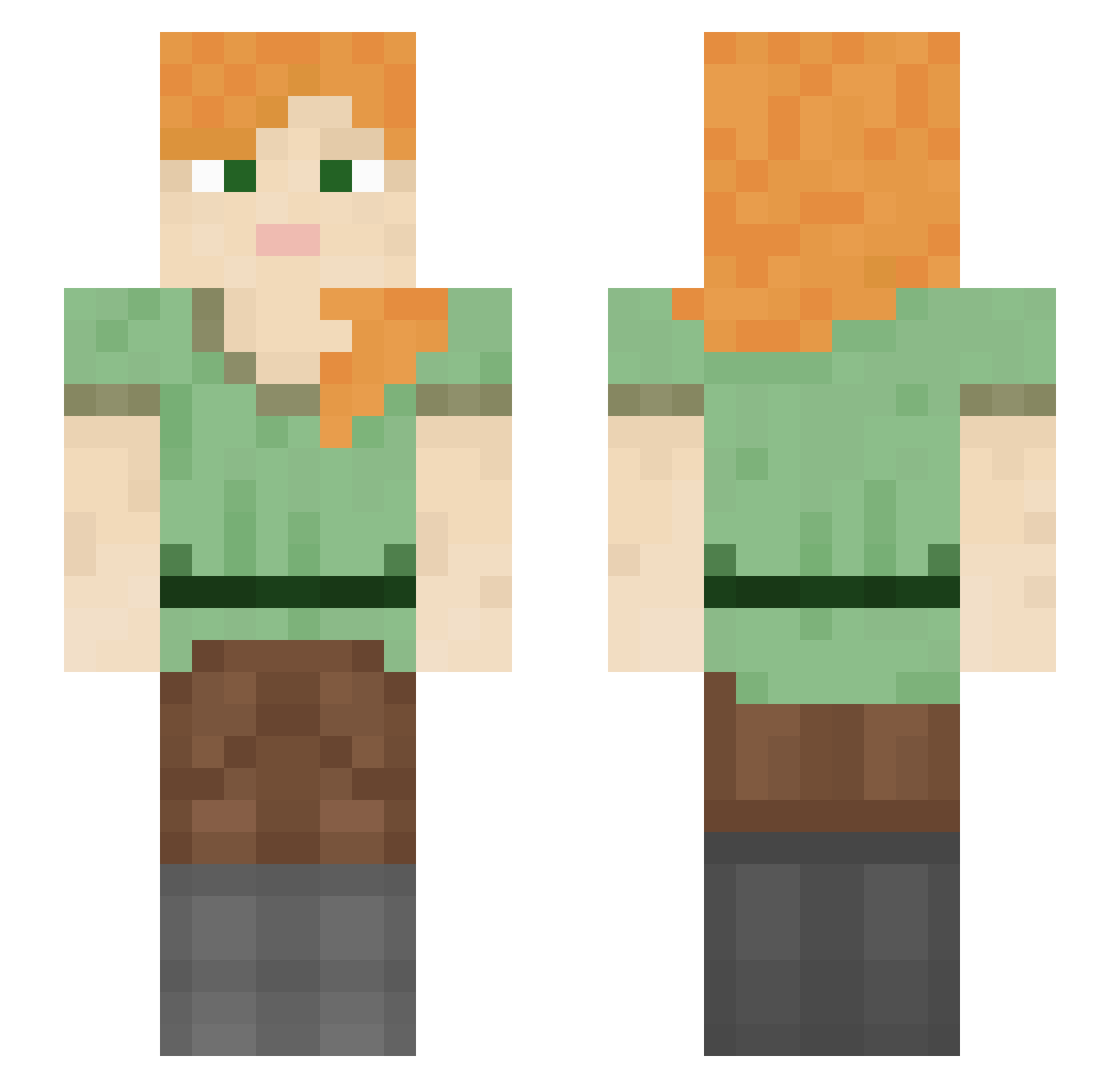
Current Minecraft skin of the player xPofo, loaded from the official Mojang API. Rotate the 3D model with your mouse or finger, then download the skin as a PNG file and use it in Minecraft: Bedrock Edition or Java Edition for free. When xPofo changes their skin, this page updates automatically and the old skin stays in the history below.
Other players with this skin (1009)
xPofo was the 400th player we have seen with this skin, first spotted on 30.08.2026. The same skin was seen on these players. Open a nickname to see their current skin and skin history.
 SimeAnanaS pattu dylandankk GMahler Talespine taehwan_ Federwind Big_Shmeat_kid Bloo_8 KADENROCKZ cradlesongs jaaang BadSnug69 cichutki01 DeadArc boythighs HazardClan Peschinger Premiering Nonary Yurtilicious Leroy2349 Ali_Akis BigLaCroix AccurateOscow Unmoist Ushi0_ ImZepha Squidward_69_ LcY3 Rioud RS_ROMIK rumorr Bombast_ TeeJayPow maddiesio Trainway iTzLelle king1pig Lamster Asmundr KaseiX springlet hide_Onphsy Burets deplenish JumpyDame83 sofiapapinit Ahsra JadedGuess14 5imply willy_pep lockpicked OzonePlayer Ssoong2 catagenesis butttouger Jordan_is_Duke Grz17 xXCerronXx
How to install the xPofo skin
- Press the Download button above to save the skin as a PNG file.
- Minecraft: Bedrock Edition (PE): open the Dressing Room from the main menu (or tap your character → Edit Character), go to Classic Skins → Owned, press the + (new skin) button, choose the downloaded PNG and pick the Slim (Alex) model. Works on PC and mobile; consoles cannot import custom skins.
- Minecraft: Java Edition: open the Minecraft Launcher, go to the Skins tab, click New Skin, load the PNG, pick the Slim (Alex) model and press Save & Use. You can also upload it at minecraft.net → Profile → Change Skin.
The skin does not show up after import - what should I do?
Restart Minecraft and open the Dressing Room again - imported skins sometimes appear only after a restart. Also make sure you selected the imported skin and picked the Slim (Alex) model.
Which model should I choose, Classic or Slim?
This skin is designed for the Slim (Alex) model. If you pick the wrong model, the arms of the skin will look stretched or squeezed.
Is the skin of xPofo free to download?
Yes. Press Download, save the PNG file and use it in Minecraft: Bedrock Edition or Java Edition - no payment or registration needed. The skin also works on multiplayer servers and Realms.
More skins
Looking for more? Go back to all Minecraft skins and check the top skins of the week, month and all time, or find any player's skin by nickname.