
xNyxor - Minecraft Skins & Skin History
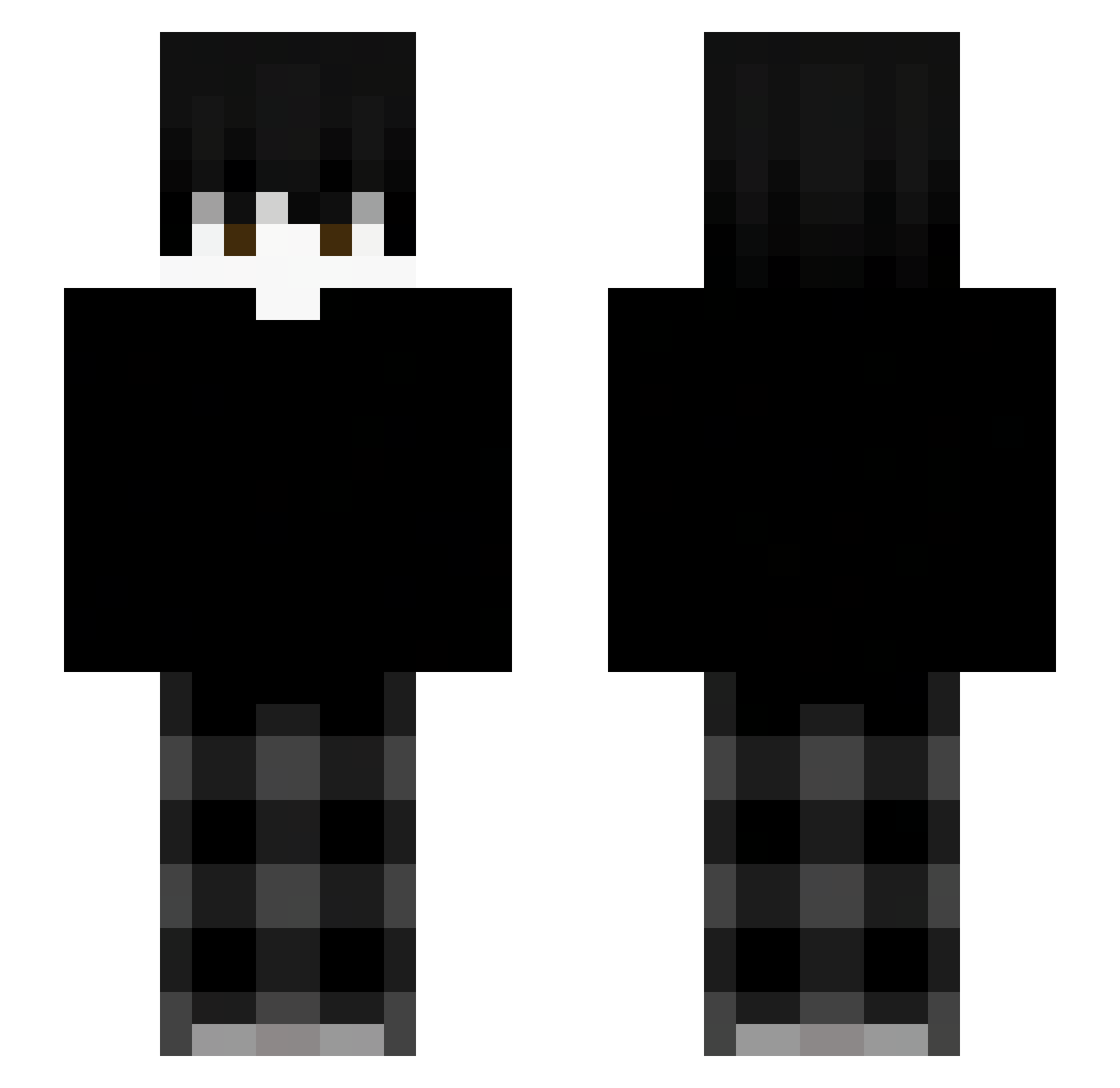
Current Minecraft skin of the player xNyxor, loaded from the official Mojang API. Rotate the 3D model with your mouse or finger, then download the skin as a PNG file and use it in Minecraft: Bedrock Edition or Java Edition for free. When xNyxor changes their skin, this page updates automatically and the old skin stays in the history below.
Other players with this skin (76)
xNyxor was the 50th player we have seen with this skin, first spotted on 19.09.2026. The same skin was seen on these players. Open a nickname to see their current skin and skin history.
 ZentHhoRia MuazEnes DoenerMerchant bannedfromboston N1kl0l YANISKL Miafy UnikkeKevin Ka11s Eleven_Binbin 209d IkWilToad Pekyy_ Drexss david920922 Stariotic _a7m9 MeowwDuck Zarak01 aaf Korea0226 joy_7 MCNyro Andreklym Zachthehero6602 baoliUK bernardoo09 Vilske1 DomiiMC zalogowany__ R3cxo_ Rou_se123 _txn1 vlforge cd9_miguel bbnnee lukipookiefr jayden_777 t0ngqu4n Poseidon_29 chuenitos5 Tobicrafter5 blue2418 x_67 Uddle_
 chillimikus20 TrueNightedge
 Popo_Cpvpfighter Olsnienie MiyaOsamuuu
 ecw_cn
 1010000000000101 Jeazar_
 Leo_jy
 Janso25 Marlooooowwwww lastjuly_ sacred_zzzz Ka1_0825
 sonolentow
More Emo Minecraft skins
How to install the xNyxor skin
- Press the Download button above to save the skin as a PNG file.
- Minecraft: Bedrock Edition (PE): open the Dressing Room from the main menu (or tap your character → Edit Character), go to Classic Skins → Owned, press the + (new skin) button, choose the downloaded PNG and pick the Slim (Alex) model. Works on PC and mobile; consoles cannot import custom skins.
- Minecraft: Java Edition: open the Minecraft Launcher, go to the Skins tab, click New Skin, load the PNG, pick the Slim (Alex) model and press Save & Use. You can also upload it at minecraft.net → Profile → Change Skin.
The skin does not show up after import - what should I do?
Restart Minecraft and open the Dressing Room again - imported skins sometimes appear only after a restart. Also make sure you selected the imported skin and picked the Slim (Alex) model.
Which model should I choose, Classic or Slim?
This skin is designed for the Slim (Alex) model. If you pick the wrong model, the arms of the skin will look stretched or squeezed.
Is the skin of xNyxor free to download?
Yes. Press Download, save the PNG file and use it in Minecraft: Bedrock Edition or Java Edition - no payment or registration needed. The skin also works on multiplayer servers and Realms.
More skins
Looking for more? Go back to all Minecraft skins and check the top skins of the week, month and all time, or find any player's skin by nickname.