
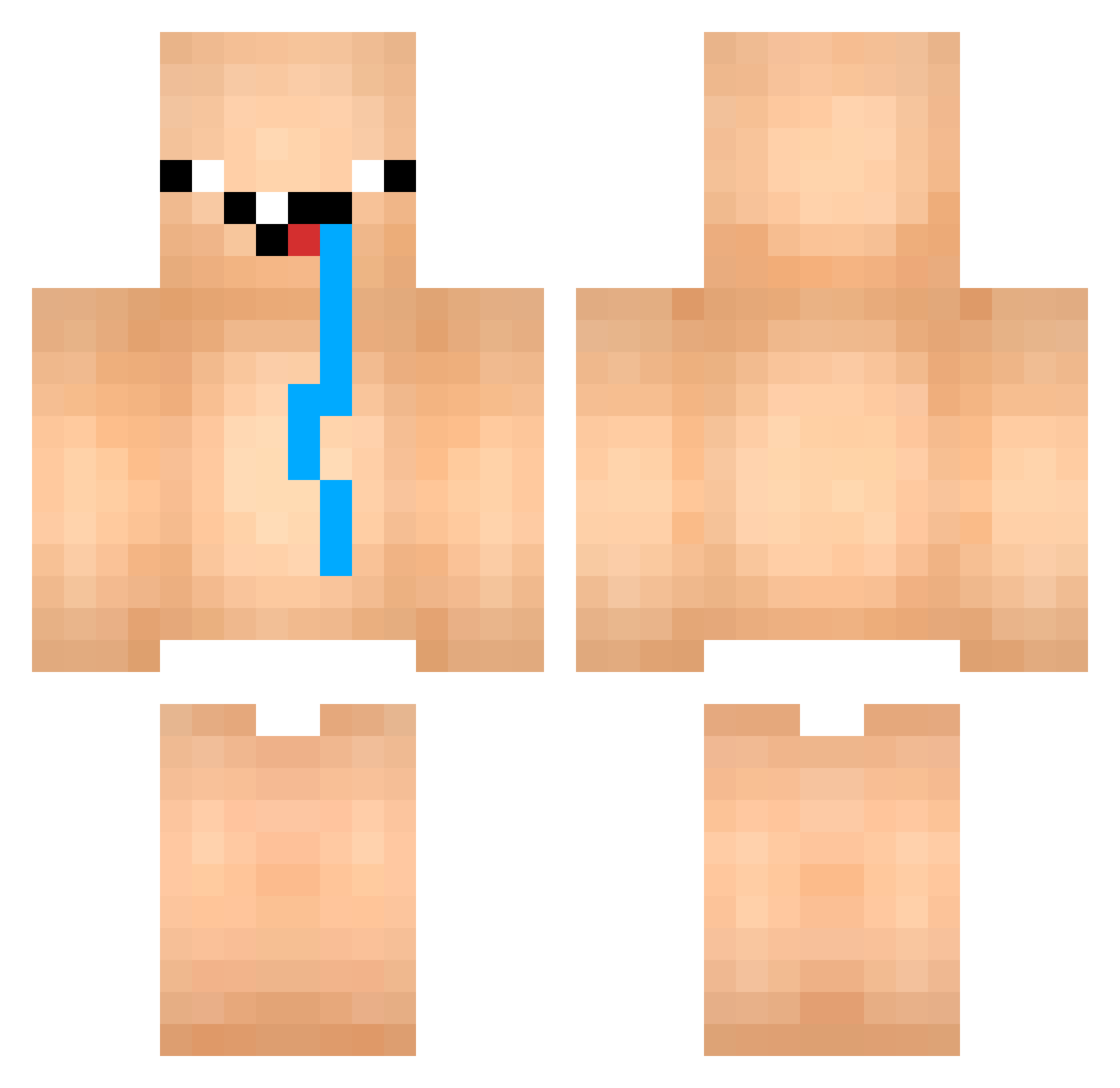
Current Minecraft skin of the player xJamesx567, loaded from the official Mojang API. Rotate the 3D model with your mouse or finger, then download the skin as a PNG file and use it in Minecraft: Bedrock Edition or Java Edition for free. When xJamesx567 changes their skin, this page updates automatically and the old skin stays in the history below.
Other players with this skin (712)
xJamesx567 was the 271st player we have seen with this skin, first spotted on 26.08.2026. The same skin was seen on these players. Open a nickname to see their current skin and skin history.
 leesiho0315 GrayFoxO22 chagas12 tjdwpWkd WhatABigMistake est1004 mincraftuser21 DHKGOD_oao Messias_Gabriel that_one_kavii Jenik1317 Uncle_Jack1 Davidson156 FlipperPoem3460 KuririnCraft m3lm077 KirrD7 kiioyd Mynamenahe crauksss 54188sda Albanesio Cr1Gamer VUHUU xAR0Nx Nezu22 Kimmyyyyyy schnitzelk DominikCZ21 hcew hodoo_cookie Sadcat__ YoureOnARoll Srymaker1 Cacapybara Godkxnr Muhfaa_ wllll Olletinz sneezyachoo dekinhooo Junsukyi limdm00 TriLfell SplashyJo 3yni Roguegentleman a4fddd hugooalvareez Patileon1337 TheRippchen Kommer99 felpopinto MrCuy_1 MarginalMitico rwoxr DaiKaChun Enjoy_Killer Meyhdo milmaxx
More Diaper Minecraft skins
How to install the xJamesx567 skin
- Press the Download button above to save the skin as a PNG file.
- Minecraft: Bedrock Edition (PE): open the Dressing Room from the main menu (or tap your character → Edit Character), go to Classic Skins → Owned, press the + (new skin) button, choose the downloaded PNG and pick the Classic (Steve) model. Works on PC and mobile; consoles cannot import custom skins.
- Minecraft: Java Edition: open the Minecraft Launcher, go to the Skins tab, click New Skin, load the PNG, pick the Classic (Steve) model and press Save & Use. You can also upload it at minecraft.net → Profile → Change Skin.
The skin does not show up after import - what should I do?
Restart Minecraft and open the Dressing Room again - imported skins sometimes appear only after a restart. Also make sure you selected the imported skin and picked the Classic (Steve) model.
Which model should I choose, Classic or Slim?
This skin is designed for the Classic (Steve) model. If you pick the wrong model, the arms of the skin will look stretched or squeezed.
Is the skin of xJamesx567 free to download?
Yes. Press Download, save the PNG file and use it in Minecraft: Bedrock Edition or Java Edition - no payment or registration needed. The skin also works on multiplayer servers and Realms.
More skins
Looking for more? Go back to all Minecraft skins and check the top skins of the week, month and all time, or find any player's skin by nickname.