
xFRIEDxChIcK3N - Minecraft Skins & Skin History
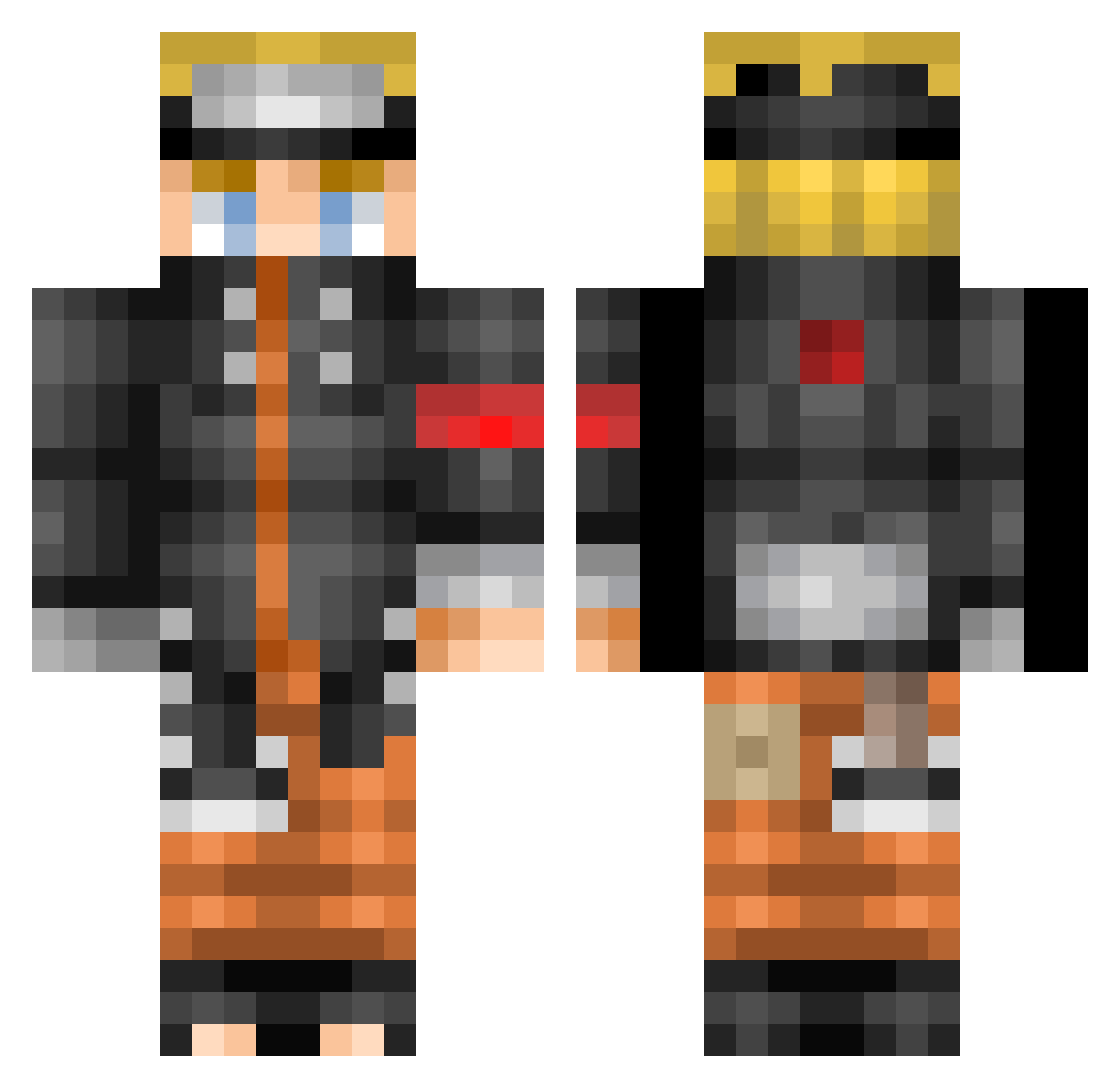
Current Minecraft skin of the player xFRIEDxChIcK3N, loaded from the official Mojang API. Rotate the 3D model with your mouse or finger, then download the skin as a PNG file and use it in Minecraft: Bedrock Edition or Java Edition for free. When xFRIEDxChIcK3N changes their skin, this page updates automatically and the old skin stays in the history below.
Other players with this skin (56)
xFRIEDxChIcK3N was the 30th player we have seen with this skin, first spotted on 26.09.2026. The same skin was seen on these players. Open a nickname to see their current skin and skin history.
 Peceuve11 spidermanwier Cakey_Chan PachecoPvP j0rg3xu3 Mg1137 ChrisBlack7022 Westballineast hovinko123 TheCoolOnes13 ieatdango LeCoquillage Rewindz_ wickedwombat91 proteck56 pssydestr0yer030 Tugger4 BBOYTIMEO fwzyy susboi9111 warriorsean2006 PickleSven PuppyDew yoschi2000 PurrPle1801 Sir_A1pha iEatDonkeySlob Jackmans1 Riahxia Chicken__Alfredo charlievt Arnoc1211 MiguelGamerYT_ Bravss sk8ornot MissFancyEllie11 Artidorl SilverDemon1 longong dnxoghks ScusY_ Arex3107 Jimmy_Coates DiamondMinerr Mrmuffins7706 lol_im_bored freeman1004 Birdie0430 Carroll17 PrettyCult MaskingTape02 Zatchraiku FazeNoob0518 svdsage Lmwiese RyanDragneel
More Naruto Uzumaki Minecraft skins
See all 473 Naruto Uzumaki skins
How to install the xFRIEDxChIcK3N skin
- Press the Download button above to save the skin as a PNG file.
- Minecraft: Bedrock Edition (PE): open the Dressing Room from the main menu (or tap your character → Edit Character), go to Classic Skins → Owned, press the + (new skin) button, choose the downloaded PNG and pick the Classic (Steve) model. Works on PC and mobile; consoles cannot import custom skins.
- Minecraft: Java Edition: open the Minecraft Launcher, go to the Skins tab, click New Skin, load the PNG, pick the Classic (Steve) model and press Save & Use. You can also upload it at minecraft.net → Profile → Change Skin.
The skin does not show up after import - what should I do?
Restart Minecraft and open the Dressing Room again - imported skins sometimes appear only after a restart. Also make sure you selected the imported skin and picked the Classic (Steve) model.
Which model should I choose, Classic or Slim?
This skin is designed for the Classic (Steve) model. If you pick the wrong model, the arms of the skin will look stretched or squeezed.
Is the skin of xFRIEDxChIcK3N free to download?
Yes. Press Download, save the PNG file and use it in Minecraft: Bedrock Edition or Java Edition - no payment or registration needed. The skin also works on multiplayer servers and Realms.
More skins
Looking for more? Go back to all Minecraft skins and check the top skins of the week, month and all time, or find any player's skin by nickname.