
xCrafterNic123x - Minecraft Skins & Skin History
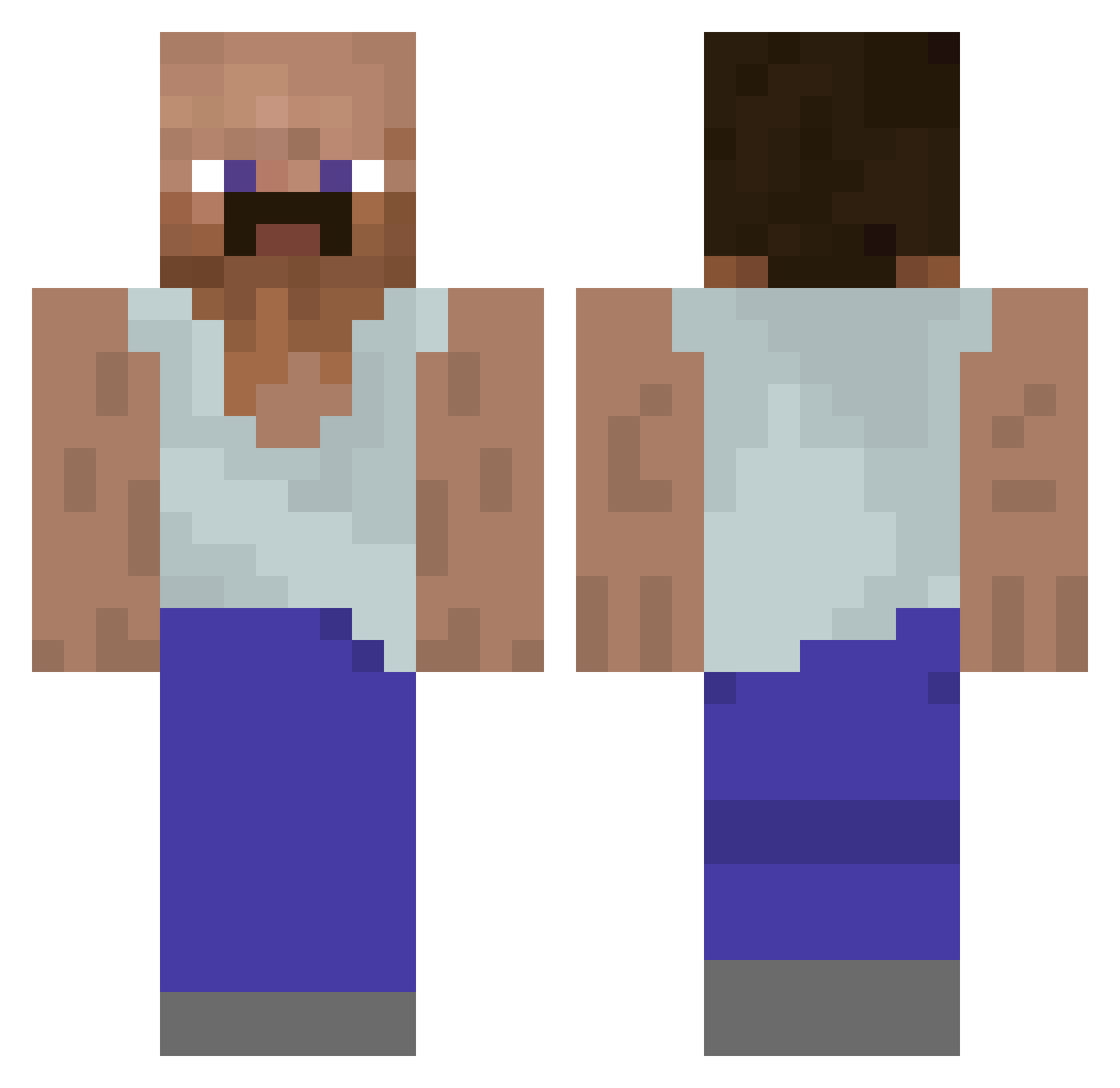
Current Minecraft skin of the player xCrafterNic123x, loaded from the official Mojang API. Rotate the 3D model with your mouse or finger, then download the skin as a PNG file and use it in Minecraft: Bedrock Edition or Java Edition for free. When xCrafterNic123x changes their skin, this page updates automatically and the old skin stays in the history below.
Other players with this skin (928)
xCrafterNic123x was the 910th player we have seen with this skin, first spotted on 30.10.2026. The same skin was seen on these players. Open a nickname to see their current skin and skin history.
 Gealaksi Maciorolista Wilhelm_Holland Ferasooo bradleyswift Aquahamster1 hengofrank RuslanchikGeek leekknyc Trzeziwy Mads_HE LULO_300 Jadacus JuanxX NYAHA_1003 _SHMIGA_ notfiel Boot___Yeater21 guest5906 benjihilton lrealone tiger12360 WatermelonF Aiz3nrizz HighGuy707 Zikkman 631max JohnnyKash NaeKTV MauroClipdas Hawkinns claaaiz hsj1129 kmspader pxybrii msmk1 Seri4 pwawa PtC021 Gaaped WixxEagle gamerboi425 illiilliliilli HaRaMBaTaK moonchews midsummersocial xL3AHx MikevGelder Conqery DriDo23 CharlieHulbert eSubaMATES L3nny97 Szipek Love__69 riese03 vuoh1 lucasvsvs sbunz2 eng_moosae
More Mustache Minecraft skins
How to install the xCrafterNic123x skin
- Press the Download button above to save the skin as a PNG file.
- Minecraft: Bedrock Edition (PE): open the Dressing Room from the main menu (or tap your character → Edit Character), go to Classic Skins → Owned, press the + (new skin) button, choose the downloaded PNG and pick the Classic (Steve) model. Works on PC and mobile; consoles cannot import custom skins.
- Minecraft: Java Edition: open the Minecraft Launcher, go to the Skins tab, click New Skin, load the PNG, pick the Classic (Steve) model and press Save & Use. You can also upload it at minecraft.net → Profile → Change Skin.
The skin does not show up after import - what should I do?
Restart Minecraft and open the Dressing Room again - imported skins sometimes appear only after a restart. Also make sure you selected the imported skin and picked the Classic (Steve) model.
Which model should I choose, Classic or Slim?
This skin is designed for the Classic (Steve) model. If you pick the wrong model, the arms of the skin will look stretched or squeezed.
Is the skin of xCrafterNic123x free to download?
Yes. Press Download, save the PNG file and use it in Minecraft: Bedrock Edition or Java Edition - no payment or registration needed. The skin also works on multiplayer servers and Realms.
More skins
Looking for more? Go back to all Minecraft skins and check the top skins of the week, month and all time, or find any player's skin by nickname.