
xBixs55 - Minecraft Skins & Skin History
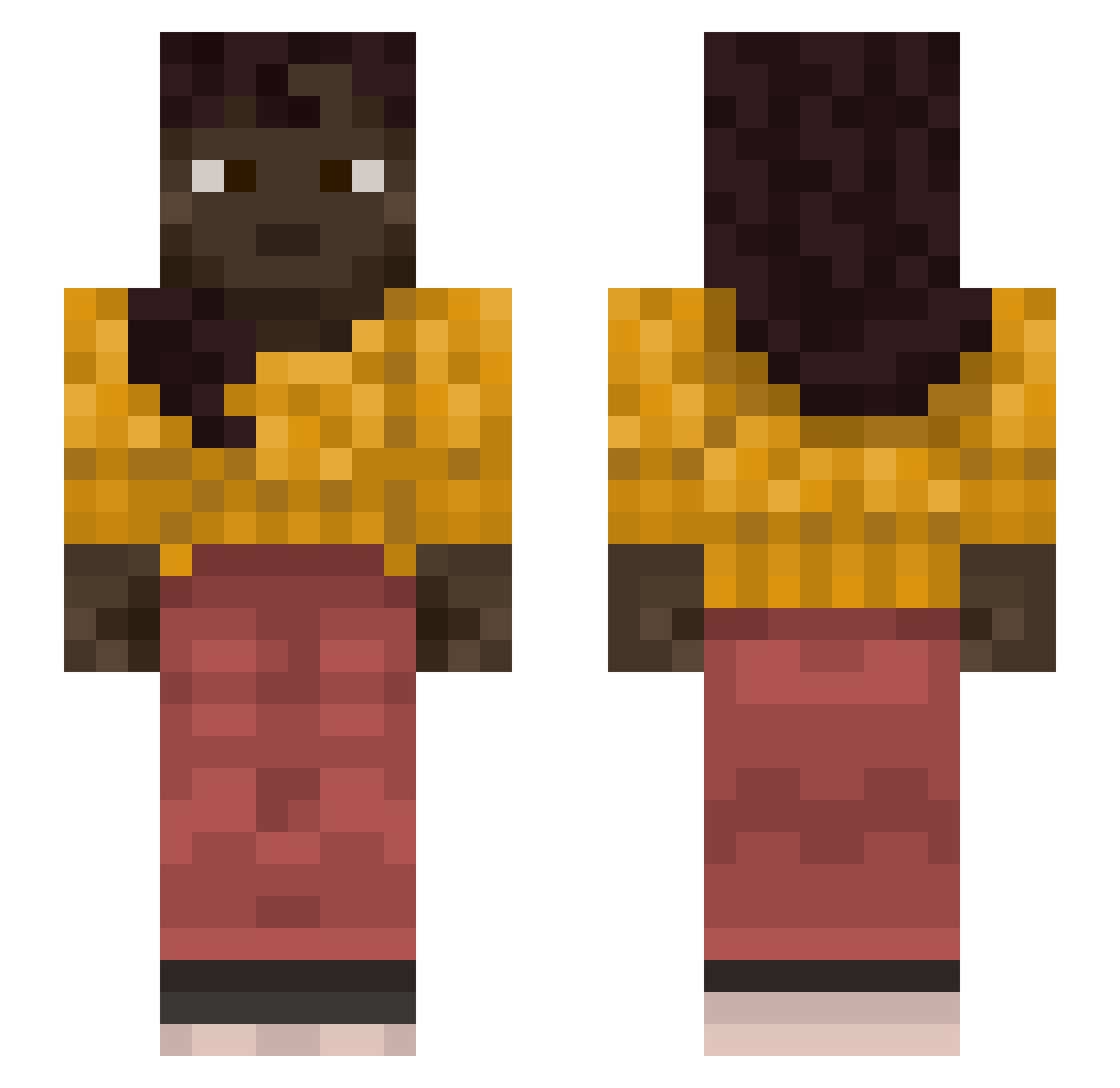
Current Minecraft skin of the player xBixs55, loaded from the official Mojang API. Rotate the 3D model with your mouse or finger, then download the skin as a PNG file and use it in Minecraft: Bedrock Edition or Java Edition for free. When xBixs55 changes their skin, this page updates automatically and the old skin stays in the history below.
Other players with this skin (1128)
xBixs55 was the 324th player we have seen with this skin, first spotted on 25.08.2026. The same skin was seen on these players. Open a nickname to see their current skin and skin history.
 dsirq T0m3cz3k flaser BlasphemyEnjoyer ItzLuffy724 ruf1kyttl Hegemonizer sluggers GezuLovesPP smrmaak76 callippic AutumnTea ruthene anaolic Vordroxer KnickPoint moreens meechol pitapatting Cryvv ABCDIARIO Esiuu_01 shalawa Asteita YT_Gaming_HD gearmater Indigotine EinhornHatFxmee Reallow Mellow_Mantra 8urr VidalGsw Beelzebub Straked Stijn_Er Methyl
 Galactica_75 kbae07 cryst benmaksiyim Azizkerims Olof GodDamning Curvity Bronx64 Ildla Moufflon Mizzen WielebnyPawlo kylpykaveri DaddysLilPiggy kevinabadcueto DecideXD Flex_Offender69_ lucifinhoo Megabestfriend Campfire MaxDeDong69 Amogus_sus_XD NinjaPandaTime
More Braid Minecraft skins
How to install the xBixs55 skin
- Press the Download button above to save the skin as a PNG file.
- Minecraft: Bedrock Edition (PE): open the Dressing Room from the main menu (or tap your character → Edit Character), go to Classic Skins → Owned, press the + (new skin) button, choose the downloaded PNG and pick the Slim (Alex) model. Works on PC and mobile; consoles cannot import custom skins.
- Minecraft: Java Edition: open the Minecraft Launcher, go to the Skins tab, click New Skin, load the PNG, pick the Slim (Alex) model and press Save & Use. You can also upload it at minecraft.net → Profile → Change Skin.
The skin does not show up after import - what should I do?
Restart Minecraft and open the Dressing Room again - imported skins sometimes appear only after a restart. Also make sure you selected the imported skin and picked the Slim (Alex) model.
Which model should I choose, Classic or Slim?
This skin is designed for the Slim (Alex) model. If you pick the wrong model, the arms of the skin will look stretched or squeezed.
Is the skin of xBixs55 free to download?
Yes. Press Download, save the PNG file and use it in Minecraft: Bedrock Edition or Java Edition - no payment or registration needed. The skin also works on multiplayer servers and Realms.
More skins
Looking for more? Go back to all Minecraft skins and check the top skins of the week, month and all time, or find any player's skin by nickname.