
wwwserjzzz - Minecraft Skins & Skin History
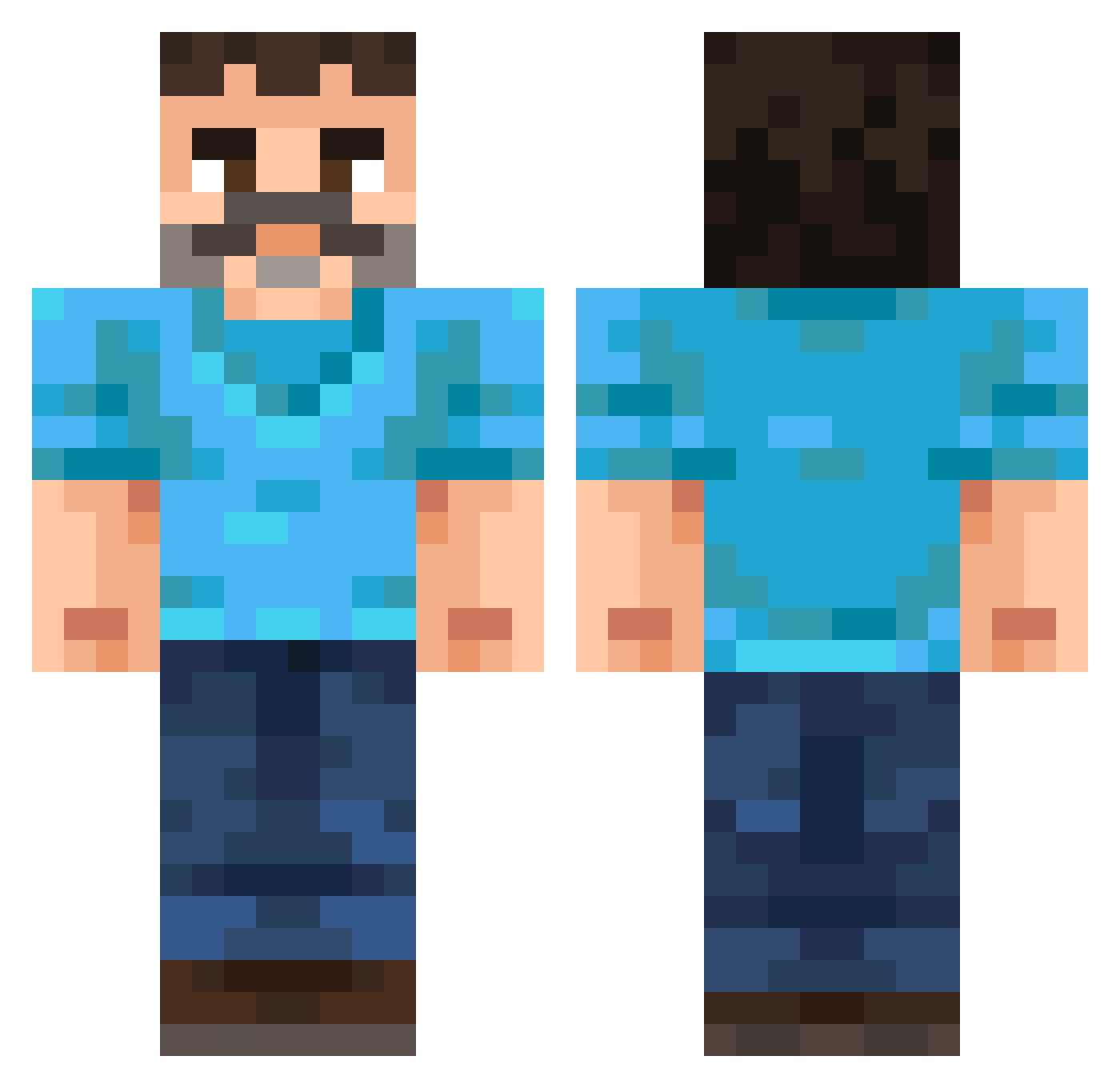
Current Minecraft skin of the player wwwserjzzz, loaded from the official Mojang API. Rotate the 3D model with your mouse or finger, then download the skin as a PNG file and use it in Minecraft: Bedrock Edition or Java Edition for free. When wwwserjzzz changes their skin, this page updates automatically and the old skin stays in the history below.
Other players with this skin (255)
wwwserjzzz was the 167th player we have seen with this skin, first spotted on 03.10.2026. The same skin was seen on these players. Open a nickname to see their current skin and skin history.
 JoSaNs Sharkeatuface Th4nd3rb0lt HELLzaNub CubeBlocks_ gulaag JohnTheLazy DeAanhouderWint basshappy twait EKKOREE_pT57zKz RaynanRusso N1cx SomeLegitDude Reyes_30 CaptainZevz Marcix177 lokitgg EinPostbote toorenburg17 benpig1 MixednMashed MaxNut48 Sirski_Tug Predo96 zuckubus RareFurcorn Leolescarty xBxnez KickinBASStv Nabihan anirjem pinkypanther980 Spysnacks Krabb_ Tornoir59 BlueShrooms92 Happy_0 foodq Ratiboy45 nrynn3 NicolauCopernico zhong_xi_na5 ZeamNotFound MaxccUwU LukiWanKenobi StopCziting _Feerz Cettus_ SombreFusion Vespid_Mars THEMRVORTEX0505 dgm_nicegen_06k EvanTheGreat515 of5_msmc_xpa Claush147 Viouge TaepoBrother WongSMP earth1231
More Mustache Minecraft skins
How to install the wwwserjzzz skin
- Press the Download button above to save the skin as a PNG file.
- Minecraft: Bedrock Edition (PE): open the Dressing Room from the main menu (or tap your character → Edit Character), go to Classic Skins → Owned, press the + (new skin) button, choose the downloaded PNG and pick the Classic (Steve) model. Works on PC and mobile; consoles cannot import custom skins.
- Minecraft: Java Edition: open the Minecraft Launcher, go to the Skins tab, click New Skin, load the PNG, pick the Classic (Steve) model and press Save & Use. You can also upload it at minecraft.net → Profile → Change Skin.
The skin does not show up after import - what should I do?
Restart Minecraft and open the Dressing Room again - imported skins sometimes appear only after a restart. Also make sure you selected the imported skin and picked the Classic (Steve) model.
Which model should I choose, Classic or Slim?
This skin is designed for the Classic (Steve) model. If you pick the wrong model, the arms of the skin will look stretched or squeezed.
Is the skin of wwwserjzzz free to download?
Yes. Press Download, save the PNG file and use it in Minecraft: Bedrock Edition or Java Edition - no payment or registration needed. The skin also works on multiplayer servers and Realms.
More skins
Looking for more? Go back to all Minecraft skins and check the top skins of the week, month and all time, or find any player's skin by nickname.