
wwfcjack - Minecraft Skins & Skin History
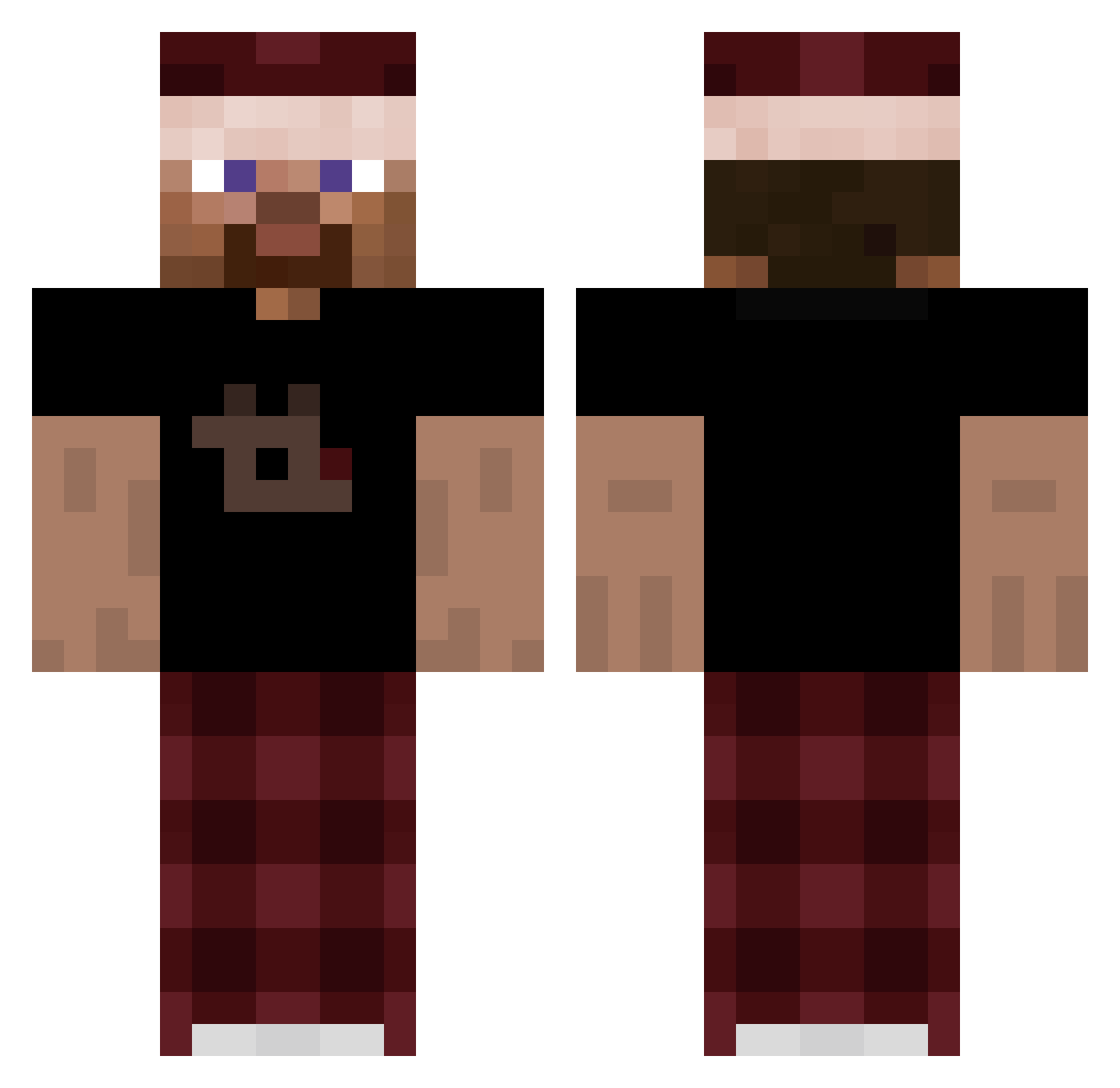
Current Minecraft skin of the player wwfcjack, loaded from the official Mojang API. Rotate the 3D model with your mouse or finger, then download the skin as a PNG file and use it in Minecraft: Bedrock Edition or Java Edition for free. When wwfcjack changes their skin, this page updates automatically and the old skin stays in the history below.
Other players with this skin (264)
wwfcjack was the 159th player we have seen with this skin, first spotted on 27.09.2026. The same skin was seen on these players. Open a nickname to see their current skin and skin history.
 PixelGroundHD realtmoa andy_brocks denniselias ZuzuPupu123 otizm zaccizy Velpen TheKevinYT BielTwin lxbato ElIsaWazaaa madebyelias bapples123 Tomesek BergwallTheLulu LootyPlayz Toyota414 ashrollo TheMathews1 cloudzyoo shifuwuu aurelxy22 MaikonMacedo Kukus00 lemowiut ChipReel Blakey_1 Sumogreif Esto_crudo nandokkjw megajajers12 yellogun Tomkores_ worthyq MagicThiefx ImBexo zrs_ Dispositor 1124jayden Selekis1 pxul_10 Renzoto philhildmann Sardel vxszvx Simores w3rdix TheNick1 KivancKoseomur 9454_ ucubber richusss rarezzzz xtrimp Snebss Reinval35 Hansli_1 oASweat Benyxval
How to install the wwfcjack skin
- Press the Download button above to save the skin as a PNG file.
- Minecraft: Bedrock Edition (PE): open the Dressing Room from the main menu (or tap your character → Edit Character), go to Classic Skins → Owned, press the + (new skin) button, choose the downloaded PNG and pick the Classic (Steve) model. Works on PC and mobile; consoles cannot import custom skins.
- Minecraft: Java Edition: open the Minecraft Launcher, go to the Skins tab, click New Skin, load the PNG, pick the Classic (Steve) model and press Save & Use. You can also upload it at minecraft.net → Profile → Change Skin.
The skin does not show up after import - what should I do?
Restart Minecraft and open the Dressing Room again - imported skins sometimes appear only after a restart. Also make sure you selected the imported skin and picked the Classic (Steve) model.
Which model should I choose, Classic or Slim?
This skin is designed for the Classic (Steve) model. If you pick the wrong model, the arms of the skin will look stretched or squeezed.
Is the skin of wwfcjack free to download?
Yes. Press Download, save the PNG file and use it in Minecraft: Bedrock Edition or Java Edition - no payment or registration needed. The skin also works on multiplayer servers and Realms.
More skins
Looking for more? Go back to all Minecraft skins and check the top skins of the week, month and all time, or find any player's skin by nickname.