
wowlolol - Minecraft Skins & Skin History
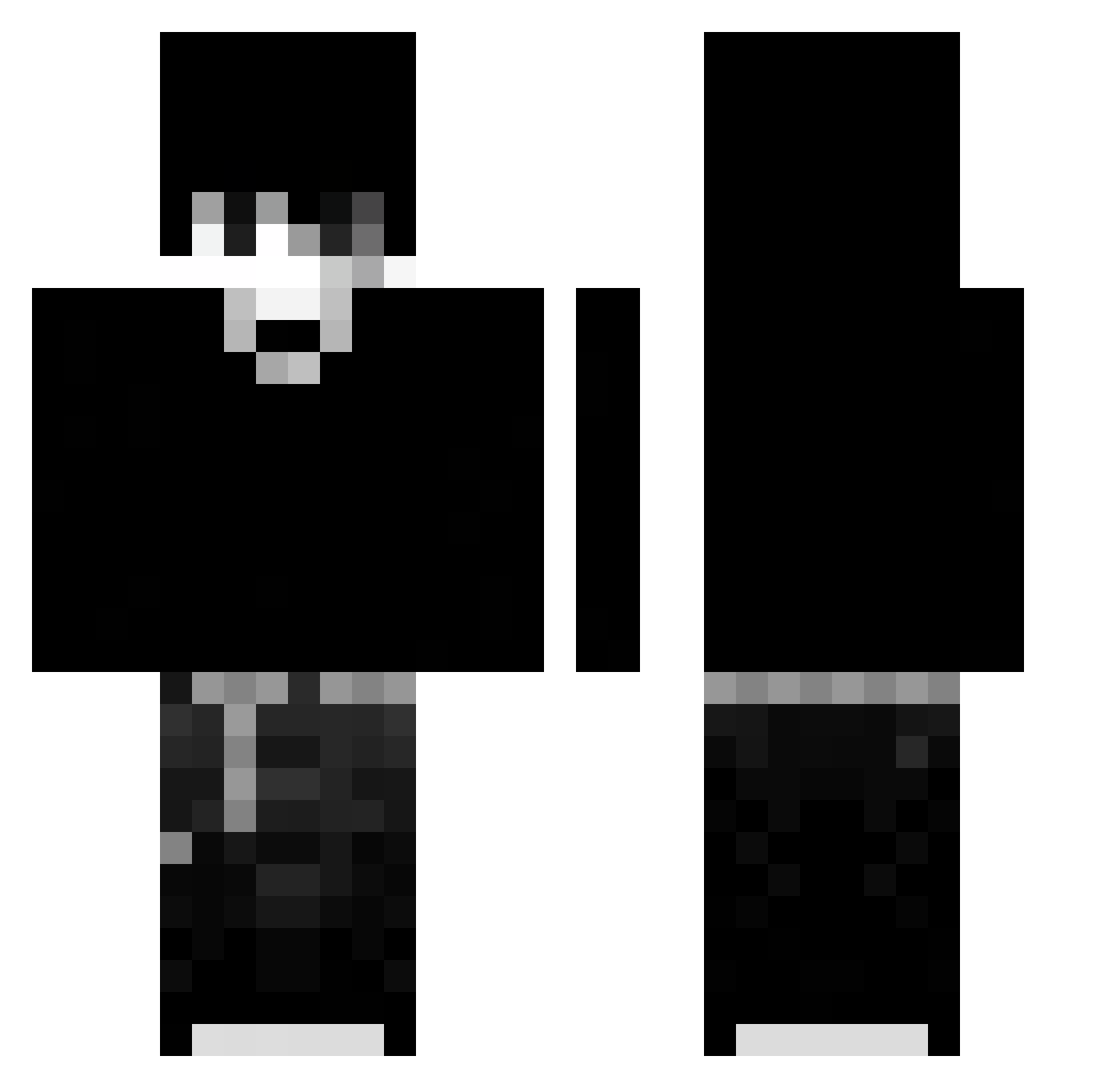
Current Minecraft skin of the player wowlolol, loaded from the official Mojang API. Rotate the 3D model with your mouse or finger, then download the skin as a PNG file and use it in Minecraft: Bedrock Edition or Java Edition for free. When wowlolol changes their skin, this page updates automatically and the old skin stays in the history below.
Other players with this skin (103)
wowlolol was the 71st player we have seen with this skin, first spotted on 17.10.2026. The same skin was seen on these players. Open a nickname to see their current skin and skin history.
 Dyj666LA Nato7856 WRAXX_ MarkKirby RafaGuimaraes11 leo3629 chiky_rr prannkkster patryk_playzz2 Lwnhada hirosee_ _okee Paivexx10 Amazone_Dude2 gyhdjj TheElivanGrande Skarghx Oskigracz r_of X_Mahmoud_X Tensaikkkj Supersatur07 FrostixHD NaelMC60 OmarFady_ 4Tazixx T_haola Xaliwar MoyuzZ StarboyR8 Coli_ PORRONA KillZoneMX orzyt fulnemos999 zTae_18 Nordxc Marondex raidayo2434 m0ta4 zervv_ iL0VEcats4life fuzzyk maxhsu0313 Darknslave redred0422 Yao0_0Ming YourDonelilBoy Wh3re_Dr4gon_1 Prockpros JHZINNN_ Kropix16 edwardneedshands Starlord_on SANTY_NICE _Scr0l_M4sT3r_ nullvale MC_kiritox MRZD3 lazarevsky777
More Monochrome Minecraft skins
How to install the wowlolol skin
- Press the Download button above to save the skin as a PNG file.
- Minecraft: Bedrock Edition (PE): open the Dressing Room from the main menu (or tap your character → Edit Character), go to Classic Skins → Owned, press the + (new skin) button, choose the downloaded PNG and pick the Classic (Steve) model. Works on PC and mobile; consoles cannot import custom skins.
- Minecraft: Java Edition: open the Minecraft Launcher, go to the Skins tab, click New Skin, load the PNG, pick the Classic (Steve) model and press Save & Use. You can also upload it at minecraft.net → Profile → Change Skin.
The skin does not show up after import - what should I do?
Restart Minecraft and open the Dressing Room again - imported skins sometimes appear only after a restart. Also make sure you selected the imported skin and picked the Classic (Steve) model.
Which model should I choose, Classic or Slim?
This skin is designed for the Classic (Steve) model. If you pick the wrong model, the arms of the skin will look stretched or squeezed.
Is the skin of wowlolol free to download?
Yes. Press Download, save the PNG file and use it in Minecraft: Bedrock Edition or Java Edition - no payment or registration needed. The skin also works on multiplayer servers and Realms.
More skins
Looking for more? Go back to all Minecraft skins and check the top skins of the week, month and all time, or find any player's skin by nickname.