
woawwoe - Minecraft Skins & Skin History
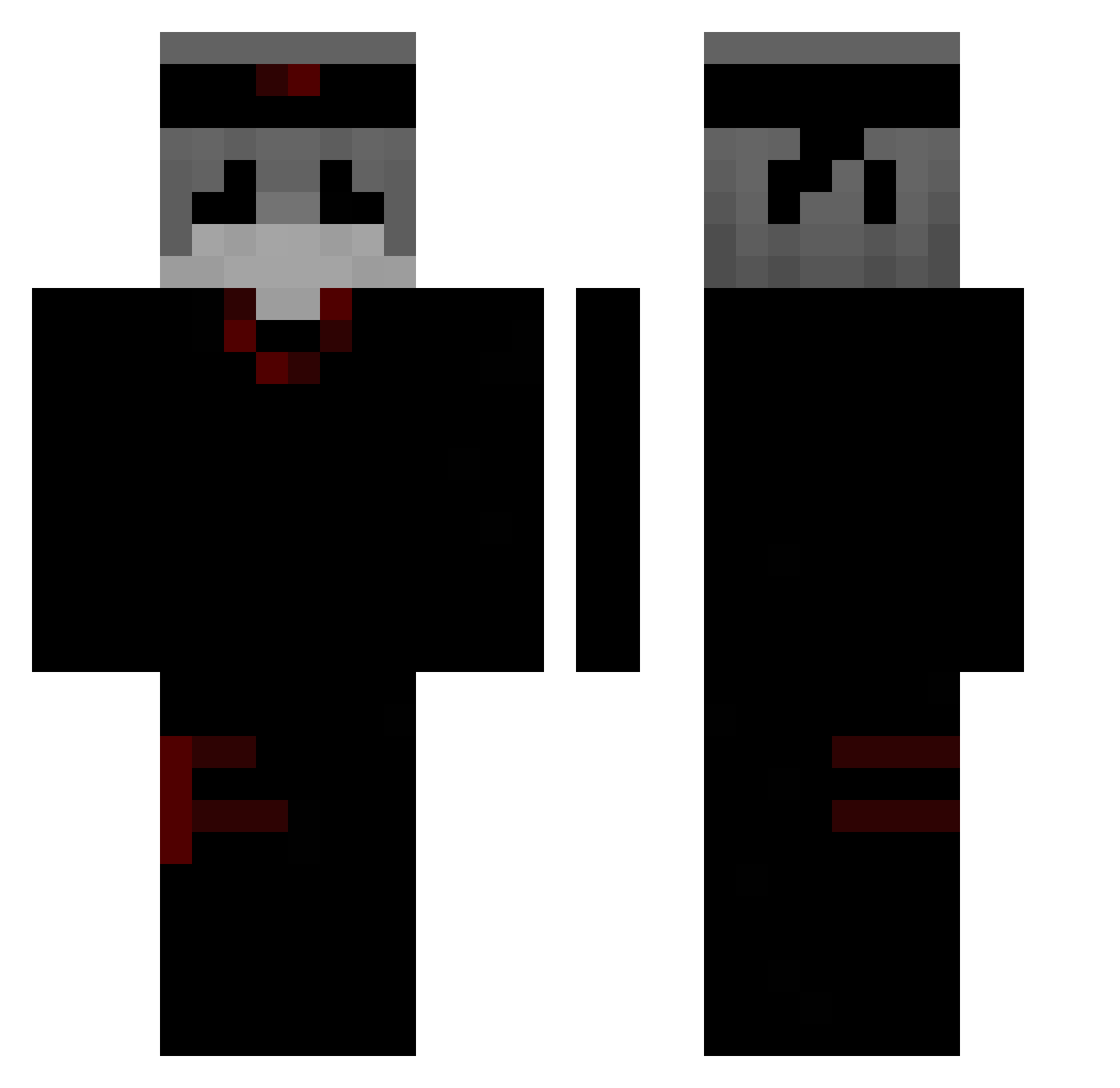
Current Minecraft skin of the player woawwoe, loaded from the official Mojang API. Rotate the 3D model with your mouse or finger, then download the skin as a PNG file and use it in Minecraft: Bedrock Edition or Java Edition for free. When woawwoe changes their skin, this page updates automatically and the old skin stays in the history below.
Other players with this skin (303)
woawwoe was the 35th player we have seen with this skin, first spotted on 08.08.2026. The same skin was seen on these players. Open a nickname to see their current skin and skin history.
 vexedwolf200112 xR3kt_ DRYZOX SlaveModtager wiejj MxsCc Leikton0 shadow48561 Jibran3321 BigDinTW_tw Haxzinshw XKaio5 IXSR frazerlovesyou RadicalAcorn733 o0o0o0oooo0 Craxve_TKTok Kotnanamii GreedyFish3 xEncantadoh_ MrDeathYT_ALT jhonrus _Xohe Mixqr Fikssu
 ItsBeeKaay xxbeksa1 xXOnikatXx gojo0809 MeSpeed ENGN35 disked labazan __o__0__ nono1551 Atemcy moo_nn GEORGE455 AhmedAshraf0
 p01s01h01 ShadowThyla SillyxRabbit XunNian666 Ruliktok moremoneythenyou LingMao_ IcY6x Clariion ITZADAAAAM ovegaymer heshuo Zelix_YT UnderuigBoi LMPQSZ LeakerKS mata_abuelas4000 KIL3N weexe AquariusJay Zabaa11
More Ninja Minecraft skins
How to install the woawwoe skin
- Press the Download button above to save the skin as a PNG file.
- Minecraft: Bedrock Edition (PE): open the Dressing Room from the main menu (or tap your character → Edit Character), go to Classic Skins → Owned, press the + (new skin) button, choose the downloaded PNG and pick the Classic (Steve) model. Works on PC and mobile; consoles cannot import custom skins.
- Minecraft: Java Edition: open the Minecraft Launcher, go to the Skins tab, click New Skin, load the PNG, pick the Classic (Steve) model and press Save & Use. You can also upload it at minecraft.net → Profile → Change Skin.
The skin does not show up after import - what should I do?
Restart Minecraft and open the Dressing Room again - imported skins sometimes appear only after a restart. Also make sure you selected the imported skin and picked the Classic (Steve) model.
Which model should I choose, Classic or Slim?
This skin is designed for the Classic (Steve) model. If you pick the wrong model, the arms of the skin will look stretched or squeezed.
Is the skin of woawwoe free to download?
Yes. Press Download, save the PNG file and use it in Minecraft: Bedrock Edition or Java Edition - no payment or registration needed. The skin also works on multiplayer servers and Realms.
More skins
Looking for more? Go back to all Minecraft skins and check the top skins of the week, month and all time, or find any player's skin by nickname.