
winterbound - Minecraft Skins & Skin History
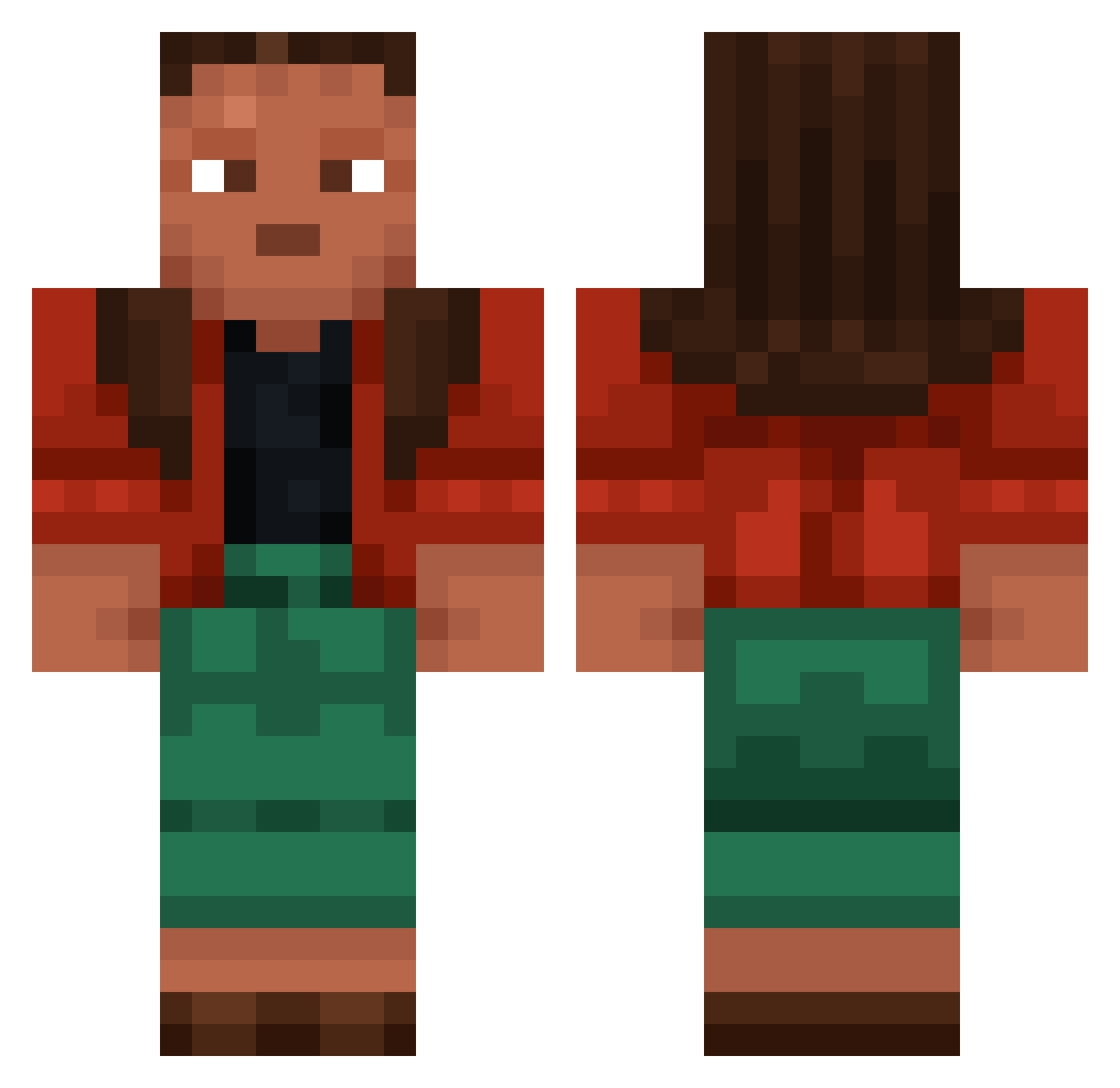
Current Minecraft skin of the player winterbound, loaded from the official Mojang API. Rotate the 3D model with your mouse or finger, then download the skin as a PNG file and use it in Minecraft: Bedrock Edition or Java Edition for free. When winterbound changes their skin, this page updates automatically and the old skin stays in the history below.
Other players with this skin (831)
winterbound was the 528th player we have seen with this skin, first spotted on 28.09.2026. The same skin was seen on these players. Open a nickname to see their current skin and skin history.
 RIPSCHWITZER Blendes opposer internee riccardotooop Pastiness CoolWhipCamper lasa Jesuits Probcy marlovian Pipedream Bitternut miriki hybridfish yoda_the_pool Games IvanLjk rZ3n1th pszendek perforatory Undecane lunelars lycanthropic unclothe transience armchair KVIX_ Pross Jasminge cytokinetic dipchick peiv0 reis1610 Isleman ssosoo Abenteric mease Marrowfat CBR3b_C_BOGOM obesecreeper polytechnical Op1um4kids nozzler presidente Oatseed frounce makonde goobieaus J67nda_ wireshrk libby Vernice Wawls bronchoscopy Mandrel Orderlies Frist2006 Kkyan andkamen
More Moana Minecraft skins
How to install the winterbound skin
- Press the Download button above to save the skin as a PNG file.
- Minecraft: Bedrock Edition (PE): open the Dressing Room from the main menu (or tap your character → Edit Character), go to Classic Skins → Owned, press the + (new skin) button, choose the downloaded PNG and pick the Classic (Steve) model. Works on PC and mobile; consoles cannot import custom skins.
- Minecraft: Java Edition: open the Minecraft Launcher, go to the Skins tab, click New Skin, load the PNG, pick the Classic (Steve) model and press Save & Use. You can also upload it at minecraft.net → Profile → Change Skin.
The skin does not show up after import - what should I do?
Restart Minecraft and open the Dressing Room again - imported skins sometimes appear only after a restart. Also make sure you selected the imported skin and picked the Classic (Steve) model.
Which model should I choose, Classic or Slim?
This skin is designed for the Classic (Steve) model. If you pick the wrong model, the arms of the skin will look stretched or squeezed.
Is the skin of winterbound free to download?
Yes. Press Download, save the PNG file and use it in Minecraft: Bedrock Edition or Java Edition - no payment or registration needed. The skin also works on multiplayer servers and Realms.
More skins
Looking for more? Go back to all Minecraft skins and check the top skins of the week, month and all time, or find any player's skin by nickname.