
willum07 - Minecraft Skins & Skin History
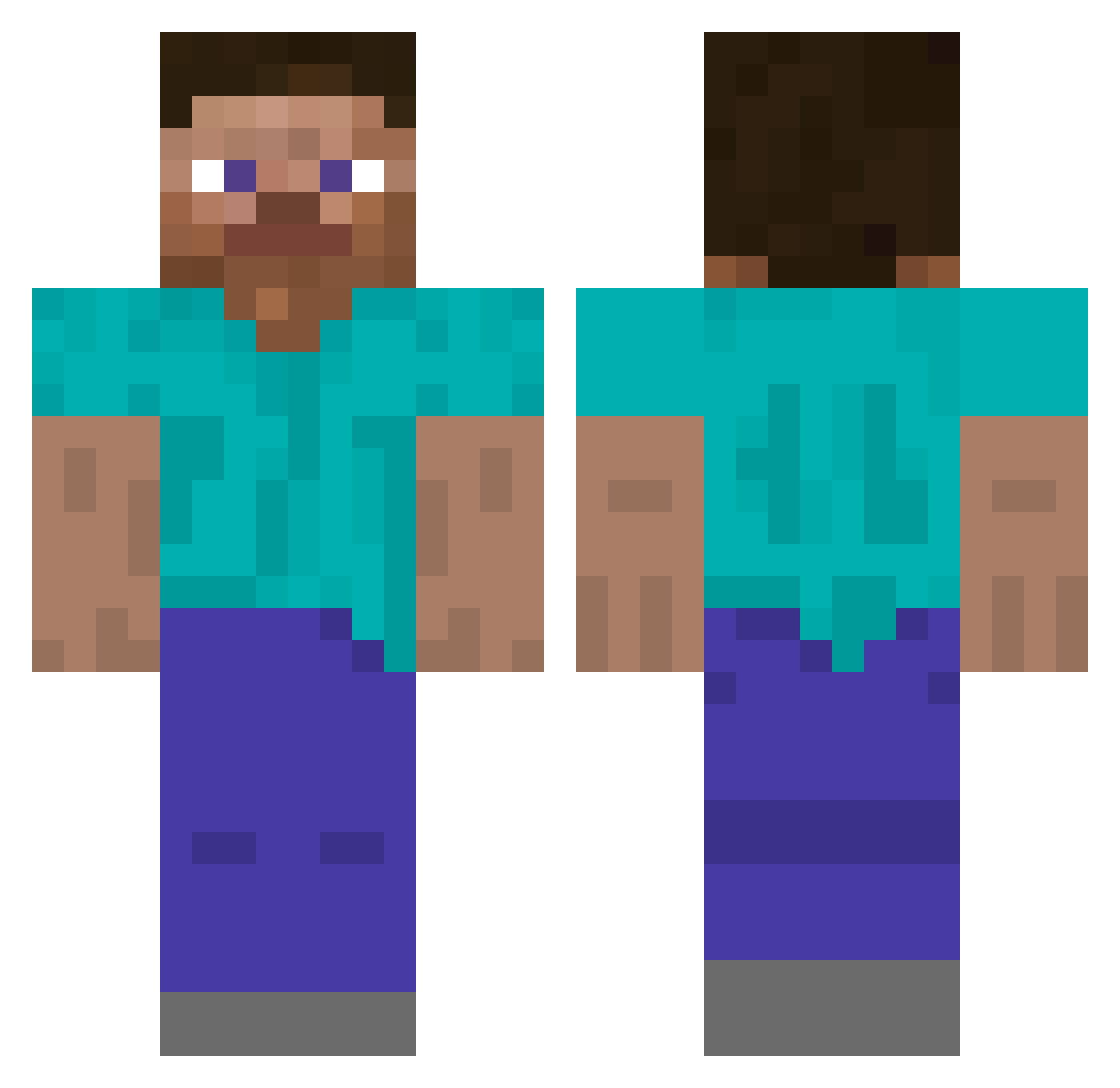
Current Minecraft skin of the player willum07, loaded from the official Mojang API. Rotate the 3D model with your mouse or finger, then download the skin as a PNG file and use it in Minecraft: Bedrock Edition or Java Edition for free. When willum07 changes their skin, this page updates automatically and the old skin stays in the history below.
Other players with this skin (301)
willum07 was the 252nd player we have seen with this skin, first spotted on 31.10.2026. The same skin was seen on these players. Open a nickname to see their current skin and skin history.
 systemsz superrito serpuline ThreadripperPRO BobKing23 Lebronballer _Okumma_ BASSSSEM Ibbern ItzNOORealme heisenblockz CRYST4LL3R Test ryu031333 sxay TWICE__NAYEON 8zak markofrfr tlqkf3 90nt zoodsquad GoonyWraxps Deustroyer4m bedwarfed p1p1p1p1p1p1p1p1 TheVortexNova dadusak RIVERHYMN r6pe Veica Rosting 0xtaku Ekho scorp1bn nomitii cplusplusplus uhs zxow jamesking0102 Ettercap _Hysteria_ Simysimsim gooslac KingOfKipCurry DeadBySund4y Forkat BennyNetenyahu samuc1234 CERTIFIEDVIRGIN NotPoison MqKiLyy ikeaepvp_ lil_huh Lz_0 hringhorni Bubus777 AntiGrieferGames kasimb CopitoMC3154 bbmbastos
How to install the willum07 skin
- Press the Download button above to save the skin as a PNG file.
- Minecraft: Bedrock Edition (PE): open the Dressing Room from the main menu (or tap your character → Edit Character), go to Classic Skins → Owned, press the + (new skin) button, choose the downloaded PNG and pick the Classic (Steve) model. Works on PC and mobile; consoles cannot import custom skins.
- Minecraft: Java Edition: open the Minecraft Launcher, go to the Skins tab, click New Skin, load the PNG, pick the Classic (Steve) model and press Save & Use. You can also upload it at minecraft.net → Profile → Change Skin.
The skin does not show up after import - what should I do?
Restart Minecraft and open the Dressing Room again - imported skins sometimes appear only after a restart. Also make sure you selected the imported skin and picked the Classic (Steve) model.
Which model should I choose, Classic or Slim?
This skin is designed for the Classic (Steve) model. If you pick the wrong model, the arms of the skin will look stretched or squeezed.
Is the skin of willum07 free to download?
Yes. Press Download, save the PNG file and use it in Minecraft: Bedrock Edition or Java Edition - no payment or registration needed. The skin also works on multiplayer servers and Realms.
More skins
Looking for more? Go back to all Minecraft skins and check the top skins of the week, month and all time, or find any player's skin by nickname.