
williamlantagne - Minecraft Skins & Skin History
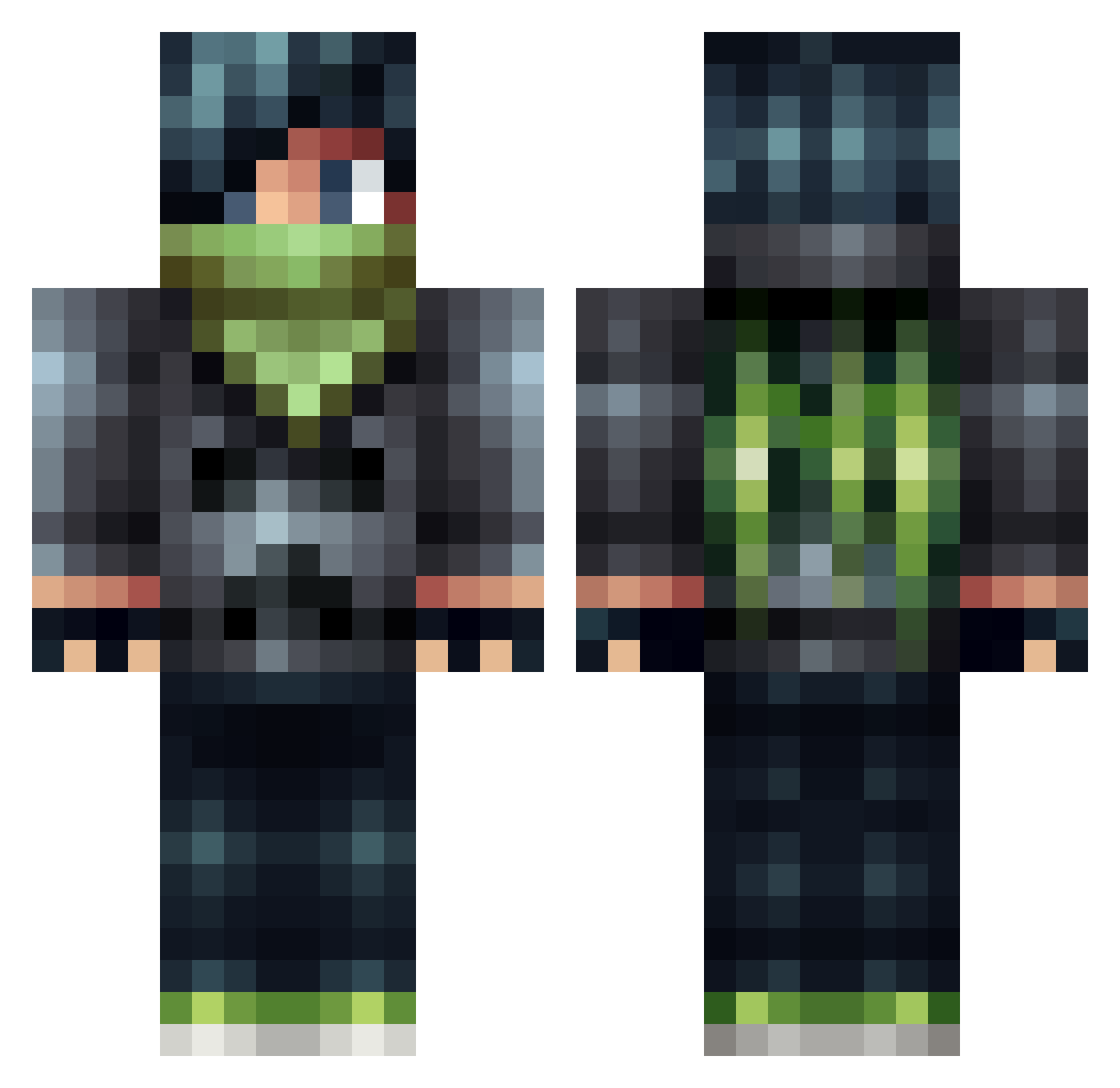
Current Minecraft skin of the player williamlantagne, loaded from the official Mojang API. Rotate the 3D model with your mouse or finger, then download the skin as a PNG file and use it in Minecraft: Bedrock Edition or Java Edition for free. When williamlantagne changes their skin, this page updates automatically and the old skin stays in the history below.
Other players with this skin (614)
williamlantagne was the 588th player we have seen with this skin, first spotted on 12.11.2026. The same skin was seen on these players. Open a nickname to see their current skin and skin history.
 safz1 Reqza Lucien1402 MrFatTalks ProfThawan NeonZerker718 maramikk TheFurryGamer928 tribest1234 ExpertPluton drag0nslay3r5 zevico buttercreeper123 MAGICWARRIOR567 Largobits Aaron2621 Kosata50 DuKe235 _EnQu_ boomer813 fluxdubs Greg_ZzycoN SebasInator thegooflord HarryWeeds ZephyrKun Adam_Lawd EmeraIdAssassin AMcQ Lucian1230 kerppele playermarkk fortniteniger222 WinterForestWolf rocket16 rocket444 pegi12 Jazi99 Trumpfet Anieyu UnfriendlyNicca xX_CatBoy_Xx zboi1994 dylan_money questboy101 benji54611 bishop3316 riguyrules buenn boykey musicalpiffle Blackmask02 fabian_zapf wenrouzhuzai NY0N Master_Liam13 jlukej_2003 tommyguns20001 TheSecretDiamond bringmebullets
More Bandit Minecraft skins
How to install the williamlantagne skin
- Press the Download button above to save the skin as a PNG file.
- Minecraft: Bedrock Edition (PE): open the Dressing Room from the main menu (or tap your character → Edit Character), go to Classic Skins → Owned, press the + (new skin) button, choose the downloaded PNG and pick the Classic (Steve) model. Works on PC and mobile; consoles cannot import custom skins.
- Minecraft: Java Edition: open the Minecraft Launcher, go to the Skins tab, click New Skin, load the PNG, pick the Classic (Steve) model and press Save & Use. You can also upload it at minecraft.net → Profile → Change Skin.
The skin does not show up after import - what should I do?
Restart Minecraft and open the Dressing Room again - imported skins sometimes appear only after a restart. Also make sure you selected the imported skin and picked the Classic (Steve) model.
Which model should I choose, Classic or Slim?
This skin is designed for the Classic (Steve) model. If you pick the wrong model, the arms of the skin will look stretched or squeezed.
Is the skin of williamlantagne free to download?
Yes. Press Download, save the PNG file and use it in Minecraft: Bedrock Edition or Java Edition - no payment or registration needed. The skin also works on multiplayer servers and Realms.
More skins
Looking for more? Go back to all Minecraft skins and check the top skins of the week, month and all time, or find any player's skin by nickname.