
wikiup - Minecraft Skins & Skin History
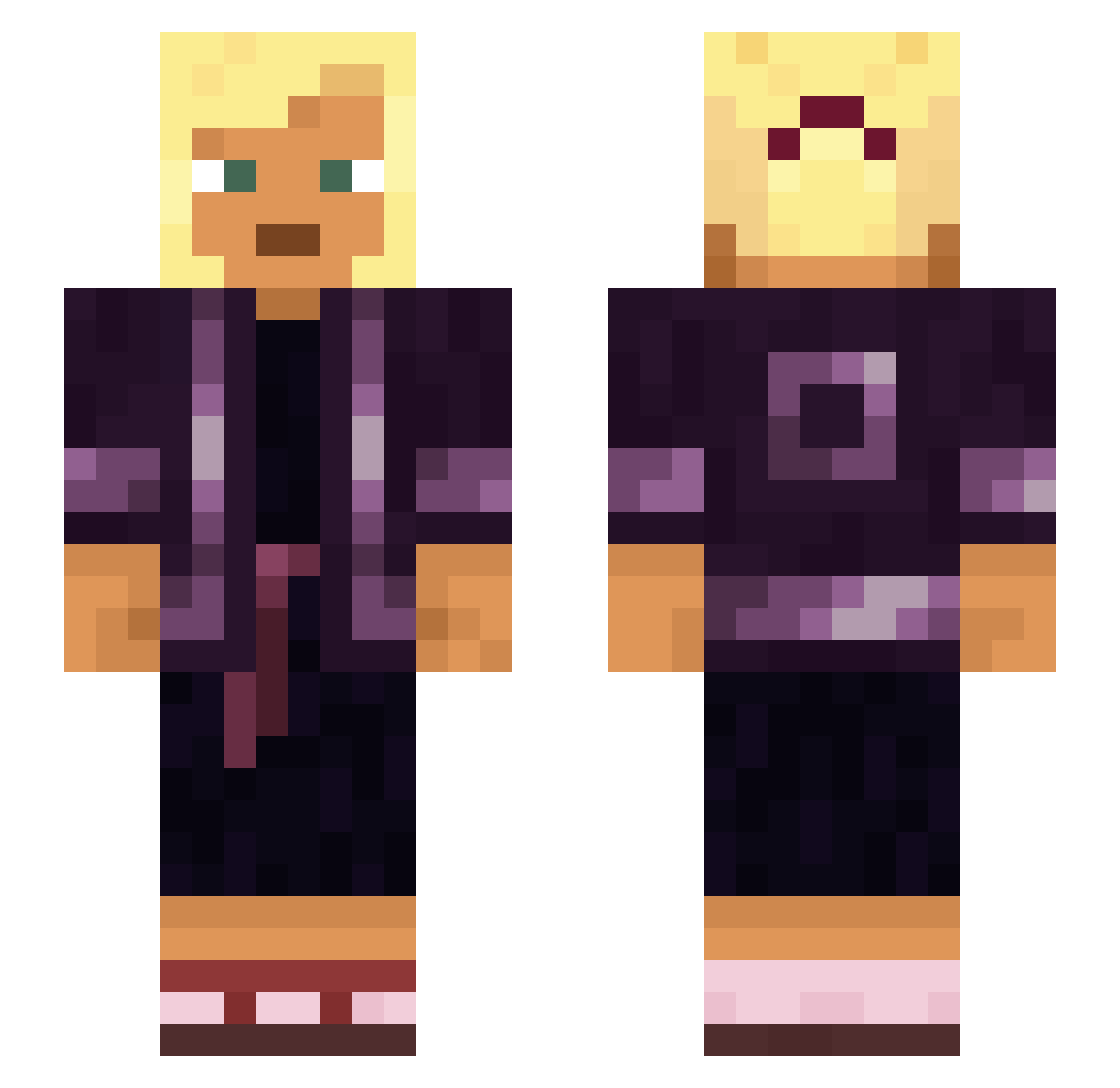
Current Minecraft skin of the player wikiup, loaded from the official Mojang API. Rotate the 3D model with your mouse or finger, then download the skin as a PNG file and use it in Minecraft: Bedrock Edition or Java Edition for free. When wikiup changes their skin, this page updates automatically and the old skin stays in the history below.
Other players with this skin (930)
wikiup was the 418th player we have seen with this skin, first spotted on 15.09.2026. The same skin was seen on these players. Open a nickname to see their current skin and skin history.
 tornus Nightcap fabian123123 ViraaLL PUNGAR mlusby numa LC4MAKRS anthropometrical Gazoboy666 Recuperative Chanteur kenmark knuffe danusqui13112 unrequitedness overinvest soninuk1 KinoDelta Intensified Catfaced undecLINAble Gynecocracy BigManDrowsy 284_hika x60id rasierteraffe AndrzejMscihuj lxtyin soliquids BudhaCheese BILLIONDLRBABY Thund3rDome Misspelling KeelHauled HydraWTRMLN Zenu Shreks_Big_Rod fam Schout FuzzyTuna01 Geodetic rhopalium Hattic Bobritobandito13 concretization GabOnTrash Naolis Compendia kyoka4K Cafmop Cafe763 iskenderiki Tumblings BHudkins GANGMEMBERLENI Nitella Squirrelled ImBondo FlexOn980Fps
More Asian Minecraft skins
How to install the wikiup skin
- Press the Download button above to save the skin as a PNG file.
- Minecraft: Bedrock Edition (PE): open the Dressing Room from the main menu (or tap your character → Edit Character), go to Classic Skins → Owned, press the + (new skin) button, choose the downloaded PNG and pick the Slim (Alex) model. Works on PC and mobile; consoles cannot import custom skins.
- Minecraft: Java Edition: open the Minecraft Launcher, go to the Skins tab, click New Skin, load the PNG, pick the Slim (Alex) model and press Save & Use. You can also upload it at minecraft.net → Profile → Change Skin.
The skin does not show up after import - what should I do?
Restart Minecraft and open the Dressing Room again - imported skins sometimes appear only after a restart. Also make sure you selected the imported skin and picked the Slim (Alex) model.
Which model should I choose, Classic or Slim?
This skin is designed for the Slim (Alex) model. If you pick the wrong model, the arms of the skin will look stretched or squeezed.
Is the skin of wikiup free to download?
Yes. Press Download, save the PNG file and use it in Minecraft: Bedrock Edition or Java Edition - no payment or registration needed. The skin also works on multiplayer servers and Realms.
More skins
Looking for more? Go back to all Minecraft skins and check the top skins of the week, month and all time, or find any player's skin by nickname.