
whypassmedik - Minecraft Skins & Skin History
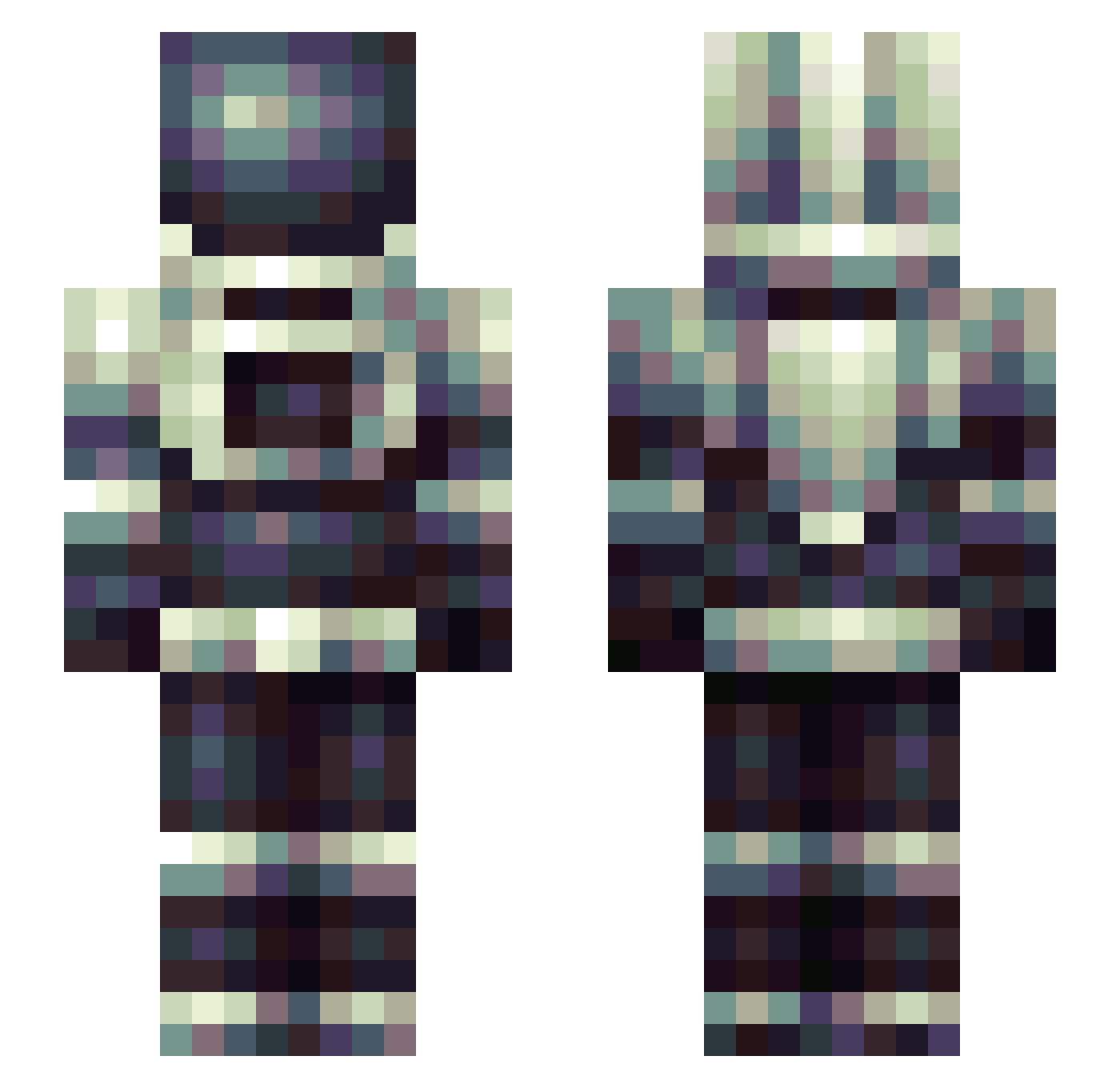
Current Minecraft skin of the player whypassmedik, loaded from the official Mojang API. Rotate the 3D model with your mouse or finger, then download the skin as a PNG file and use it in Minecraft: Bedrock Edition or Java Edition for free. When whypassmedik changes their skin, this page updates automatically and the old skin stays in the history below.
Other players with this skin (246)
whypassmedik was the 188th player we have seen with this skin, first spotted on 05.10.2026. The same skin was seen on these players. Open a nickname to see their current skin and skin history.
 YellowImposter KacperMus krimelz Atticus_000 McBumbus ZAV_SKLAD_YT duanyang94 murigella CommanderT85 underscoreC jonniespectre dio_man Lighteststars Hufflepufle _Cix_ IronmanAsh KelDaMan ReluctantRetreat KORUTASO iLikePiraschki11 MedClockWork Pholcidae Error__404___404 GwineaOsiecka qaqad Clevebee sparkersup MilkyMuchii AsZn BeakBoi021 FluffyTrurtle Bondeknull MasseyEnterprise BoltsDude91 ebglen HaRRy_307 Swerku Alexwil lesninnins camru1234 SpaceBoundOne17 TitanStudio AshhC1 DuckusDankus RoseYanye thiccbezuz Omega_QN kobikski Kinematich orbiter08 LunarReal b0tfarm MattMunchie _rainious Luvine Vlammetjes Helewise IISyndicatorII PaleBee uzumakl
More Spacesuit Minecraft skins
How to install the whypassmedik skin
- Press the Download button above to save the skin as a PNG file.
- Minecraft: Bedrock Edition (PE): open the Dressing Room from the main menu (or tap your character → Edit Character), go to Classic Skins → Owned, press the + (new skin) button, choose the downloaded PNG and pick the Slim (Alex) model. Works on PC and mobile; consoles cannot import custom skins.
- Minecraft: Java Edition: open the Minecraft Launcher, go to the Skins tab, click New Skin, load the PNG, pick the Slim (Alex) model and press Save & Use. You can also upload it at minecraft.net → Profile → Change Skin.
The skin does not show up after import - what should I do?
Restart Minecraft and open the Dressing Room again - imported skins sometimes appear only after a restart. Also make sure you selected the imported skin and picked the Slim (Alex) model.
Which model should I choose, Classic or Slim?
This skin is designed for the Slim (Alex) model. If you pick the wrong model, the arms of the skin will look stretched or squeezed.
Is the skin of whypassmedik free to download?
Yes. Press Download, save the PNG file and use it in Minecraft: Bedrock Edition or Java Edition - no payment or registration needed. The skin also works on multiplayer servers and Realms.
More skins
Looking for more? Go back to all Minecraft skins and check the top skins of the week, month and all time, or find any player's skin by nickname.