
whitfit - Minecraft Skins & Skin History
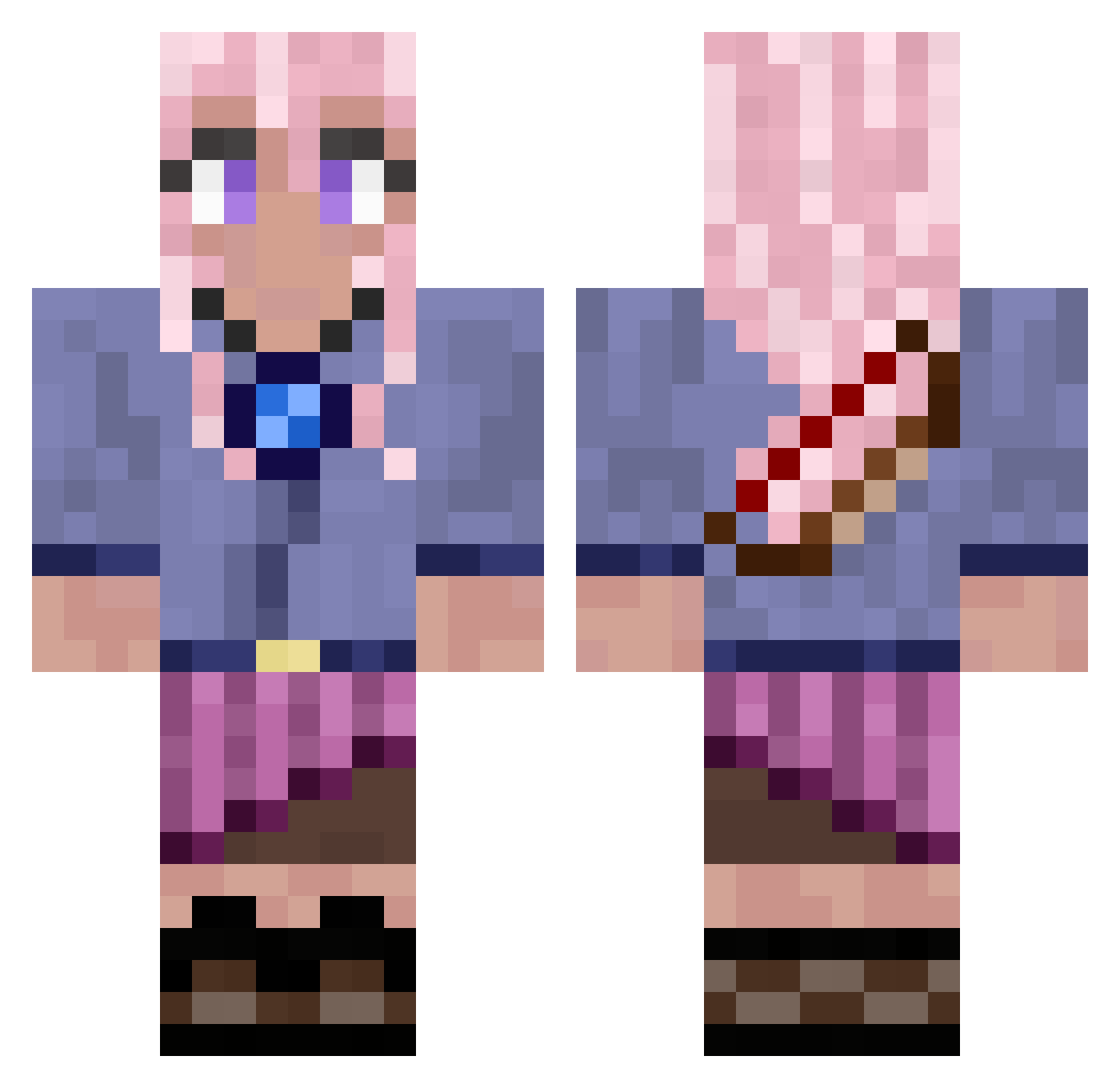
Current Minecraft skin of the player whitfit, loaded from the official Mojang API. Rotate the 3D model with your mouse or finger, then download the skin as a PNG file and use it in Minecraft: Bedrock Edition or Java Edition for free. When whitfit changes their skin, this page updates automatically and the old skin stays in the history below.
Other players with this skin (776)
whitfit was the 596th player we have seen with this skin, first spotted on 12.10.2026. The same skin was seen on these players. Open a nickname to see their current skin and skin history.
 KellyLucy Flarefir BlackGrizz JezzieBoo ricklienden LucasJacob xSimplyyCam Annabee0210 moana19 Passeyyy PrismaticGirl zerolllllllllll juntaek2 Soulishar kittymeowmeowo S_H__A__R_P Kelvinoooo RafaYab catlover44444 Lebear121 Melina0402 chimkennugget131 shennay01 elinpelin15 CMF_8 kaileerp basednarcissism ATENINHO xLozaaaa Forackol_ imboonXD geometriaeuclide Lizziewind kkauan061 JMilam88 SourKrowt25 hyunbin0803 MoistAndMeaty YouLikeItDaddy BayleeBugs DIEGO_DIH HeyWednesday Nanasyl _Tepe__ babbigale CuriousBellatrix Pini_Pony96 Dragonxtz LoTLuna framefrages LeahFTW Balto58 tiaraF Axorant Digf00t DreamingPhantom Staylor Senzawa1 Finodino_ EiderUxia
More Kyoko Kirigiri Minecraft skins
See all 61 Kyoko Kirigiri skins
How to install the whitfit skin
- Press the Download button above to save the skin as a PNG file.
- Minecraft: Bedrock Edition (PE): open the Dressing Room from the main menu (or tap your character → Edit Character), go to Classic Skins → Owned, press the + (new skin) button, choose the downloaded PNG and pick the Classic (Steve) model. Works on PC and mobile; consoles cannot import custom skins.
- Minecraft: Java Edition: open the Minecraft Launcher, go to the Skins tab, click New Skin, load the PNG, pick the Classic (Steve) model and press Save & Use. You can also upload it at minecraft.net → Profile → Change Skin.
The skin does not show up after import - what should I do?
Restart Minecraft and open the Dressing Room again - imported skins sometimes appear only after a restart. Also make sure you selected the imported skin and picked the Classic (Steve) model.
Which model should I choose, Classic or Slim?
This skin is designed for the Classic (Steve) model. If you pick the wrong model, the arms of the skin will look stretched or squeezed.
Is the skin of whitfit free to download?
Yes. Press Download, save the PNG file and use it in Minecraft: Bedrock Edition or Java Edition - no payment or registration needed. The skin also works on multiplayer servers and Realms.
More skins
Looking for more? Go back to all Minecraft skins and check the top skins of the week, month and all time, or find any player's skin by nickname.