
vxxklol - Minecraft Skins & Skin History
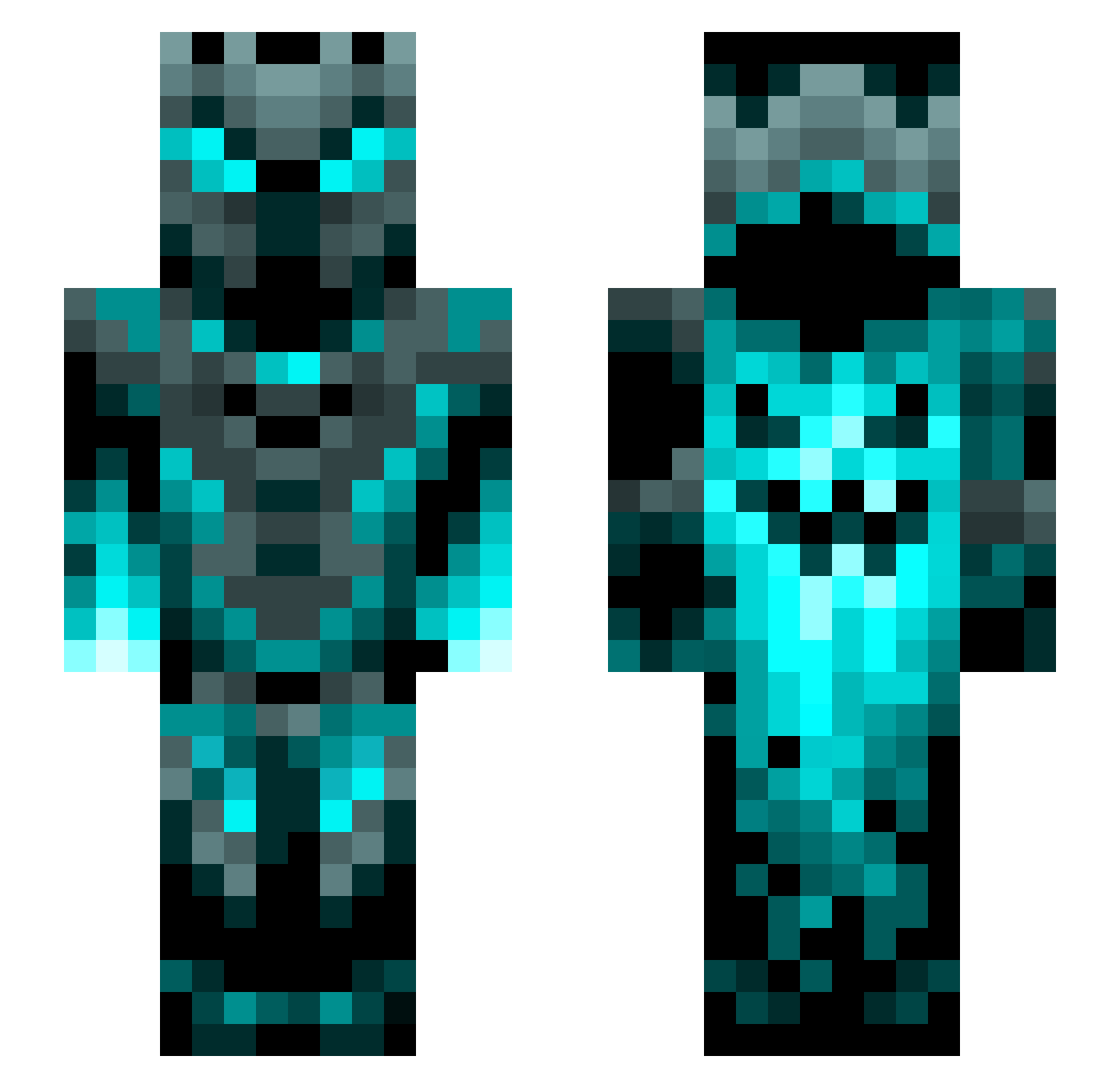
Current Minecraft skin of the player vxxklol, loaded from the official Mojang API. Rotate the 3D model with your mouse or finger, then download the skin as a PNG file and use it in Minecraft: Bedrock Edition or Java Edition for free. When vxxklol changes their skin, this page updates automatically and the old skin stays in the history below.
Other players with this skin (1201)
vxxklol was the 397th player we have seen with this skin, first spotted on 28.08.2026. The same skin was seen on these players. Open a nickname to see their current skin and skin history.
 BabyTreason just2good5567 GMHYUN Sc0opic An_Unkown_User
 Rodier02 FatherOfGreen CreeperBr0dy ZGen2 Danichar Nocktro Supulture999 YoloRT98X dreadlord2422 LightLeach akiyuria Phantom0105 kevinstefan1 Vinn3000 Chritzy Berat39 FazeMartin JoeyDaLegend10 Aliberke266 HyFire Fit_Mirco etan_f Icepak89 PaintingLora colofdutixd OHPMoney Muneeb721 Boto6 Sirdute Ho_lang Den11YT Siryakari6868 girgi0T Geoseeker1122 ChillingFox Apokrryf XSzuliX yuluofengjiqi Viktorjednicka potatosoupnoob sticky54 Thibsy2810 shovelhead601 Exzalion17 Mika9873 PuffyMolly CaptOvercast TheXWwolfXW FelixderNoob kickass543217 SilverFlow_ poggersmix Harrobik Kinimod009 Hvalp_dk
More Phantom Minecraft skins
How to install the vxxklol skin
- Press the Download button above to save the skin as a PNG file.
- Minecraft: Bedrock Edition (PE): open the Dressing Room from the main menu (or tap your character → Edit Character), go to Classic Skins → Owned, press the + (new skin) button, choose the downloaded PNG and pick the Slim (Alex) model. Works on PC and mobile; consoles cannot import custom skins.
- Minecraft: Java Edition: open the Minecraft Launcher, go to the Skins tab, click New Skin, load the PNG, pick the Slim (Alex) model and press Save & Use. You can also upload it at minecraft.net → Profile → Change Skin.
The skin does not show up after import - what should I do?
Restart Minecraft and open the Dressing Room again - imported skins sometimes appear only after a restart. Also make sure you selected the imported skin and picked the Slim (Alex) model.
Which model should I choose, Classic or Slim?
This skin is designed for the Slim (Alex) model. If you pick the wrong model, the arms of the skin will look stretched or squeezed.
Is the skin of vxxklol free to download?
Yes. Press Download, save the PNG file and use it in Minecraft: Bedrock Edition or Java Edition - no payment or registration needed. The skin also works on multiplayer servers and Realms.
More skins
Looking for more? Go back to all Minecraft skins and check the top skins of the week, month and all time, or find any player's skin by nickname.