
vvzzzaa - Minecraft Skins & Skin History
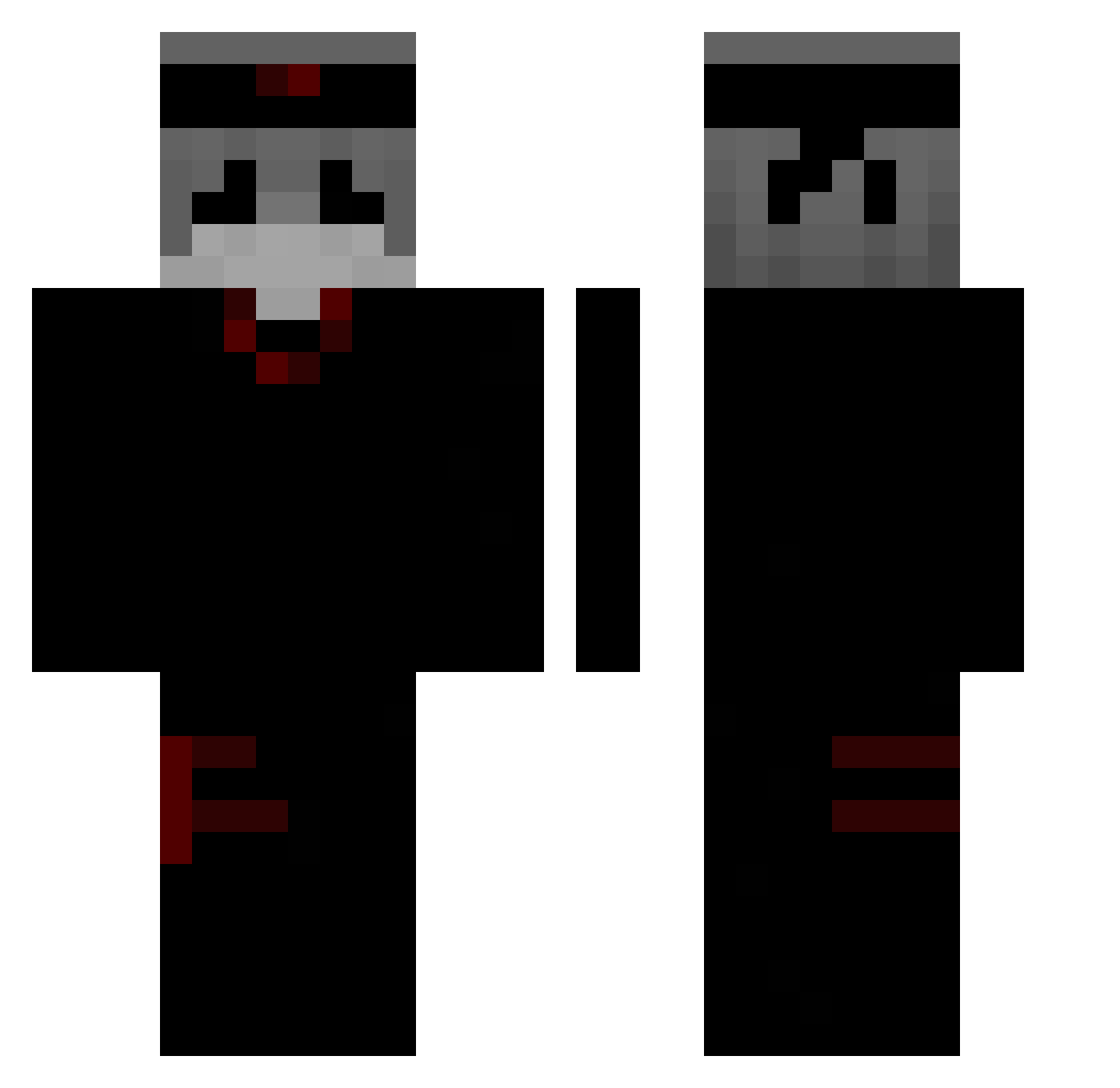
Current Minecraft skin of the player vvzzzaa, loaded from the official Mojang API. Rotate the 3D model with your mouse or finger, then download the skin as a PNG file and use it in Minecraft: Bedrock Edition or Java Edition for free. When vvzzzaa changes their skin, this page updates automatically and the old skin stays in the history below.
Other players with this skin (376)
vvzzzaa was the 290th player we have seen with this skin, first spotted on 29.10.2026. The same skin was seen on these players. Open a nickname to see their current skin and skin history.
 764vile nep_1846 sobloodybored fredword2 z3m4 7gengar Fr0z3n72TV Qick9 ILoveecattssmeow ogu__ ZM_ikun Jose000 I_flofy KnotL Totoval_07 IDLERAYVEN MonkeyLiger milkopower sebadsm SkuLLHarun Hiaexphia shaoxuan1231 DORISE_Q Pdise 2xMallah kiwimas666 Jacob30640 usehack leo123213 khtf 4l3x9900 jaokl010 LIzhwd MrButa Ikun__zm06 HerkuleseQ vcuy monkiseba2137 Lollo00yt ayxfod8 ERICK3027 Impxssive rare00q wxy101112 qioqio2 bluefvace wang0524 munstar09 duhEcroZ Black_ghost2372 Zeityo XxPvpGodxx554465 TeamCraftr _mmilkys so_swagger QingZhu_u Raizen429 Nexi247 Abdullah_SM Jindiaa
More Ninja Minecraft skins
How to install the vvzzzaa skin
- Press the Download button above to save the skin as a PNG file.
- Minecraft: Bedrock Edition (PE): open the Dressing Room from the main menu (or tap your character → Edit Character), go to Classic Skins → Owned, press the + (new skin) button, choose the downloaded PNG and pick the Classic (Steve) model. Works on PC and mobile; consoles cannot import custom skins.
- Minecraft: Java Edition: open the Minecraft Launcher, go to the Skins tab, click New Skin, load the PNG, pick the Classic (Steve) model and press Save & Use. You can also upload it at minecraft.net → Profile → Change Skin.
The skin does not show up after import - what should I do?
Restart Minecraft and open the Dressing Room again - imported skins sometimes appear only after a restart. Also make sure you selected the imported skin and picked the Classic (Steve) model.
Which model should I choose, Classic or Slim?
This skin is designed for the Classic (Steve) model. If you pick the wrong model, the arms of the skin will look stretched or squeezed.
Is the skin of vvzzzaa free to download?
Yes. Press Download, save the PNG file and use it in Minecraft: Bedrock Edition or Java Edition - no payment or registration needed. The skin also works on multiplayer servers and Realms.
More skins
Looking for more? Go back to all Minecraft skins and check the top skins of the week, month and all time, or find any player's skin by nickname.