
vreni697 - Minecraft Skins & Skin History
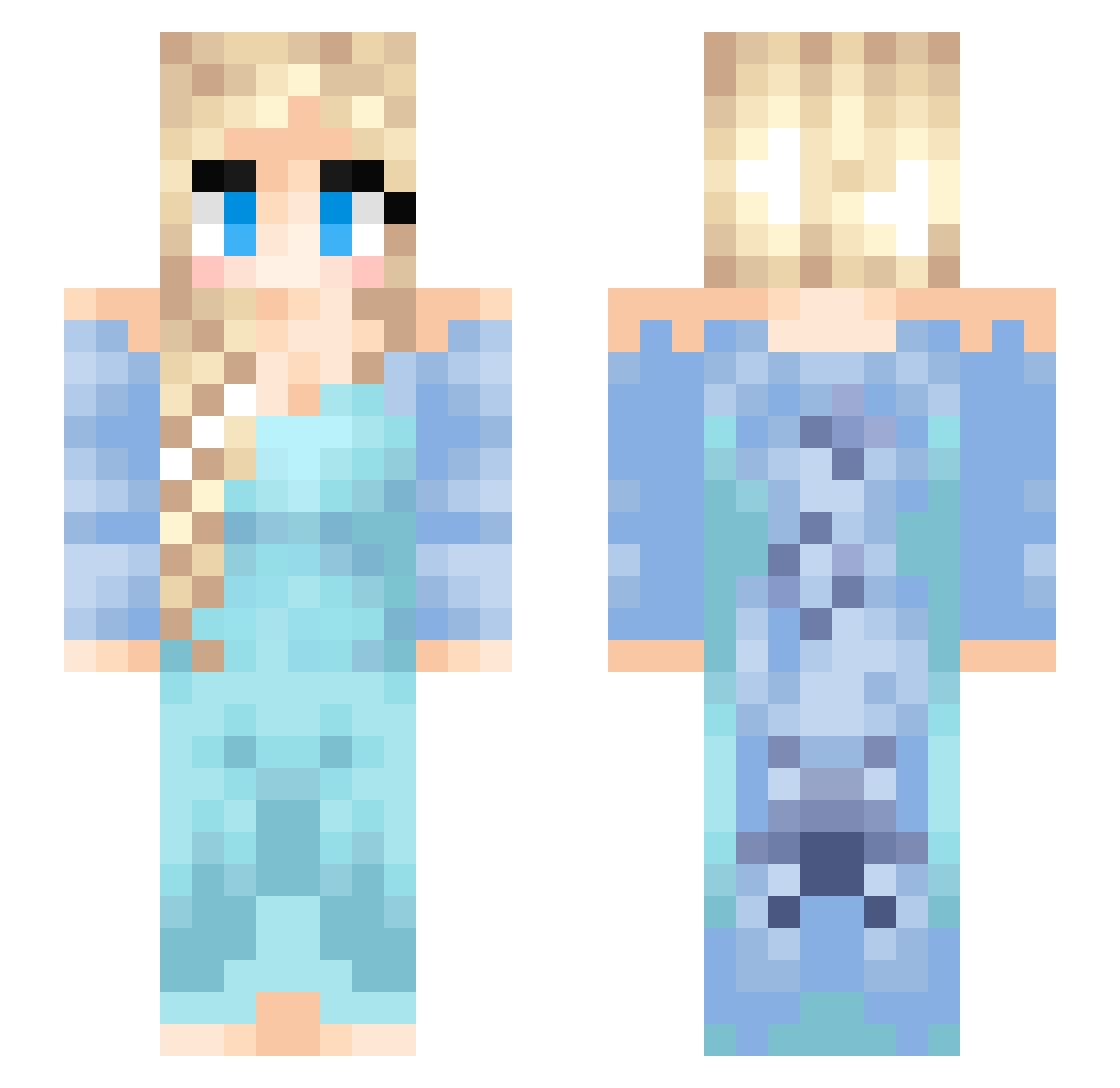
Current Minecraft skin of the player vreni697, loaded from the official Mojang API. Rotate the 3D model with your mouse or finger, then download the skin as a PNG file and use it in Minecraft: Bedrock Edition or Java Edition for free. When vreni697 changes their skin, this page updates automatically and the old skin stays in the history below.
Other players with this skin (183)
vreni697 was the 162nd player we have seen with this skin, first spotted on 04.11.2026. The same skin was seen on these players. Open a nickname to see their current skin and skin history.
 Blackarrow100 PtitClafoutis Tessorr SunStar16 UniKittyPr1ncess HOEforItachi Capoumain gan_falll lauraoe120 Unicorn1700 Nekovallie Charon201 kiers10rae Huhdoe Army_v Power_Selma edurne96 WhyYouDied __Marta__ Schokola31 J0hannabanana JISUMI SordosHH PowerToTheGirl gugu1115 galaxydaniel2711 BigDDemasi tayrooh plswah PivoDzendysMagor Elsa181116 eilainekita Nosidam1818 ItsCallum2011 Phoebesidelol dalmon22 rantingcat Bilih Teuane nico_75 TeslaBug FrozenHearts64 PaperWitcher Bolir Meimay5 yeonleee ShinySmurf89 Tabzrr Caldyyy9 Blasco_hl itman0319 kaylafromthebloc marcelshnm WFT0616 kampffussel_92 KKJ14 Kolicopter ChaunDieHeulsuse Melody911020 tataminn
More Elsa Minecraft skins
How to install the vreni697 skin
- Press the Download button above to save the skin as a PNG file.
- Minecraft: Bedrock Edition (PE): open the Dressing Room from the main menu (or tap your character → Edit Character), go to Classic Skins → Owned, press the + (new skin) button, choose the downloaded PNG and pick the Slim (Alex) model. Works on PC and mobile; consoles cannot import custom skins.
- Minecraft: Java Edition: open the Minecraft Launcher, go to the Skins tab, click New Skin, load the PNG, pick the Slim (Alex) model and press Save & Use. You can also upload it at minecraft.net → Profile → Change Skin.
The skin does not show up after import - what should I do?
Restart Minecraft and open the Dressing Room again - imported skins sometimes appear only after a restart. Also make sure you selected the imported skin and picked the Slim (Alex) model.
Which model should I choose, Classic or Slim?
This skin is designed for the Slim (Alex) model. If you pick the wrong model, the arms of the skin will look stretched or squeezed.
Is the skin of vreni697 free to download?
Yes. Press Download, save the PNG file and use it in Minecraft: Bedrock Edition or Java Edition - no payment or registration needed. The skin also works on multiplayer servers and Realms.
More skins
Looking for more? Go back to all Minecraft skins and check the top skins of the week, month and all time, or find any player's skin by nickname.