
volkan_konak1 - Minecraft Skins & Skin History
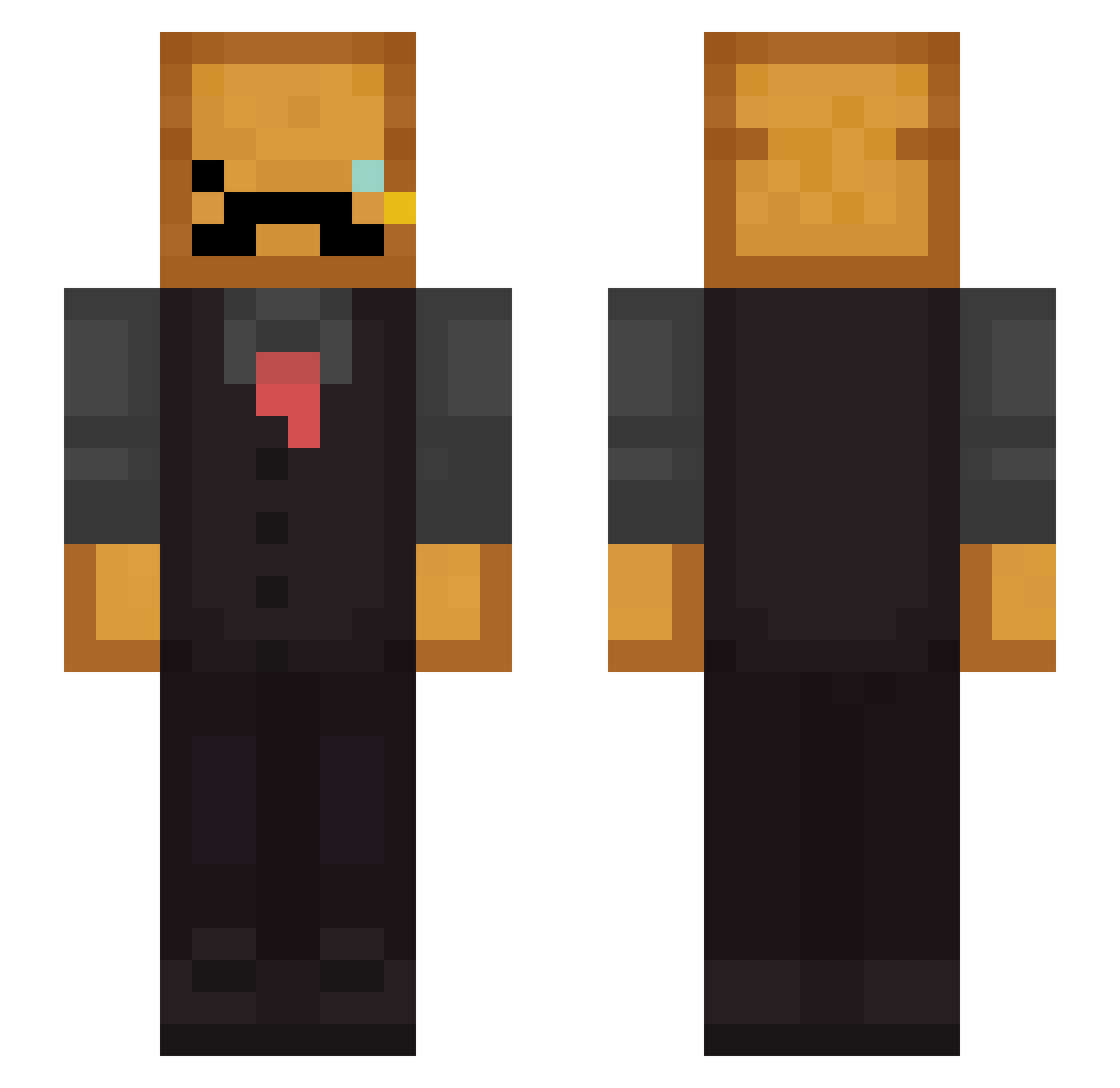
Current Minecraft skin of the player volkan_konak1, loaded from the official Mojang API. Rotate the 3D model with your mouse or finger, then download the skin as a PNG file and use it in Minecraft: Bedrock Edition or Java Edition for free. When volkan_konak1 changes their skin, this page updates automatically and the old skin stays in the history below.
Other players with this skin (276)
volkan_konak1 was the 227th player we have seen with this skin, first spotted on 17.10.2026. The same skin was seen on these players. Open a nickname to see their current skin and skin history.
 Mango_Scribe ToasyyTM1 XxUnknownxX21012 Fransancismo202 Deepth_ Nathan326576 Itshygo_ LilPokeball pitta3 FerociousJaguar6 sal_sedine Tasty_Toast_ Breadperson111 MURCIELAG00S loggylag Tobiaseeq Disgrael MisterToastQC zAleph Lamarque87 iBengisTvo AXCO20 EmilyBlaine Shmoovin1 MrCosmo062 BluishNight bingbonghippy Vindiio flamingo_64 Jericho8008 OzeX_ Gostek65 FinnyToast LESIMIO Man_Sandwich LewKul Supatoast17925 Curtcal04 CaptainGold_22 elwardam 1hps Akeh KillerGhost_11 LeAlfaBrod Numots Pstache zhans0504 vinny597O KoolerAlternator minekousaku MarcoGoldBarber Danger104 Bread_Man2 Gimbo2014 BrianLu092 Desnecessauro15 BardiaFS Blastling LeoEXxis56 rednite04
More Toast Minecraft skins
How to install the volkan_konak1 skin
- Press the Download button above to save the skin as a PNG file.
- Minecraft: Bedrock Edition (PE): open the Dressing Room from the main menu (or tap your character → Edit Character), go to Classic Skins → Owned, press the + (new skin) button, choose the downloaded PNG and pick the Slim (Alex) model. Works on PC and mobile; consoles cannot import custom skins.
- Minecraft: Java Edition: open the Minecraft Launcher, go to the Skins tab, click New Skin, load the PNG, pick the Slim (Alex) model and press Save & Use. You can also upload it at minecraft.net → Profile → Change Skin.
The skin does not show up after import - what should I do?
Restart Minecraft and open the Dressing Room again - imported skins sometimes appear only after a restart. Also make sure you selected the imported skin and picked the Slim (Alex) model.
Which model should I choose, Classic or Slim?
This skin is designed for the Slim (Alex) model. If you pick the wrong model, the arms of the skin will look stretched or squeezed.
Is the skin of volkan_konak1 free to download?
Yes. Press Download, save the PNG file and use it in Minecraft: Bedrock Edition or Java Edition - no payment or registration needed. The skin also works on multiplayer servers and Realms.
More skins
Looking for more? Go back to all Minecraft skins and check the top skins of the week, month and all time, or find any player's skin by nickname.