
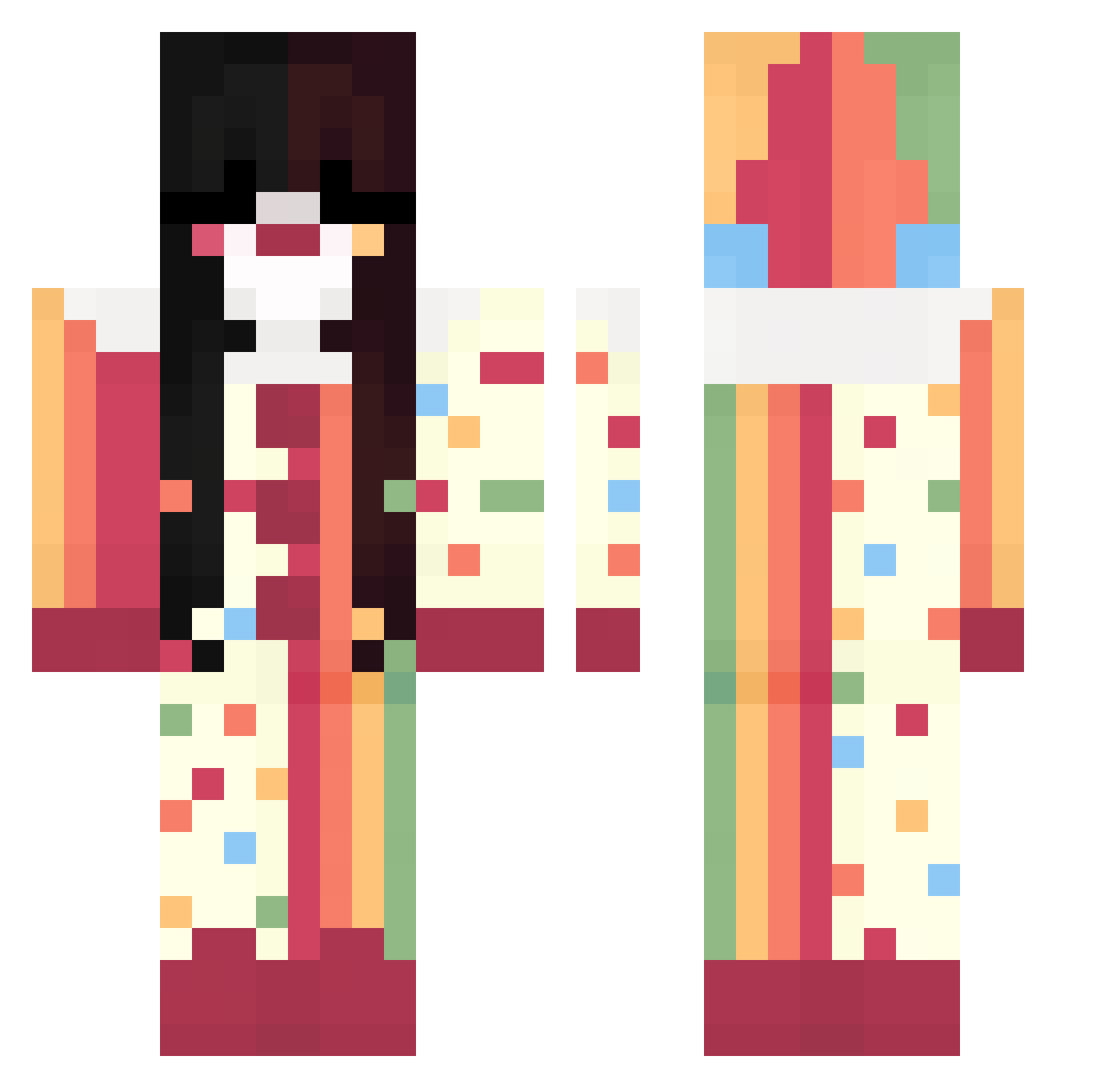
Current Minecraft skin of the player voitak, loaded from the official Mojang API. Rotate the 3D model with your mouse or finger, then download the skin as a PNG file and use it in Minecraft: Bedrock Edition or Java Edition for free. When voitak changes their skin, this page updates automatically and the old skin stays in the history below.
Other players with this skin (274)
voitak was the 90th player we have seen with this skin, first spotted on 19.08.2026. The same skin was seen on these players. Open a nickname to see their current skin and skin history.
 qwena Venus_Pain DegradeMia
 veilslow lnPain L0UD_CL0UD
 Poltergeist594 Sahkyo_ moomanofthewind
 nasuzzzz catIvr Xkyz_X
 abelzinha
 Xusae Alm0ndmijk
 rosequartz819 CocoliciousKiwi Littlestelita _iliad_ AnaMMC_ Dulceixi Salti____ zuzalka03 goat_aster wonxin Raposinhaaw sobafishyy SpeedTomat0
 CorruptedShadow_ Leipua annf HavenPresident P1ERR0T ghrieevers ScaramoucheSSIMP fractalllll GodSistem mlgmaster11 stoneexo Jedus_fn iice_27 Jei2701 yross_ uvitaas
 batataverde4545 Luwo__
 lizlizlizziizizi berrisweetest kh4nn mihhhh098 Amayacraft_ Nyxiviaa
 eenhoornzaja
 fatchickydoo xAmoure bisbiscuit 2hamstir2 mitsxd AnaM_08 Rebbi_
More Circus Minecraft skins
How to install the voitak skin
- Press the Download button above to save the skin as a PNG file.
- Minecraft: Bedrock Edition (PE): open the Dressing Room from the main menu (or tap your character → Edit Character), go to Classic Skins → Owned, press the + (new skin) button, choose the downloaded PNG and pick the Classic (Steve) model. Works on PC and mobile; consoles cannot import custom skins.
- Minecraft: Java Edition: open the Minecraft Launcher, go to the Skins tab, click New Skin, load the PNG, pick the Classic (Steve) model and press Save & Use. You can also upload it at minecraft.net → Profile → Change Skin.
The skin does not show up after import - what should I do?
Restart Minecraft and open the Dressing Room again - imported skins sometimes appear only after a restart. Also make sure you selected the imported skin and picked the Classic (Steve) model.
Which model should I choose, Classic or Slim?
This skin is designed for the Classic (Steve) model. If you pick the wrong model, the arms of the skin will look stretched or squeezed.
Is the skin of voitak free to download?
Yes. Press Download, save the PNG file and use it in Minecraft: Bedrock Edition or Java Edition - no payment or registration needed. The skin also works on multiplayer servers and Realms.
More skins
Looking for more? Go back to all Minecraft skins and check the top skins of the week, month and all time, or find any player's skin by nickname.