
vladychou - Minecraft Skins & Skin History
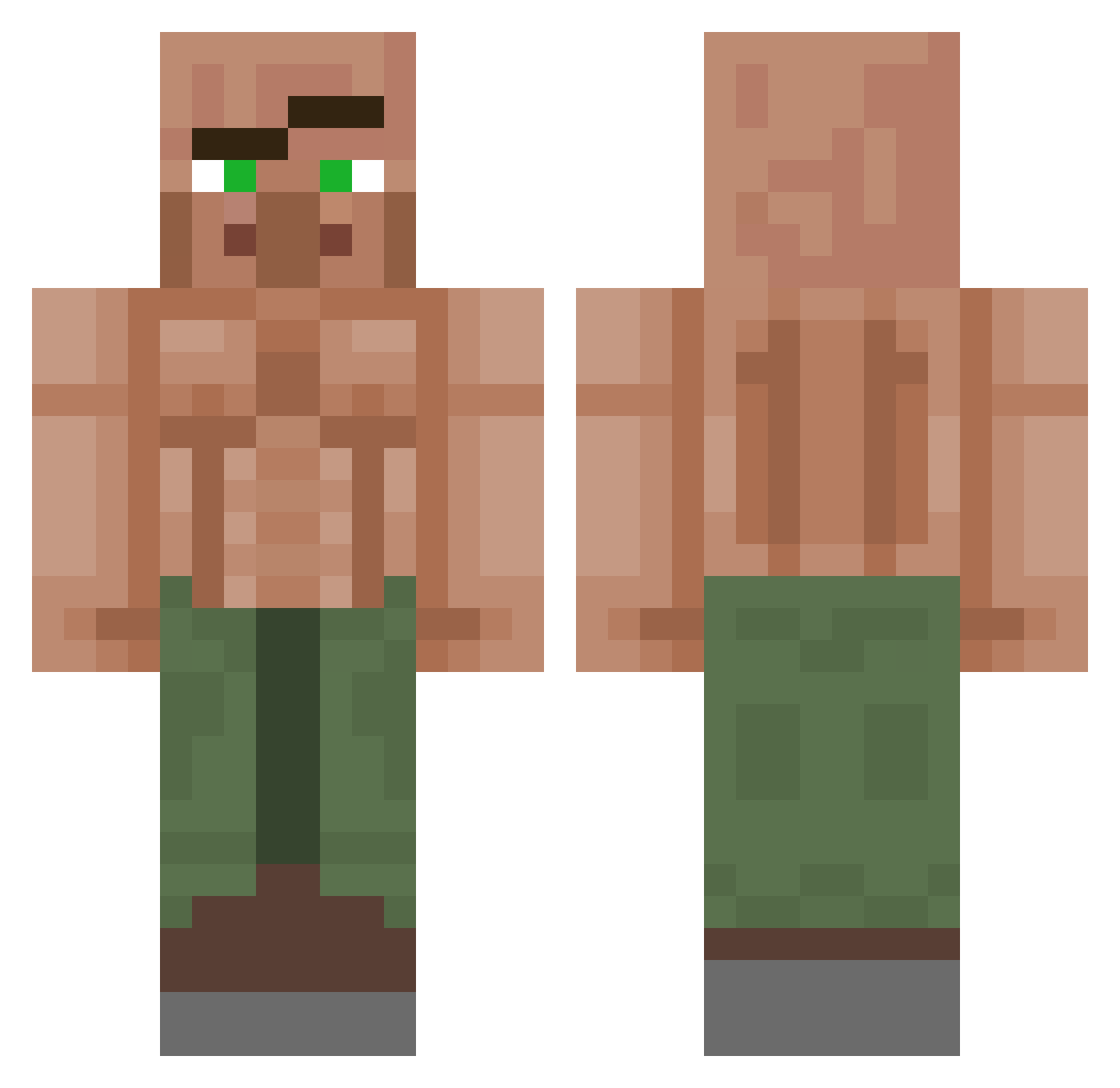
Current Minecraft skin of the player vladychou, loaded from the official Mojang API. Rotate the 3D model with your mouse or finger, then download the skin as a PNG file and use it in Minecraft: Bedrock Edition or Java Edition for free. When vladychou changes their skin, this page updates automatically and the old skin stays in the history below.
Other players with this skin (1153)
vladychou was the 577th player we have seen with this skin, first spotted on 21.09.2026. The same skin was seen on these players. Open a nickname to see their current skin and skin history.
 Ducky1244 Shifter_101 ratking12345 EvolvedBoredom emileeee4 Benedek15 ButtBandito Deko94 li10M ratcen9 duttyonestill Mr_name_99 Sketch805 Santna johndeereclassi musIcman8 gjuro8 __ThemBones seaeyed bapicool Whag_27 JustJackTV teez2123 xhslow24 Pickniknik Carl_TheLlama howar0000001 Bacsek GerroJop Ninja545456 Josip_Broz_Tito9 lVaXoNl WaveyLouWho 5iinf Trizzzy_123 Pplark Harald_Hoden DoobyJ DaiDaiJerome roboticSholva Nedjay ziomKS DYLAN1481 MAST3RMOM Adrian0990 Dylanatar Dieguoin MicroJordo simerslink SkiddyPopYaya Krosmitos MrJanitors T_hv Chubakakaa bobee41 GoatedGibbon GoroLado ZergeCrfat Davidutzul08 caboomyou
More Buff Villager Minecraft skins
See all 40 Buff Villager skins
How to install the vladychou skin
- Press the Download button above to save the skin as a PNG file.
- Minecraft: Bedrock Edition (PE): open the Dressing Room from the main menu (or tap your character → Edit Character), go to Classic Skins → Owned, press the + (new skin) button, choose the downloaded PNG and pick the Classic (Steve) model. Works on PC and mobile; consoles cannot import custom skins.
- Minecraft: Java Edition: open the Minecraft Launcher, go to the Skins tab, click New Skin, load the PNG, pick the Classic (Steve) model and press Save & Use. You can also upload it at minecraft.net → Profile → Change Skin.
The skin does not show up after import - what should I do?
Restart Minecraft and open the Dressing Room again - imported skins sometimes appear only after a restart. Also make sure you selected the imported skin and picked the Classic (Steve) model.
Which model should I choose, Classic or Slim?
This skin is designed for the Classic (Steve) model. If you pick the wrong model, the arms of the skin will look stretched or squeezed.
Is the skin of vladychou free to download?
Yes. Press Download, save the PNG file and use it in Minecraft: Bedrock Edition or Java Edition - no payment or registration needed. The skin also works on multiplayer servers and Realms.
More skins
Looking for more? Go back to all Minecraft skins and check the top skins of the week, month and all time, or find any player's skin by nickname.