
vishyjks - Minecraft Skins & Skin History
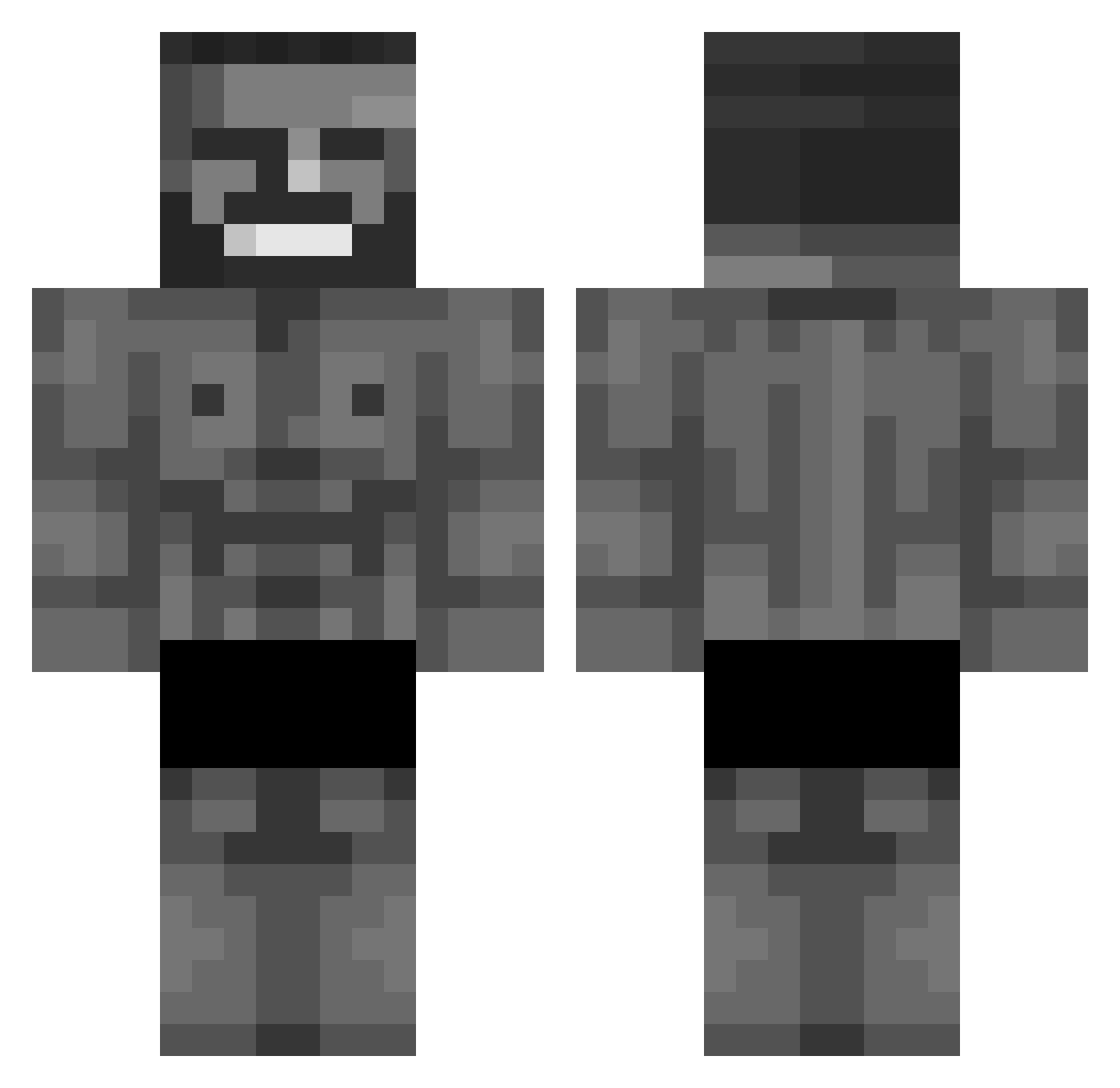
Current Minecraft skin of the player vishyjks, loaded from the official Mojang API. Rotate the 3D model with your mouse or finger, then download the skin as a PNG file and use it in Minecraft: Bedrock Edition or Java Edition for free. When vishyjks changes their skin, this page updates automatically and the old skin stays in the history below.
Other players with this skin (1072)
vishyjks was the 894th player we have seen with this skin, first spotted on 03.11.2026. The same skin was seen on these players. Open a nickname to see their current skin and skin history.
 Paachon _TinyD JoeNewell Mr_guardanapo Ulfic Poshmee Haroh_ MrKerfo Andu01 CDP_ bolaman11 ChabeGuy caiaodonodomorro LittlestBig Poilliop B0C4T77 McFeedler Szejbiii vic_vic6 Kimchunsic KazayaTheRonin Esne23 DanglingDeek THEMEATWAGON Cipherblade29 iEnVy4 Lengher Mrfriedrice69 cheeseplate1904 Puen007 Rotiboy ultragigachad11 Lxtroz Aynai223 legendarykiwi11 PopoLol335 RagElMachino CuteTan Lefty_y ED14Zz Jadonik TCB_silencer Ryker1984 Avvocato_Castoro marrentovitin DrPhyttenfeier Reverse7517 Obszerny Wieselbie jonatan2003 5UGARBOO VintageIamMe101 uttcha ErasableBONGO31 CocoBeans49 ImarealG69 Waru91 Olipro554 adjacences Isidromelchor
More Gigachad Minecraft skins
How to install the vishyjks skin
- Press the Download button above to save the skin as a PNG file.
- Minecraft: Bedrock Edition (PE): open the Dressing Room from the main menu (or tap your character → Edit Character), go to Classic Skins → Owned, press the + (new skin) button, choose the downloaded PNG and pick the Classic (Steve) model. Works on PC and mobile; consoles cannot import custom skins.
- Minecraft: Java Edition: open the Minecraft Launcher, go to the Skins tab, click New Skin, load the PNG, pick the Classic (Steve) model and press Save & Use. You can also upload it at minecraft.net → Profile → Change Skin.
The skin does not show up after import - what should I do?
Restart Minecraft and open the Dressing Room again - imported skins sometimes appear only after a restart. Also make sure you selected the imported skin and picked the Classic (Steve) model.
Which model should I choose, Classic or Slim?
This skin is designed for the Classic (Steve) model. If you pick the wrong model, the arms of the skin will look stretched or squeezed.
Is the skin of vishyjks free to download?
Yes. Press Download, save the PNG file and use it in Minecraft: Bedrock Edition or Java Edition - no payment or registration needed. The skin also works on multiplayer servers and Realms.
More skins
Looking for more? Go back to all Minecraft skins and check the top skins of the week, month and all time, or find any player's skin by nickname.