
vega7124 - Minecraft Skins & Skin History
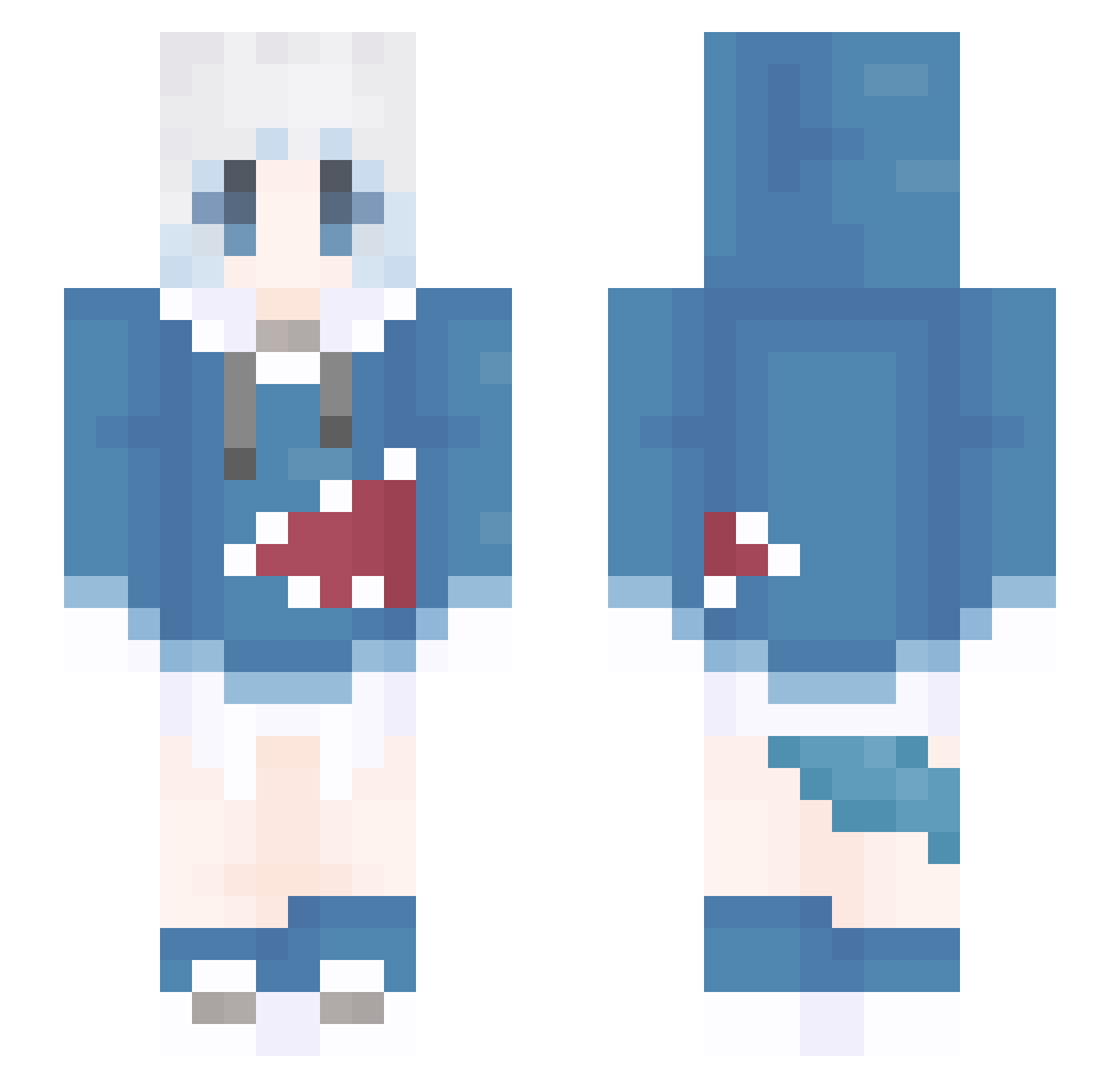
Current Minecraft skin of the player vega7124, loaded from the official Mojang API. Rotate the 3D model with your mouse or finger, then download the skin as a PNG file and use it in Minecraft: Bedrock Edition or Java Edition for free. When vega7124 changes their skin, this page updates automatically and the old skin stays in the history below.
Other players with this skin (1309)
vega7124 was the 1218th player we have seen with this skin, first spotted on 30.10.2026. The same skin was seen on these players. Open a nickname to see their current skin and skin history.
 jiangnan05 aammx Brian911115 NXBC_KY MxLoveyou soyo____ baitang4586 Bei__Cheng ER_91 lcf233 jikkil Aholic_koi RufflesRbad stxg_kk wangxinxue _zhizhi binah332 Q1lz4 NFnc748 XuLisao jiangbeichen233 NobelAsia landie233 merrickthebeast lxvciz14 xsfpdxj baicaitang yiersan0201 Bkkkkl Tokiyazu kai_shawn_ washuwu XIXIMOMOYA Ting_chan hikakin085 SmileMo Athena_Cykess Nobodyloves5 Luna0133 Zyohk Lenoxx333 CyberShark22 ProKing0713 QWQXLL Nl4kl toto0907 chenmiku tianjin93 minase_sui SterblicherSkY qingshan1214 YIHAN_huiying ysylkyd ETHAN48763 PaMeow burn_all rainbowsea02 guminga ZXHKCDK linglingaishijie
More Gawr Gura Minecraft skins
How to install the vega7124 skin
- Press the Download button above to save the skin as a PNG file.
- Minecraft: Bedrock Edition (PE): open the Dressing Room from the main menu (or tap your character → Edit Character), go to Classic Skins → Owned, press the + (new skin) button, choose the downloaded PNG and pick the Slim (Alex) model. Works on PC and mobile; consoles cannot import custom skins.
- Minecraft: Java Edition: open the Minecraft Launcher, go to the Skins tab, click New Skin, load the PNG, pick the Slim (Alex) model and press Save & Use. You can also upload it at minecraft.net → Profile → Change Skin.
The skin does not show up after import - what should I do?
Restart Minecraft and open the Dressing Room again - imported skins sometimes appear only after a restart. Also make sure you selected the imported skin and picked the Slim (Alex) model.
Which model should I choose, Classic or Slim?
This skin is designed for the Slim (Alex) model. If you pick the wrong model, the arms of the skin will look stretched or squeezed.
Is the skin of vega7124 free to download?
Yes. Press Download, save the PNG file and use it in Minecraft: Bedrock Edition or Java Edition - no payment or registration needed. The skin also works on multiplayer servers and Realms.
More skins
Looking for more? Go back to all Minecraft skins and check the top skins of the week, month and all time, or find any player's skin by nickname.