
valund - Minecraft Skins & Skin History
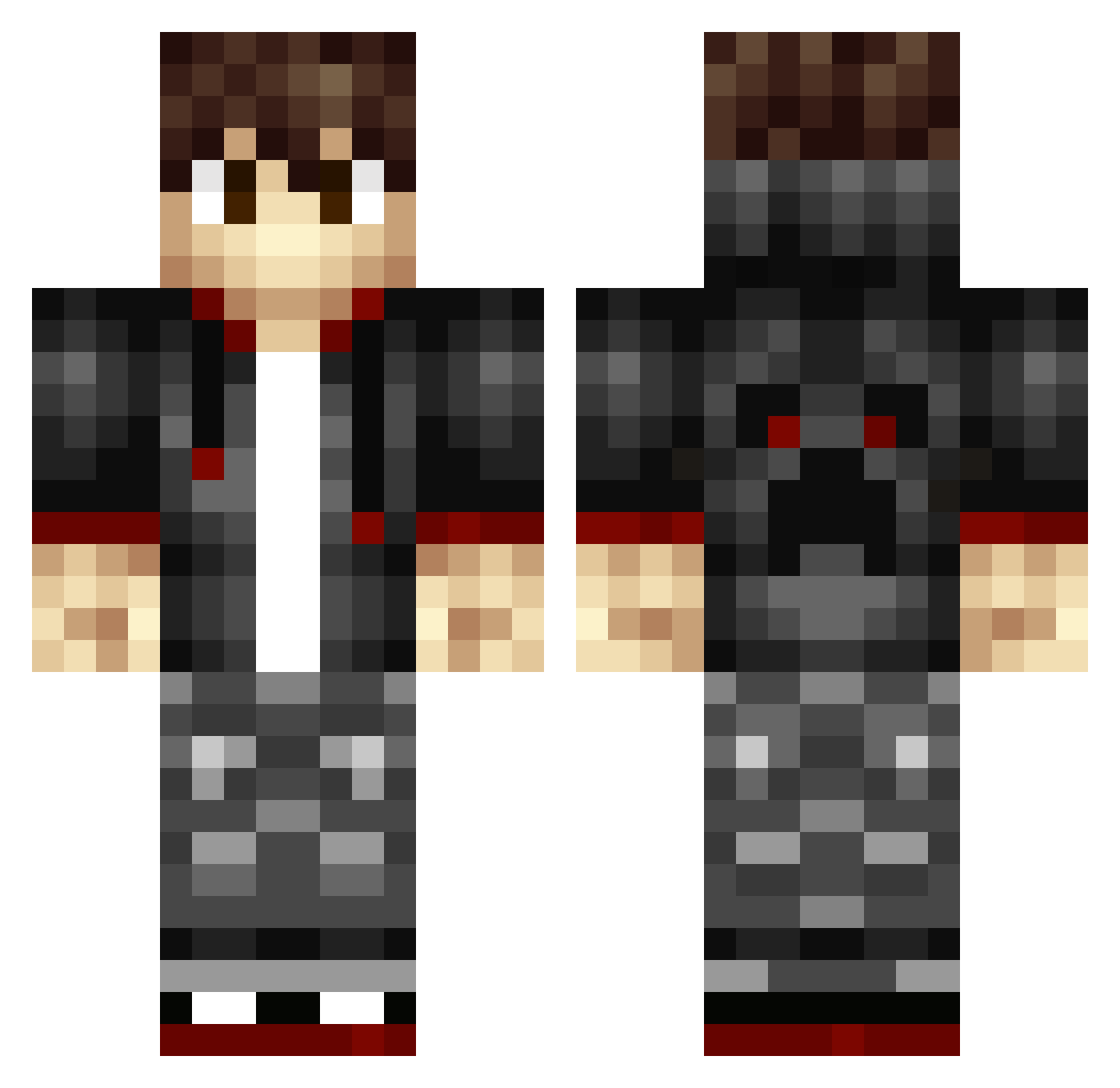
Current Minecraft skin of the player valund, loaded from the official Mojang API. Rotate the 3D model with your mouse or finger, then download the skin as a PNG file and use it in Minecraft: Bedrock Edition or Java Edition for free. When valund changes their skin, this page updates automatically and the old skin stays in the history below.
Other players with this skin (401)
valund was the 377th player we have seen with this skin, first spotted on 11.11.2026. The same skin was seen on these players. Open a nickname to see their current skin and skin history.
 JaJah TheRealMxtty ElVapeshFx Descriptor1 BlackStats VenomSniper TSR_ minekraftminion GhostGaming3212 Cwilson6698 Jamie_Gamer YourTargetP2W WhyperSnipper hei_ying Esteban849 nathbot97 BirdyBoi_12 PolarSkills zXDARKPANDAXz DWUBB_DWUBB panther318 RavioliPoker MinexCZ Skjold960 DerPercky LloydsFM Chr1s602 mjlangse Nubtobias Korba_ Orange_Fury themaestr0 zombiendie drakkon84 Brandy2602 MrNygren BINGbongSTEVEN Jackloveslegos mrCrow_92 TotallyTotle Hugo_Agapito Virox_LP siikmuslum theblackwindow RodrickMax SlayerxZ0161 CodexTavar SuperSoakinq Killer_Taro MrNickzz SonOfMyParents yun2526 Jjdidkd14 Mattice1234 Jatobi05 BeaChermeat gaylordstiffwell Jones2016 JooKou007 obsidian_gamer1
How to install the valund skin
- Press the Download button above to save the skin as a PNG file.
- Minecraft: Bedrock Edition (PE): open the Dressing Room from the main menu (or tap your character → Edit Character), go to Classic Skins → Owned, press the + (new skin) button, choose the downloaded PNG and pick the Classic (Steve) model. Works on PC and mobile; consoles cannot import custom skins.
- Minecraft: Java Edition: open the Minecraft Launcher, go to the Skins tab, click New Skin, load the PNG, pick the Classic (Steve) model and press Save & Use. You can also upload it at minecraft.net → Profile → Change Skin.
The skin does not show up after import - what should I do?
Restart Minecraft and open the Dressing Room again - imported skins sometimes appear only after a restart. Also make sure you selected the imported skin and picked the Classic (Steve) model.
Which model should I choose, Classic or Slim?
This skin is designed for the Classic (Steve) model. If you pick the wrong model, the arms of the skin will look stretched or squeezed.
Is the skin of valund free to download?
Yes. Press Download, save the PNG file and use it in Minecraft: Bedrock Edition or Java Edition - no payment or registration needed. The skin also works on multiplayer servers and Realms.
More skins
Looking for more? Go back to all Minecraft skins and check the top skins of the week, month and all time, or find any player's skin by nickname.