
valentingzz - Minecraft Skins & Skin History
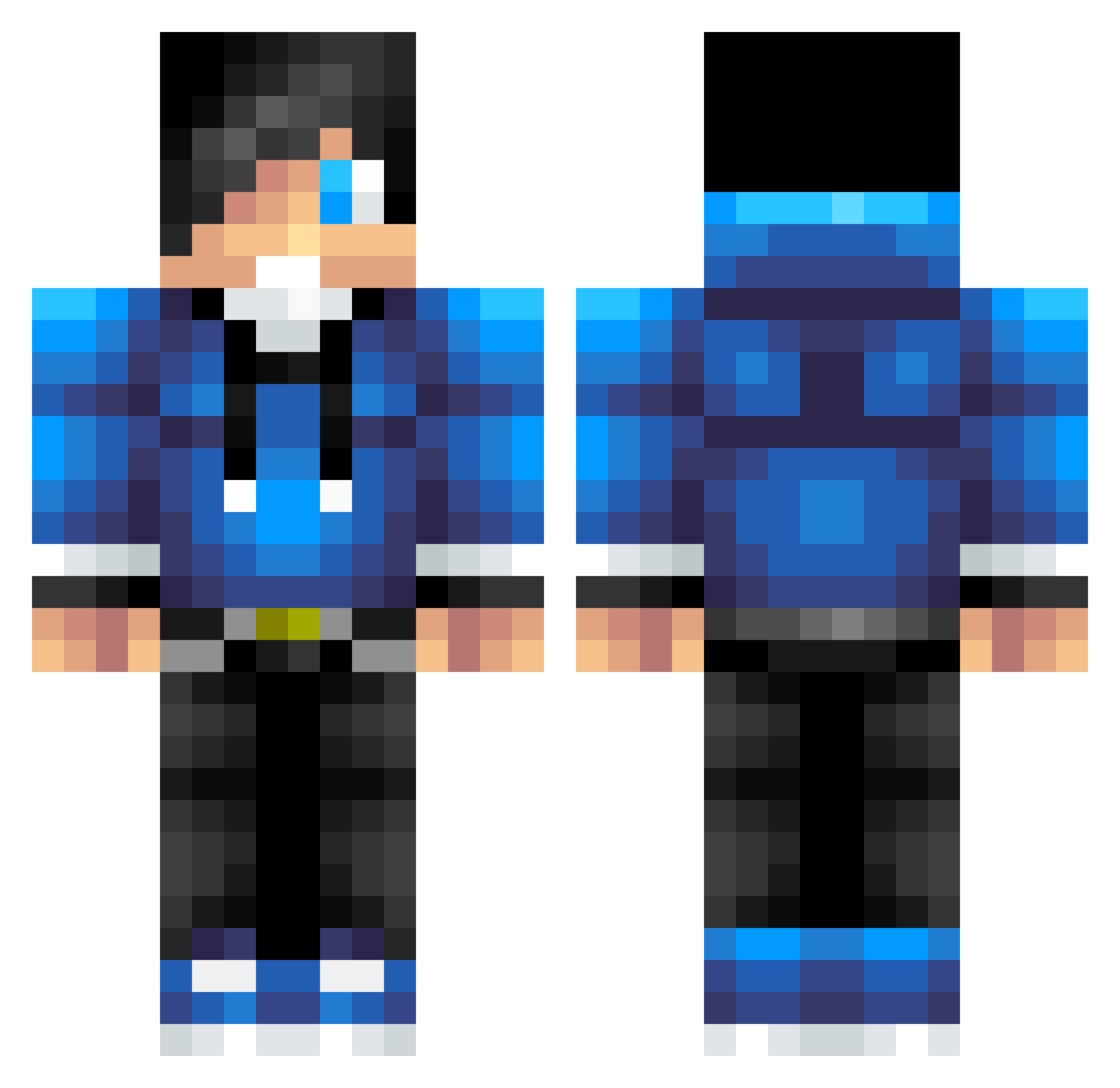
Current Minecraft skin of the player valentingzz, loaded from the official Mojang API. Rotate the 3D model with your mouse or finger, then download the skin as a PNG file and use it in Minecraft: Bedrock Edition or Java Edition for free. When valentingzz changes their skin, this page updates automatically and the old skin stays in the history below.
Other players with this skin (623)
valentingzz was the 248th player we have seen with this skin, first spotted on 02.09.2026. The same skin was seen on these players. Open a nickname to see their current skin and skin history.
 Guigui_7 Joicu nick74611 1Gavin3 Dave2006 Prydeyboys Powerman007 Riley611 drkdavid207 tbones540 SubFamily Benagliz65 Hockeymaster125 CrimzonStarr mikevc6182001 UnLegit_PvPer 19MeneCart97 xPandaOG GeorgeAstra asbgles McPlayin Sprayking Romnick2002 Scopene sushilax123 Matt542 kresser12309 Coolgirl1290 nhlbombers IamCaLveX dylan957 KasisGaming Magic_Player M1NEkill karmveer1001 Jirka0239 trski xsolarswordx knicksfan22 Jackpham1 Daviedalton scottie_11 Chapi_666 MariusXD2021 RiVallini ZombieNerd10 TrolofixHD antvenom_9 Baconboy379 XZAINX tirth19 Noob14510 Asianmon3 99_D_99 bluehawkmax jaxerj82 Intergalacticc Paraduse ScuffleOne Nightfighter2002
How to install the valentingzz skin
- Press the Download button above to save the skin as a PNG file.
- Minecraft: Bedrock Edition (PE): open the Dressing Room from the main menu (or tap your character → Edit Character), go to Classic Skins → Owned, press the + (new skin) button, choose the downloaded PNG and pick the Classic (Steve) model. Works on PC and mobile; consoles cannot import custom skins.
- Minecraft: Java Edition: open the Minecraft Launcher, go to the Skins tab, click New Skin, load the PNG, pick the Classic (Steve) model and press Save & Use. You can also upload it at minecraft.net → Profile → Change Skin.
The skin does not show up after import - what should I do?
Restart Minecraft and open the Dressing Room again - imported skins sometimes appear only after a restart. Also make sure you selected the imported skin and picked the Classic (Steve) model.
Which model should I choose, Classic or Slim?
This skin is designed for the Classic (Steve) model. If you pick the wrong model, the arms of the skin will look stretched or squeezed.
Is the skin of valentingzz free to download?
Yes. Press Download, save the PNG file and use it in Minecraft: Bedrock Edition or Java Edition - no payment or registration needed. The skin also works on multiplayer servers and Realms.
More skins
Looking for more? Go back to all Minecraft skins and check the top skins of the week, month and all time, or find any player's skin by nickname.