
vacebyu - Minecraft Skins & Skin History
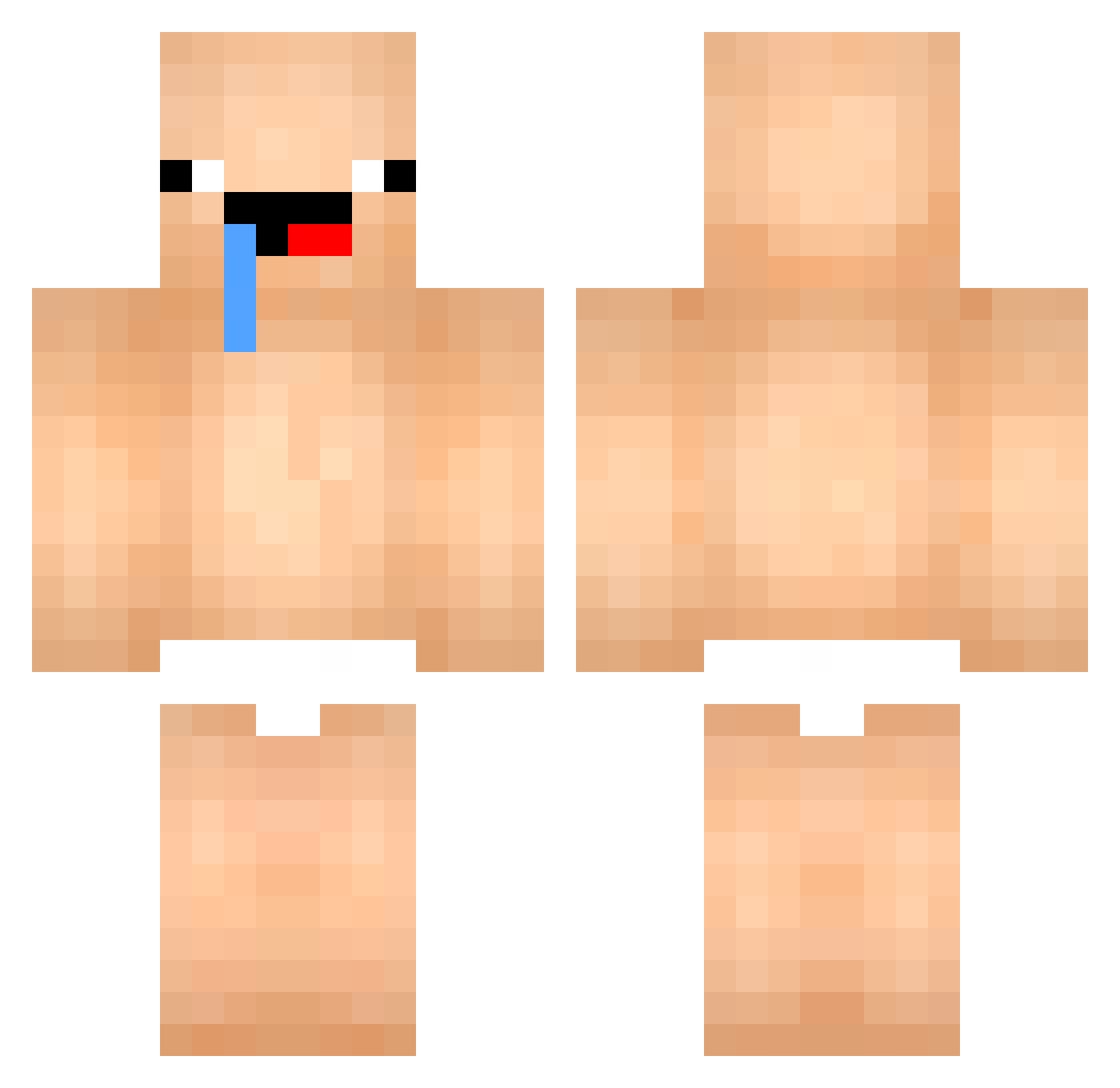
Current Minecraft skin of the player vacebyu, loaded from the official Mojang API. Rotate the 3D model with your mouse or finger, then download the skin as a PNG file and use it in Minecraft: Bedrock Edition or Java Edition for free. When vacebyu changes their skin, this page updates automatically and the old skin stays in the history below.
Other players with this skin (447)
vacebyu was the 90th player we have seen with this skin, first spotted on 13.08.2026. The same skin was seen on these players. Open a nickname to see their current skin and skin history.
 CUTYZOEY Narang2 momodabomba GUN_BBANG_0305 Kisuko3 coke711 weiyi1 angelrch BeneDICT9254 eunsung17 ImJereko Fanpa1 Roger0126 Tapioocaa Dannyz91 taeun_o Momo_pet07 jhonpark09 Dindinpqp Isxeal popcat149 NoMan4K LJS1213 Maty_cz456 Guilcraft26 LimaKoster POWERSIM05 Matoutou29 pigggg yzy131 PapitoChulo123 IlNinjaDeiPoveri Abcd1029 kangge16546 leechangho Judioo bindaMo minjun10 babyegg0814 david103100 MRTN_007 XxST4DARKxX LJH1818
 MangeMaNouille xi_h0 TheSeGaMaPremium tao_1223 vinemi sorayata pigjang Solidarc Nobre_21 byeongwon0213 Mr__Pawel Alkanet_ TimothyTrill WasserBottle DarkTerror_104 yeesung oluki_yla
More Baby Minecraft skins
How to install the vacebyu skin
- Press the Download button above to save the skin as a PNG file.
- Minecraft: Bedrock Edition (PE): open the Dressing Room from the main menu (or tap your character → Edit Character), go to Classic Skins → Owned, press the + (new skin) button, choose the downloaded PNG and pick the Classic (Steve) model. Works on PC and mobile; consoles cannot import custom skins.
- Minecraft: Java Edition: open the Minecraft Launcher, go to the Skins tab, click New Skin, load the PNG, pick the Classic (Steve) model and press Save & Use. You can also upload it at minecraft.net → Profile → Change Skin.
The skin does not show up after import - what should I do?
Restart Minecraft and open the Dressing Room again - imported skins sometimes appear only after a restart. Also make sure you selected the imported skin and picked the Classic (Steve) model.
Which model should I choose, Classic or Slim?
This skin is designed for the Classic (Steve) model. If you pick the wrong model, the arms of the skin will look stretched or squeezed.
Is the skin of vacebyu free to download?
Yes. Press Download, save the PNG file and use it in Minecraft: Bedrock Edition or Java Edition - no payment or registration needed. The skin also works on multiplayer servers and Realms.
More skins
Looking for more? Go back to all Minecraft skins and check the top skins of the week, month and all time, or find any player's skin by nickname.